
5 Google Chrome Extensions For Google Services

Update: Extensions are now integrated fully in Google Chrome. This makes it easier to install them, and use them in the web browser.
The extension development for the Google Chrome browser is speeding up slowly but steadily. While there is still no option to use extensions in the latest public release of the Google browser yet, the developers are slowly improving the capabilities of the extensions manager.
The latest dev builds of the web browser support extensions right out of the box. This is a big step in the right direction, as you had to launch Chrome with a startup parameter previously to enable extensions support.
It is generally expected that extension development will really take off when the public releases of the browser start supporting extensions.
The chance is however relatively good that some developers have already created extensions for popular web services. This article looks at five Google Chrome extensions for popular Google web services including Gmail and Google Reader.
Gmail Checker
Gmail Checker is a simple extension that displays a button in the Google Chrome menu bar. This button displays the number of unread email messages of a linked Gmail account.
Basically, what it does is notify you about unread emails on Gmail so that you know directly when you have to open the web mail service, and when not to.
Update: Instead of using Gmail Checker, use the official Google Mail Checker by Google instead.
Google Reader Checker

This is from the same developer who developed the Gmail Checker extension for the Chrome web browser. It is therefore not surprising that it works exactly like that extension. It will display a new button in the Chrome menubar that shows the count of the unread news items of Google Reader.
Update: Google Reader has been discontinued.
Google Tasks
The Google Tasks add-on integrates Google Tasks into the web browser by allowing the user to access the tasks directly from within the web browser without having to open the Google Tasks website.
Update: Use the official Google Tasks by Google extension instead.
gPDF

This extension allows the user to open pdf documents directly in Google Docs. There are two advantages of this method. First, no pdf reader needs to be installed on the computer system to read pdf documents and second, it will reduce the chance that the document exploits security vulnerabilities in the installed desktop pdf reader.
Update: The extension is no longer required as Chrome ships with its own internal pdf reader that you can use for that purpose.
Google Wave Checker
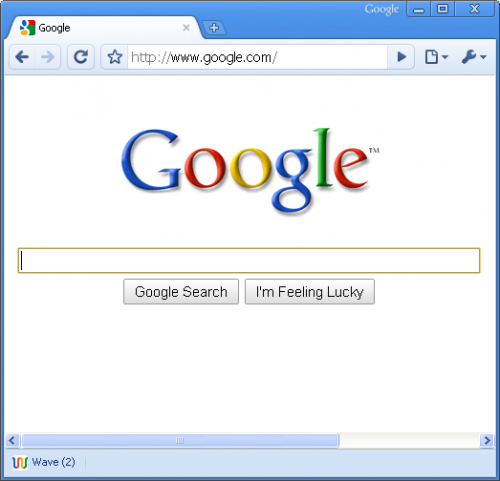
A basic extension that will display the unread Google Wave messages in the Google Chrome statusbar.
Update: Google Wave has been discontinued by Google.
Verdict:
Extensions begin to appear in greater numbers for the Google Chrome web browser but are hardly a match for the incredible amount of extensions for the Firefox web browser. It is likely that this is not going to change in the near future. The first step to make extensions more popular to both developers and end users would be to add extension capabilities to the public version of the Google browser.















You might want to take a look at Autopen – Email Signatures https://chrome.google.com/extensions/detail/cmjcoiohflenpehfaalahocpmacjloof It is a full featured email signatures app for gmail/google apps. Has a great rich text editor, unilimited signatures, different signature defaults for different email addresses and a sync service that will keep your signatures synchronized between different computers.
Don’t forget GoCalendar: http://www.chromeextensions.org/alerts-updates/gocalendar
too bad the reader and gmail checkers don’t work on the linux versions (they actualy crash them!! where is process isolation??!?)