Adobe Premiere Comes to Android for Free With Full Video Editing Tools
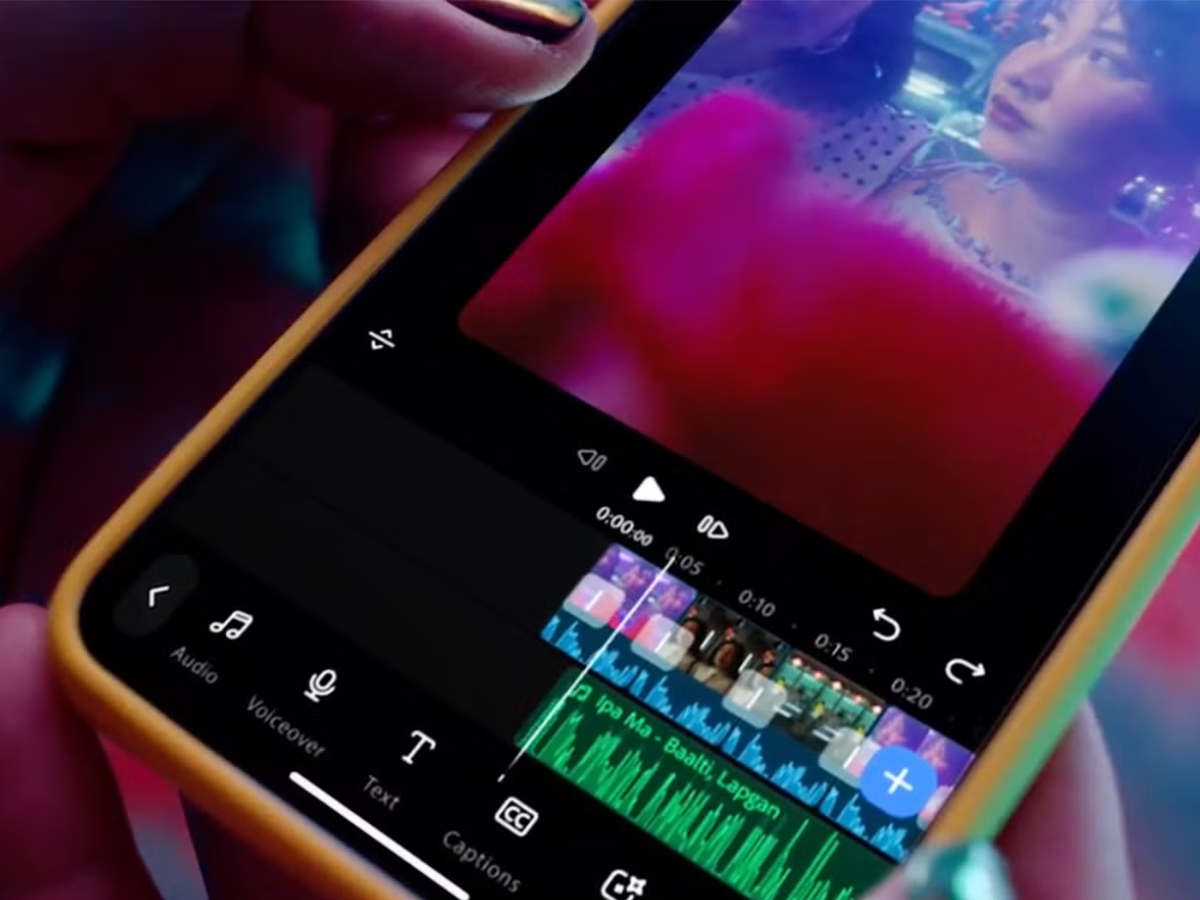
Adobe has made a fully featured Adobe Premiere app for Android available on the Google Play Store, as Adobe has stated.
The app provides complete video editing on a mobile device, with the ability to edit and export videos up to 4K, support for multi-track timelines, and optional generative AI features.
It is free to use, does not require a login, includes no upgrade prompts, and does not add any watermarks; only the AI features and cloud storage involve a cost. Adobe Premiere for iOS was launched a year ago.
More than fifty thousand downloads have been recorded for the app.
Adobe Premiere for Android Features and Premiere Rush Comparison
Adobe presents the app as being designed for "creators" and says it can be used to produce TikToks and Instagram Reels, to turn moments from video podcasts into clips, and to edit vlogs; it provides access to a full range of mobile video tools.
The application allows users to begin with templates created by other users, edit and export videos in up to 4K resolution, and deal with effects, transitions, creative assets, and music taken from Adobe Stock, their own files, or audio that has been extracted. Video, music, voiceovers, and effects can be layered on a multi-track timeline, and there is an Enhance Audio function to achieve studio-quality sound.
There are also optional features relating to generative AI, such as Generative Fill, Image-to-Video, and Generate Sound Effects. Adobe has stated that it intends to include Adobe Fonts, improved captions, keyframes, cropping, beat detection, and the ability to carry on editing in Premiere on desktop.
Adobe Premiere was represented in the Play Store between 2019 and 2025 through Premiere Rush CC, a more simplified version designed for use on mobile devices.
This app offered fewer features than the new version and carried a monthly fee of $9.99, or could be obtained as part of the complete Adobe Creative Cloud Suite, which cost more than $50 per month.
The Android Police points out that offering the full version of Adobe Premiere for free will reduce the growing competition that Adobe is facing from apps such as Canva and CapCut.
Adobe Premiere for Android Requirements, Pricing, and Availability
The app is free with no login required and no watermarks:
- It is compatible with devices that run Android 13 or a later version and needs a minimum of 5GB of RAM.
- Editing features, such as 4K export and the use of multiple tracks, are provided free of charge.
- What you need to pay for are the AI features and cloud storage.
Adobe Premiere can now be found on the Google Play Store and has already received more than 50,000 downloads. The company has mentioned further features it plans to add in the future, such as Adobe Fonts, improved captions, keyframes, and beat detection, but has not stated when these features will be introduced.

Do people really edit videos on their phones? Maybe trimming it to make it shorter, but full-on editing? It’s like the movie Idiocracy is coming to life.
There are Android tablets – including 13.1″ and 14.6″ Samsung Galaxy S tabs.
Some Samsung and Google phones also have Desktop Mode (like Samsung DeX), which allows people to plug them into a monitor via USB-C and use their phones as a desktop on a monitor.
This is nothing new, Affinity and DaVinci Resolve have been available for iPad for a while. Personally, I find laptops better value for money, however there are undoubtedly people who like using tablets.
Video editing applications for Windows are a pretty crappy experience. The developers only support graphics cards for a short time, therefore it’s quite common to be stranded and not be able to update to a later version because the newer version is not compatible with your video card or graphics drivers. Fortunately, there are programs such as Kdenlive (by KDE) that are much more compatible with older hardware – for people who don’t want to buy a new computer every few years.