Adobe Photoshop, Adobe Express and Adobe Acrobat are now available in ChatGPT for free users

Adobe has announced that Photoshop, Express and Acrobat apps are now available in ChatGPT. Here's how to access them.
(Image courtesy: Adobe)
Before you get started, you will need to sign in to your ChatGPT account and open the Settings, and go to Apps and Connectors. Here's the direct URL for the page: https://chatgpt.com/#settings/Connectors
Select Adobe Photoshop, Adobe Acrobat or Adobe Express, and click on the Connect button. Now you have access to the three apps within ChatGPT.
Note: You don't need an Adobe account to access Photoshop and Acrobat, but you need to sign in to use Express. Adobe's terms and conditions, privacy policy will apply to the content you allow the apps to access in ChatGPT. You can disconnect the apps at any time.
Once you have uploaded an image to ChatGPT, you can use Photoshop to edit and enhance their images by using simple prompts in the chat. You can describe what you want to the AI, and it will make the adjustments accordingly. To use it, just type "Adobe Photoshop" (without the quotes), and follow it with your request. For example, "Adobe Photoshop, make the people pop in my vacation photo."
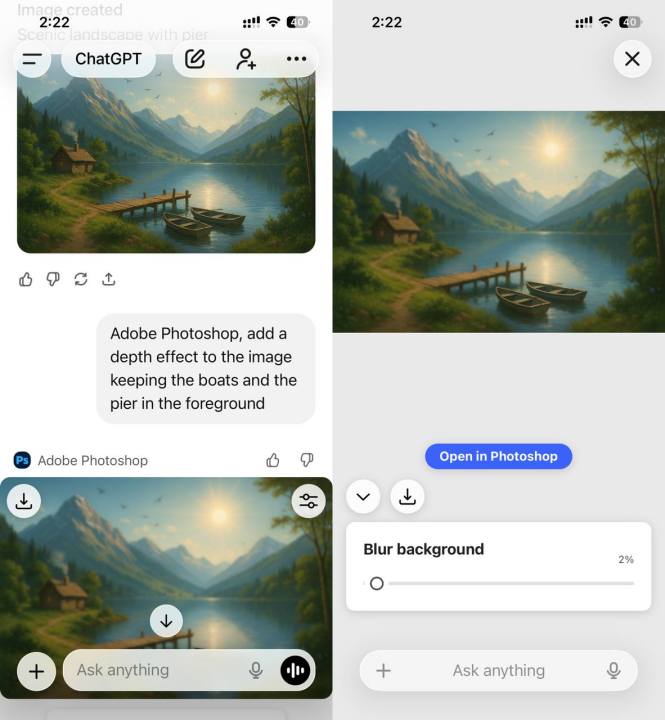
You can ask it to make people in an image pop, or change the background. It also allows some manual controls for adjusting the brightness, contrast, exposure, and to apply effects like Glitch and Glow.
Note: Photoshop requires your browser to support WebGPU.
Adobe's Express app for ChatGPT can be used to create images, invitations, holiday cards, etc. The app lets you take your pick from various templates, which you can use as a base, and customize it to your liking. You can edit the text, replace images, animate designs, etc.
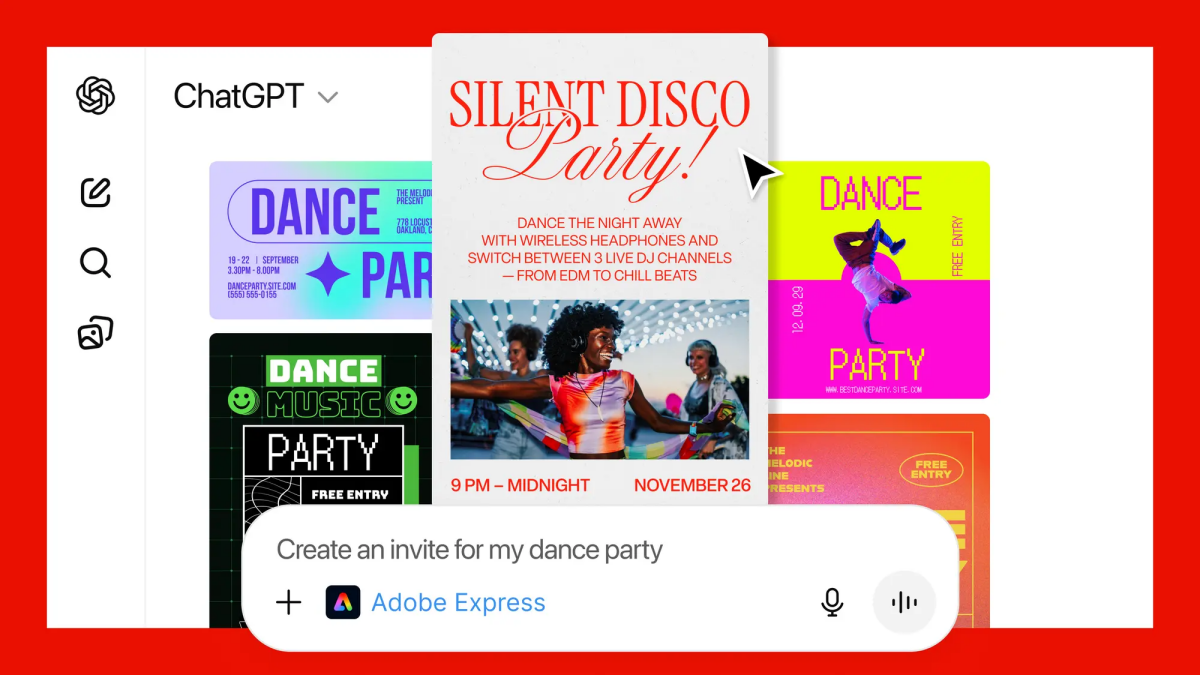
(Image credit: Adobe)
Users can use Adobe Acrobat in ChatGPT to edit PDFs, extract text or tables using Optical Character Recognition (OCR). The app can be used to redact sensitive details from documents. It can organize, split or merge files. You can convert your images and documents to PDFs. Adobe says the app will preserve the formatting of the original document. Here's a support page with more details.
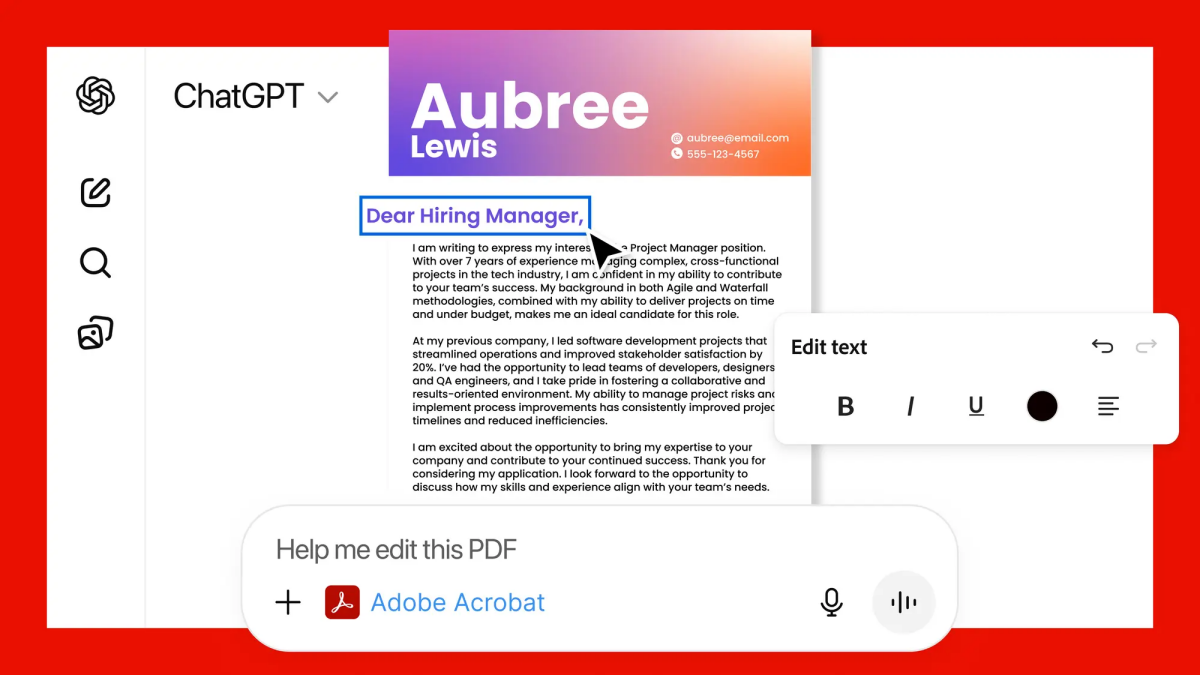
(Image courtesy: Adobe)
Adobe Photoshop, Adobe Express and Adobe Acrobat are available for all ChatGPT users globally, including those with a free account. The apps are available on ChatGPT desktop, web and iOS. Adobe Express for ChatGPT is available on Android, and the company's announcement says that the Photoshop and Acrobat for ChatGPT apps are coming soon to Android.
I guess it's kinda cool to make edits in Photoshop easily by just describing them, even if you have zero editing skills. I only tested it briefly, but the toolset seems to be pretty basic. It is unclear whether there are usage limits for the apps.
FYI, Google Photos lets you edit photos using AI, and to transform photos into videos or create Shorts.
Have you tried Adobe's apps in ChatGPT?

Have you tried Adobe’s apps in ChatGPT?
No, but it’s nice to have the option. I’ll try it out.
AI, if one can open that little brain he/she has, is a remarkable time saving tool with results that surpass most users’ abilities. I spoke to a photographer the other day; she’s all in with AI because, as she said, “There are certain things, like a flash on an object, that take far too long, but AI can do it in nano-seconds.”
The trend over the last five years–don’t need software installed on a computer anymore.
That’s not the case.
I would love to buy a camera that had precisely one button – a shutter button. I would welcome in-camera machine learning, where the camera automatically evaluates the image and produces the perfect depth-of-field, perfect exposure, etc. all from one image capture.
But that’s not what we’re seeing being pushed. Instead of useful machine learning combined with natural HDR, what we’re seeing is AI where it either offers no advantage over conventional tools, or produces unnatural results. If you look at the example in the article, it looks like it has just applied gaussian blur and masked the boats. It’s not a natural looking result and doesn’t even save much time.
Using machine learning to save time, but still keep the original image close to the original scene would be great, as post-processing images is time-consuming and tedious. That I totally get. And in some cases, tools being pushed as AI are not actually AI – or even new – it’s just plain old machine learning, but the marketing teams have decided to call everything AI now even though we’ve been using those tools for years.
However, using AI that produces unnatural and not very appealing results, or in some cases completely changes the look of the original photo is drivel. And in the more extreme examples, where AI plagiarises other people’s photos and then replaces parts of a photo with something that wasn’t even in the original photo is pure junk. Think people with six fingers, or a moon that was replaced with a different moon that someone else took. That’s even if you can get the prompt to do what you even asked for in the first place.
I haven’t found AI can replace my time-consuming and tedious post-processing, which it really should be able to do if it was any good. I would love nothing more than to never need to post-process an image ever again.
Photopea is another choice, very similar to Photoshop.
I’ll stick with Affinity, which is also free. I want nothing to do with Adobe again – or AI crap.
Let’s hope Canva keeps it that way.
Oh, it uses Photoshop Web. Not an installed version on your computer.