Proton Mail app gets a redesign, offline mode on Android and iOS
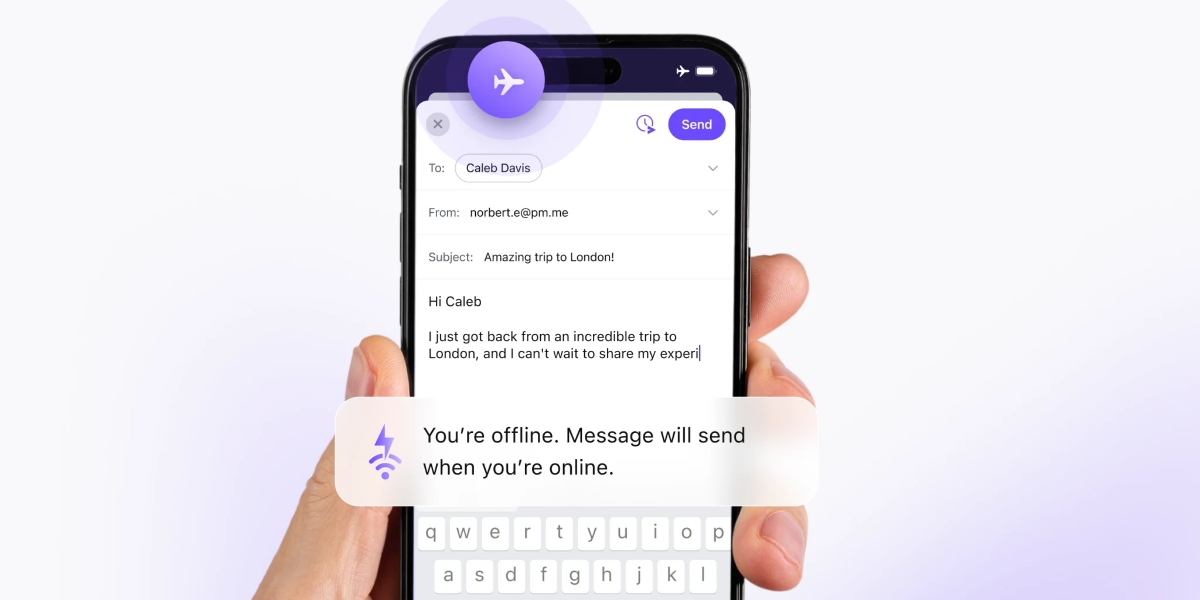
The Proton Mail app for Android and iOS has been updated. It has a new design, and adds support for offline mode.
Proton's announcement says that the encrypted mail client now shares its code base on iOS and Android, to deliver new features faster, simultaneously. So, I compared both the iOS and Android versions of the app side-by-side, they are identical.

Let's start with the compose button, it is no longer at the top of the screen. It is now located in the bottom right corner of the Inbox page, and dynamically sizes as you scroll. If you reach the top of your mailing list, it shows "Compose", and if you begin scrolling up it turns into a compact button. This is similar to how Gmail's compose button works. The unread counter has moved from the top right to the top left of the screen.
Offline mode in Proton Mail lets you read your mails when you are not connected to a Wi-Fi or mobile data network. When you send a mail when offline, it is automatically queued up for sending, and when you go online, it will be sent. The same applies to organizing your messages.

Android users can now snooze emails from the menu, and schedule messages to be sent later by tapping on the clock next to send. These features were already available on iOS.

Proton Mail's sidebar options have been slightly rearranged, but the options are the same.

The Settings page has been completely overhauled, you can now manage Security Keys for Proton Mail from the app. It also has a password management option for your account. The Settings page has several new options including Mailbox Preferences, Folders and Labels, Spam and Filters, Privacy and Security, and App Customizations.

Proton Mail's app is definitely faster than before, at least on iOS. My Android phone is very old, so I can't tell the difference, but many users seem to be happy with the performance of the new app.

That said, the Settings pages are slower to load, this was noticeable on both iOS and Android. It is because the is syncing with the web mail client. I say this, because you can't change most of the settings while in offline mode, except for app customizations.
Download Proton Mail from the iOS App Store or the Google Play Store. The latest update, version 7.0.10 is still rolling out to Android users, you can sideload the app from the GitHub releases. There aren't any AI features in the app.
Do you like the redesigned app?

I’ve had a gmail account for about 15 years. Even in those early years, I was “transactioning” with companies like eBay and Amazon and Paypal.
Yesterday I received an email from Google telling me that they cannot prove I’m an adult. That my settings have been changed to child-mode or some such.
In order to prove I’m an adult… ID verification of some kind was needed. They provided a list of ways I could prove my identity but as you can see… it has begun. Even for an account that obviously belongs to an adult.
I tried sending a message to Google and it responded that I needed my parent’s permission to communicate with them.LOL
I am sure that unless I comply with ID-verification, lots of my Google-based activities will be curtailed. Youtube has also sent me the same message – so I imagine that (perhaps) certain videos will not be available to me.
I signed up with Proton and Tuta : both of which offer encryption at rest.
Good riddance, Google. It was a long time coming.
I had Protonmail since around 2014-2015, I can’t remember how I found it, before I used to have Outlook accounts for several years. And then something happened where I couldn’t remember my password and my account was connected to another account for recovery, which to another account and so on, like accountception. And I couldn’t remember all the accounts and their corresponding passwords so I was locked out and that’s how I ended up on Protonmail. I don’t even remember how I found it, but I was looking for some new email provider and it stuck from the rest.
Google isn’t very good in my opinion. I never used Gmail although I have had several accounts, the way things are managed look weird to me. I liked Outlook in the 2010 era when everything was inspired by Aero Glass, after they incorporated the flat design, it became very ugly.
For me Protonmail looks the easiest to use, but probably because I’ve been using it the most in the last 10 or so years. It’s not ideal and I can tell you that when it was new, it didn’t have any prompts or advertisements or ads, but now I see places where ads should be, but my Brave blocker is removing them, so I only see the empty space. Also, before the last few years, the website loaded faster – especially in the process of inputting your details and pressing the LOGIN button, now it feels like it’s slower by a few seconds.
There is no ideal provider, just use the one you’re comfortable with.