Apple releases iOS 26 and here are its best features

iOS 26 is now available for iPhones. Let's take a quick look at what's new in it.
Apple had announced the new iteration of iOS in June, before releasing it in beta. Now, it's available for everyone.
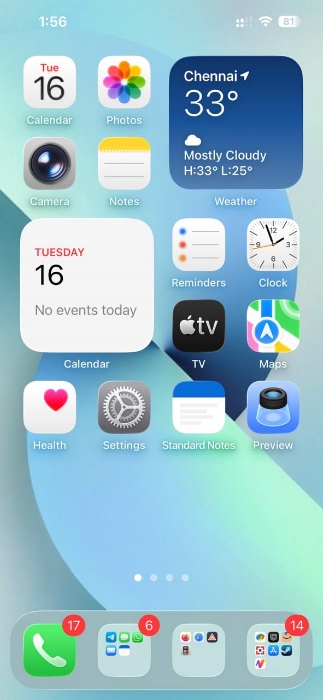
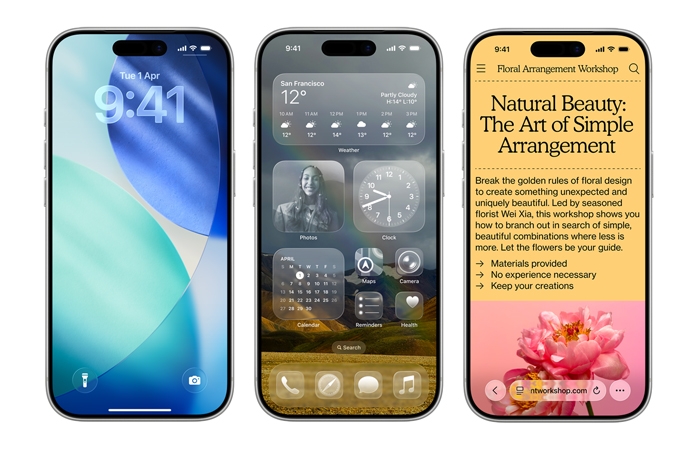
The main highlight of iOS 26 is Liquid Glass, a transparent design for apps, icons, menus, widgets, navigation, etc. It is everywhere from the Home Screen to the Lock screen, the notifications, Control Center, and in the interface of apps. Some people like it, some people don't.
To set up your Home Screen for Liquid Glass, long press anywhere on the home page, and select edit in the top-left corner. Tap on customize, and you will be able to select the icon colors, including Light/Dark/Clear themes.
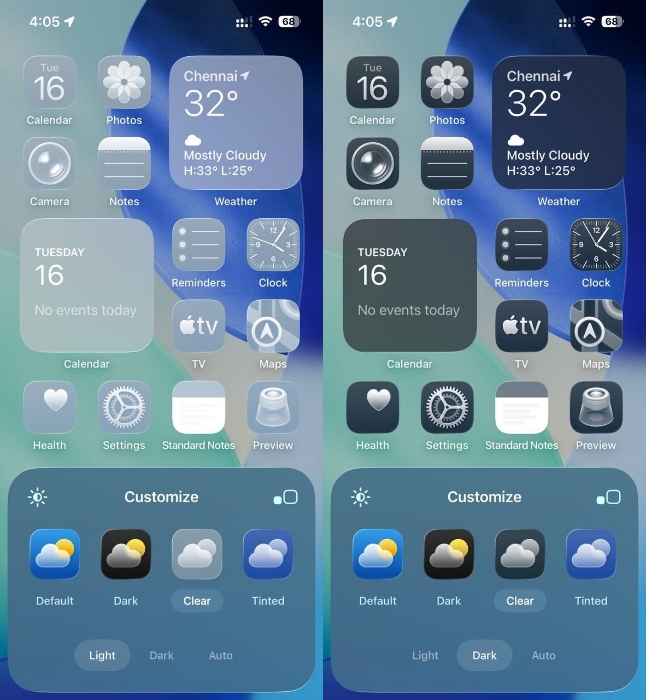
Select Clear, it also has its own Light or Dark options which you can choose. One thing that surprised me is the home bar (the white bar) at the bottom of the screen, it's gone. Liquid Glass also brings a new magnifier loupe that appears when you try to move the cursor. The tab bar (address bar) in apps like Safari, Apple Music, Podcasts, News, etc., shrinks automatically as you scroll, for a more immersive experience. You may notice that many app icons have been redesigned.
Moving to the Lock Screen, iOS 26 introduces a 3D effect for your photos. You'll need to toggle the Spatial scene option when setting up the wallpaper. This feature is available on iPhone 12 and later.
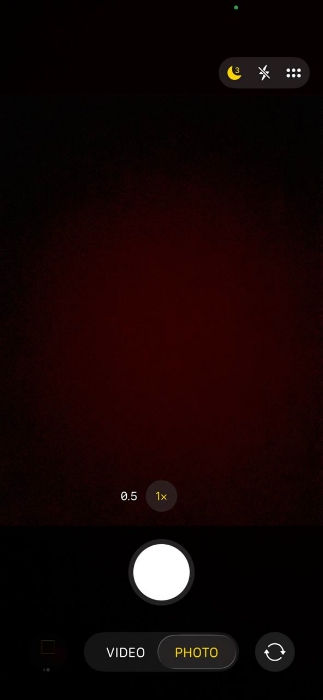
Apple has revamped the Camera app in iOS 26, it has a streamlined design. It displays 2 options at the bottom, Video and Photo. Swipe your finger on these options, to the left or right, to access more options. Users can now customize the controls displayed by the Camera app. If the lens is dirty, the camera app will prompt you asking to clean it for the best possible photo.
The Photos app also has a new design featuring tabs for Library and Collections. Messages now supports typing indicators in groups, polls, backgrounds, etc. iOS 26's Phone app has a simplified design with three tabs for calls, Contacts and Keypad. The Calls tab acts as a unified layout for Favorites, Recents. Missed and Voicemails. You can switch to the old layout from the menu in the top right corner of the screen. The Phone app supports call screening, which will ask unknown callers to say why they are calling you, and you can choose to pick up the call.
Apple has shipped some new features for Apple Intelligence in iOS 26. Visual Intelligence can be accessed in any app by pressing the same buttons you use to take a screenshot on your iPhone. It allows you to search for things on your screen using Google or other services. Or you can ask ChatGPT about what's currently on your iPhone screen such as an object, or to quickly identify plants, animals, etc.
iOS 26's Live Translations can automatically translate incoming texts in all chats. All you need to do is type your message in your preferred language, and it will be sent to your contact in original and translated versions. It also works real-time in FaceTime calls, translated captions appear on your screen as the person speaks. Live Translation is also supported in Phone calls too, the words are translated and spoken out loud in real time. If you have AirPods when speaking with someone in a different language, you can use them to hear the translated version of what they are saying.
Note: Live Translations supports English (UK, US), French (France), German, Portuguese (Brazil) and Spanish (Spain), and requires Apple Intelligence to be enabled on a compatible iPhone, iPad or Mac.
Some tips for iOS 26:
Don't like the Liquid Glass design? You can reduce the transparency effect. To do so, go to the Settings > Accessibility > Display & Text Size > Reduce Transparency.
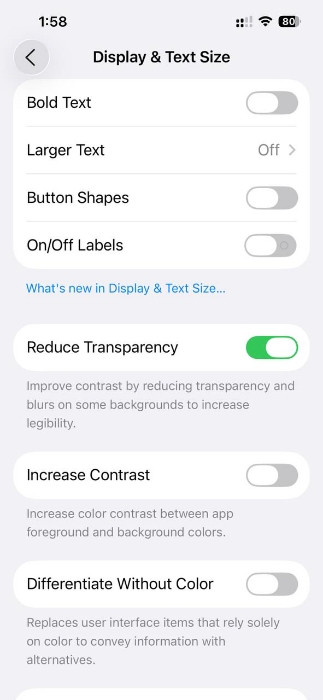
It is very noticeable in some apps. You may have to restart apps to apply the setting.
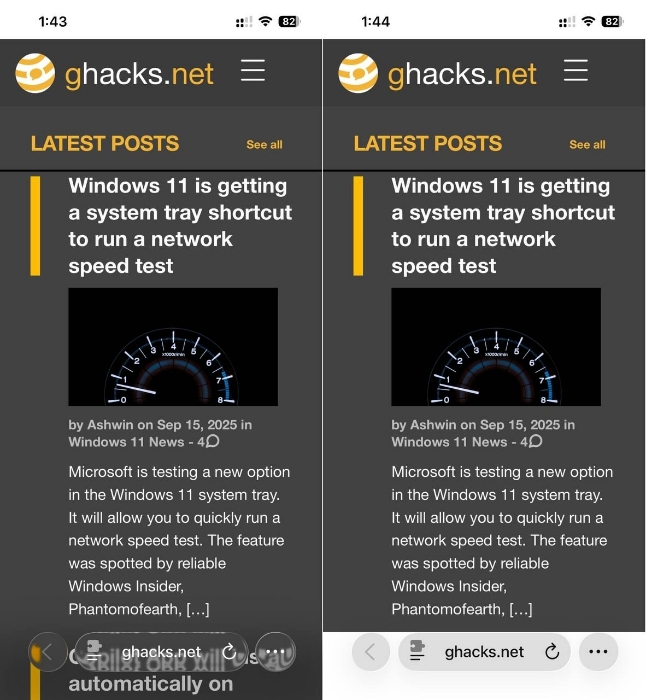
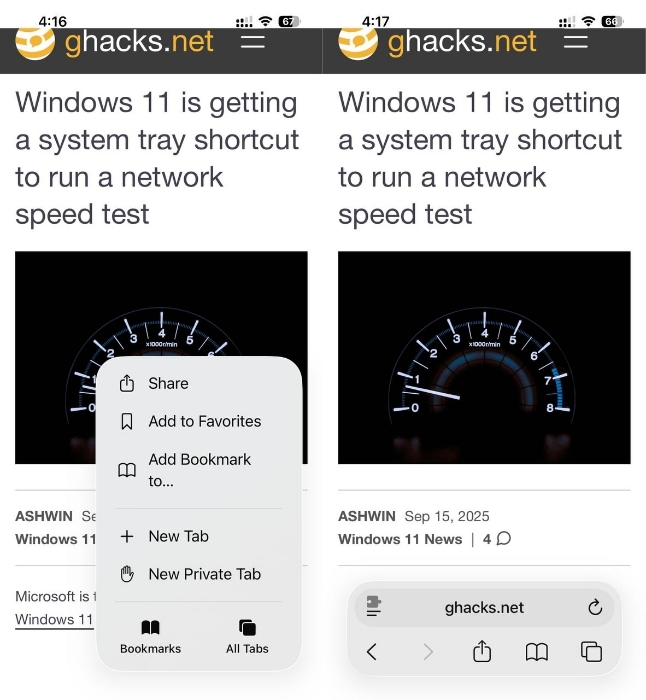
Apple Safari in iOS 26 removes the tab switcher button, and it now requires two taps to access your list of tabs. There's a simpler way to switch tabs. Just swipe up from the address bar.
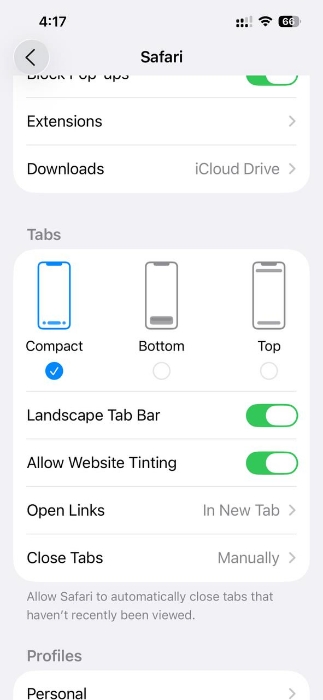
If you want a tab switcher button, go to Settings > Apps > Safari, and keep scrolling until you see the Tabs section. It is set to use the "Compact" layout as default. Select bottom to get the tab switcher button back.
A search bar is now available at the bottom in many Apple apps including Messages, Mail, Notes, etc. You can now set a snooze duration for alarms, the options let you choose between 1 and 15 minutes.
My iPhone 13 was very warm to the touch when I was testing iOS 26, a couple of hours after installing the update. A support page on Apple's website says that "you might notice a temporary impact on battery life and thermal performance.", and that this is normal after installing an update.
Refer to the official support page for more details about what's new in iOS 26.
If you haven't gotten the notification for the update, go to Settings > General > Software Update to check for it manually. iOS 26 is compatible with iPhone 11 and later. Here is a full list of devices that are eligible to receive the OS update.
- iPhone 17
- iPhone 17 Pro
- iPhone 17 Pro Max
- iPhone Air
- iPhone 16e
- iPhone 16
- iPhone 16 Plus
- iPhone 16 Pro
- iPhone 16 Pro Max
- iPhone 15
- iPhone 15 Plus
- iPhone 15 Pro
- iPhone 15 Pro Max
- iPhone 14
- iPhone 14 Plus
- iPhone 14 Pro
- iPhone 14 Pro Max
- iPhone 13
- iPhone 13 mini
- iPhone 13 Pro
- iPhone 13 Pro Max
- iPhone 12
- iPhone 12 mini
- iPhone 12 Pro
- iPhone 12 Pro Max
- iPhone 11
- iPhone 11 Pro
- iPhone 11 Pro Max
- iPhone SE (2nd generation and later)
Apple announced the iPhone 17 series last week, the devices will start shipping on September 19th.
Have you tried iOS 26?

While there are a couple of new IOS 26 features that I’d like to have (e.g., phone call screening), the lack of readability from liquid glass (reducing transparency does somewhat help but it is not a complete solution and is ugly as well) is a deal breaker for me. I want a functional phone with very high clarity, not an artist’s wet dream that will come with a battery drain as well (a lot of this new stuff will need more power no matter what Apple wants you to think). I downloaded the 18.7 update and I’ll simply stay there and see if Apple hopefully gets enough complaints that it allows users to disable most of the new look. I’m not holding my breath though, as I’m pretty sure they intend to be quite stubborn about the change.
It’s cute that in 2025, with technology at the state it’s at, people still worry about slight translucency vfx, and the dreaded effect they must surely be having on battery life – aren’t the latest iphones variable refresh rate, going up to 120 Hz? 120 Hz! Because the animations, and scrolling, and *checks notes*… all those 120 fps videos we’re all constantly watching, are so important, and must look as smooth as possible.
It’s funny to think people are out there with iphones, thinking they have a conservative, utilitarian device built for longevity, etc. You have a flashy device designed to appeal to the common denominator, they stopped caring about battery life once they confidently got to the stage where it “lasts all day”.
I’m inclined to agree with the naysayers: ios26 sucks, ipad26 stinks, and macos26 or whatever it is being called is a regression. The mobile devices are eating more battery than before, bloated with AI garbage, and I hate the Liquid effect (though it can be turned off). The MacOS version is not significantly fatter but has all the same AI crap thrown into it, and they’ve removed the Launchpad and substituted an app that doesn’t work properly nor gives you the ability to group applications like a mobile devices. I knew all this was coming, and I think it may hasten my abandonment of the Apple ecosystem like the Microsoft world I also ditched. The thinking from all these tech companies seems to be “more is more” … and more and more bloated surveillance- ware. When this computer is finally done, that’s it. Apple and I are also done.
I’d like to know how you managed to get rid of that Liquid Glass nonsense. I tried the ‘Reduce Transparency’ option, but it still looks awful. Is there a way to switch back to the old look, or is this something that can’t be done because Apple is garbage?
This is the most significant technological failure since Windows 11. What a terrible update from Apple! I’m trying to work out how to remove all the ugly designs for family members who hate them. They all said it looks like a cheap Myspace page from 2004. The text is not visible due to it bleeding through the background. I had to reduce the motion to make their phones feel smoother again because it is now laggy. Basically, trying undoing everything in this Crapple update.