Xbox PC app now shows games from Steam, Epic Games

Last week, Microsoft announced that the Xbox PC app is getting an aggregated gaming library. It is now rolling out to users.
To manage the games that appear in your library, go to the Settings > Library & Extensions page in the Xbox PC app, this can be helpful if you want to hide games from a specific store. You can't use the Xbox PC app to connect with Steam, Ubisoft Connect, Epic Games, GOG or the EA app, and because of that you don't have options to download any games from those stores directly from the Xbox app. That's fine since it is meant to be a place where you can access your recently played games and installed games.
The Verge reports that the aggregated gaming library is now available for users who have installed the Xbox Insider Hub on their PC. I don't have the Insider Hub installed, but had enrolled into the Insider Program earlier, that's why I got the update.
First impressions
So, how does it work? Go to the library page to view all games that are installed on your PC. Y The implementation isn't perfect, the Xbox app didn't detect that I had recently played The Division 2 via the Ubisoft Connect launcher. As a matter of fact, the game doesn't show up in the list of installed games, either. It also failed to detect that I had a game from GOG installed.
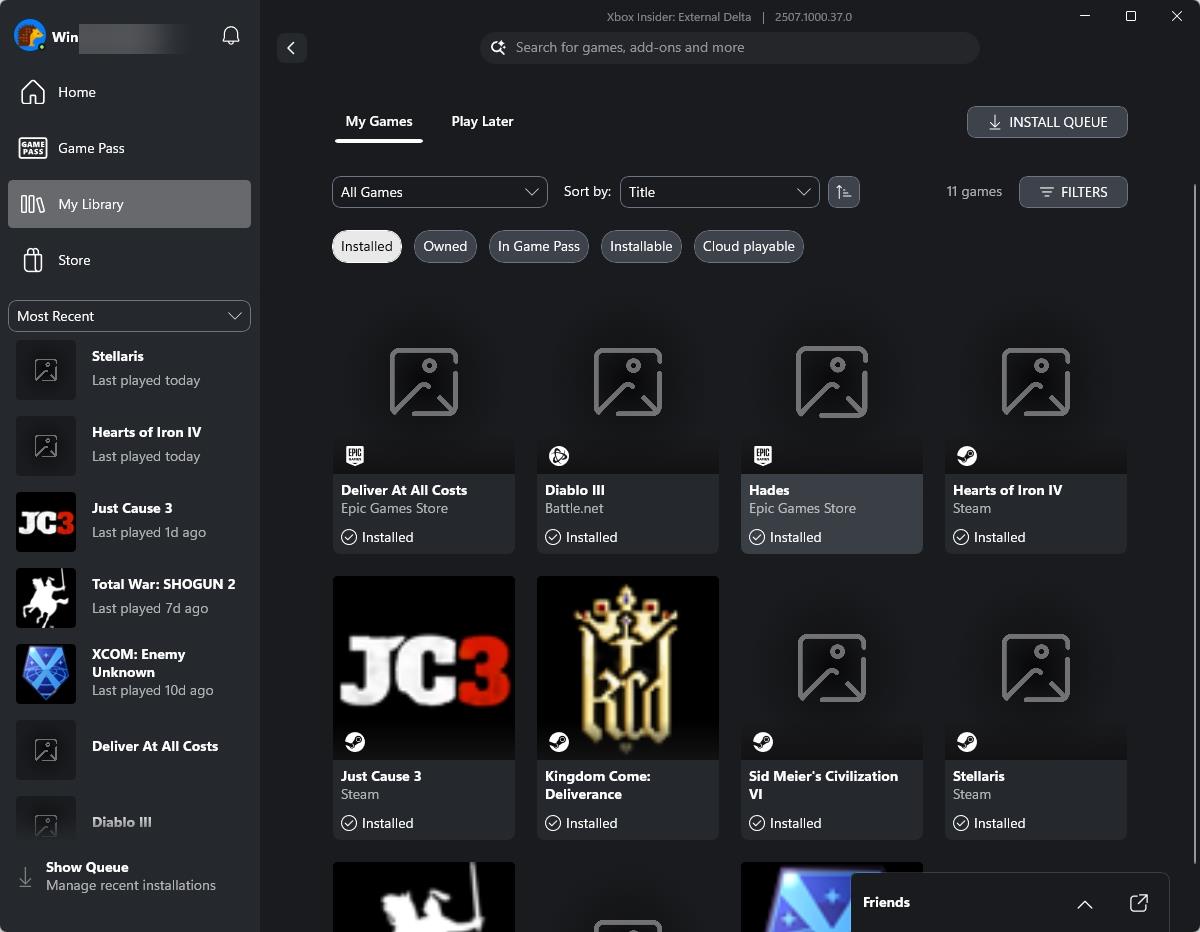
To launch a game, click on a title on the sidebar, and it opens up the game's tab. You will see three options: Play, See in "Store", Manage Extensions. Clicking on Play opens up the game's launcher, and then the game itself, so essentially it's like a desktop shortcut. See in "Store", well this depends on where you got the game from, it will say "See in Steam" if that's where you downloaded it from. Manage extensions takes you to the settings page, which I mentioned earlier.
Some game icons were missing, I thought this was because I've enrolled into older versions of Paradox's games (for compatibility with old mods and saves). But I don't think that's the reason,. There is no way to remove a game from the recently played list. The Installed list also contains games that are no longer installed.

It's quite buggy at the moment, hopefully these issues should be sorted soon. It is possible that handheld users, such as those with a ROG Ally, may appreciate the aggregated gaming library more than regular PC users will.
Have you tried the new Xbox PC app's features?

Nice. Game Pass now automatically shows my installed Steam games. But how do I get Steam to automatically show my installed Game Pass games? Did Valve not demand reciprocity, at least?
I am not sure the xbox app added support for GoG games, as they don’t detect on my pc either, and I have a few of them installed, Epic games store shows icons but they look bad compared to the images in epic games launcher, or if you use steamgriddb website for loading them into steam, that looks a lot better too from steam rom manager app.