
Four Options To Deal With Flash Cookies

Flash Cookies, which are also known as super cookies or Local Shared Objects, should not be confused with normal cookies that are placed by websites. Normal cookies can easily be deleted from within the web browser. Flash cookies on the other hand are much harder to come by. They can store more information than normal cookies and are used for advertisements, tracking and flash related information like high scores or video controls.
We explained Flash Cookies in detail back in 2007 when a larger group of Internet users became aware of them. More than two years have passed since then with Flash cookies still playing a major role on many popular web services and for many advertising agencies.
Here are four options to deal with Flash cookies:
Option 1: Adobe Flash Player Settings
Probably the best option to deal with Flash cookies is to open the Adobe Flash Player settings. Users can look at the stored Flash cookies, delete some or all and change several options that change or even block Flash cookies on the user system.
Option 2: The manual way
Flash Cookies are stored on the local computer system. Their location varies depending on the operating system. Flash cookies are stored as *.sol files in the operating system. Here are the locations they can usually be found in:
- Windows: LSO files are stored typically with a “.SOL†extension, within each user’s Application Data directory, under Macromedia\Flash Player\#SharedObjects.
- Mac OS X: For Web sites, ~/Library/Preferences/Macromedia/Flash Player. For AIR Applications, ~/Library/Preferences/[package name (ID) of your app].
- GNU-Linux: ~/.macromedia, ~/.macromedia/Flash_Player/#SharedObjects, ~/.adobe
The process of deleting those flash cookies could be automated with the right software program, e.g. CCleaner for Windows.
Option 3: Firefox add-on Better Privacy
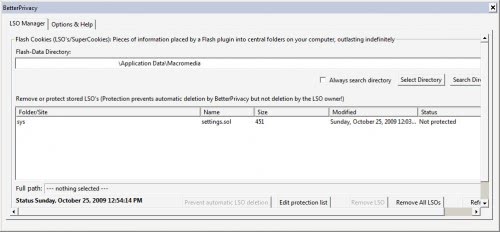
The Firefox add-on Better Privacy can delete Flash cookies regularly to get rid of them automatically with options to whitelist some Flash cookies that are needed, e.g. for storing high scores on your favorite gaming website or playback settings on Youtube.
Option 4: Flash Cookie Cleaner (Windows software)
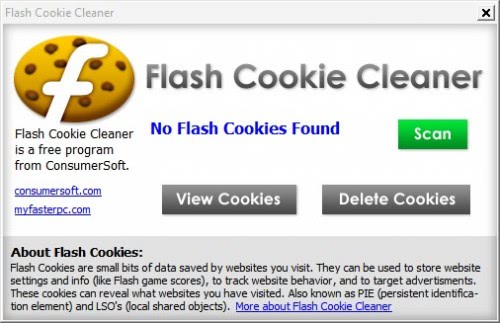
Flash Cookie Cleaner is a software program for the Windows operating system. The portable software program can be used to delete all stored Flash cookies of the logged in user. It is available at the developer's website.















I agree .. But CCleaner must be used by a tech.
Two MORE years have passed by there still isn’t very much information about how to deal with ads following you everywhere you go. RETARGETING. Does that use Flash cookies too? How are you dealing with that? I don’t think they want us to know so if that’s the case, I’ll just do the opposite of whatever I would normally do. That should help – at least for awhile. Any other brilliant ideas?
I agree with others… CCleaner has worked best for us and our customers http://www.callnerds.com/portland
The best way to get rid of the files is to lock the “Flash Player†folder in the get info box. That way they don´t get stored in the first place.
@Gary -the link “Open” in the first line after option 1 seems to load flash player in option setting mode – the “illustration” there is not a screenshot, but a live embedded flash which allows you to clear your cookies or change settings.
But nowhere do you say how to open flash player?
This small point has got me stumped
Thanks for bringing Flash Cookie Cleaner to my attention. I downloaded it (no install is needed) & spent a day comparing its findings to Better Privacy; they were the same whenever I checked.
CCleaner does not remove flash cookies.
Update: new version 2.26.1050 of CCleaner DOES remove Flash Cookies from Firefox’ cache ( presumably also from IE); Ff must be closed for this to work.
Thanks for the information about flash cookies. I thought if I managed to delete using ‘clear history’ in tools then its ok. Very useful information.
I used CCleaner to remove flash cookies as well. But this Better Privacy add-on for Firefox is much better. I now don’t need to remember to run CCleaner. I don’t have CCleaner automatically run, because I just don’t like things to auto run on my PC’s OS.
I use CCleaner to remove flash cookies.