Hackers Use Fake CAPTCHA To Infect Windows PCs
Hackers are using fake CAPTCHA verification pages to trick Windows users into running malicious PowerShell commands that install StealC Stealer software.
The campaign publishes StealC, an information-stealing tool that targets browser credentials, cryptocurrency wallets, Steam accounts, Outlook login data, system information, and screenshots. The stolen data is sent to a command-and-control (C2) server using RC4-encrypted HTTP traffic.
Similar hacks we've already seen in the past.
How the Fake CAPTCHA attack works?
Attackers inject JavaScript into these sites. When users visit, they are redirected to a fake CAPTCHA page designed to look like a Cloudflare verification screen.
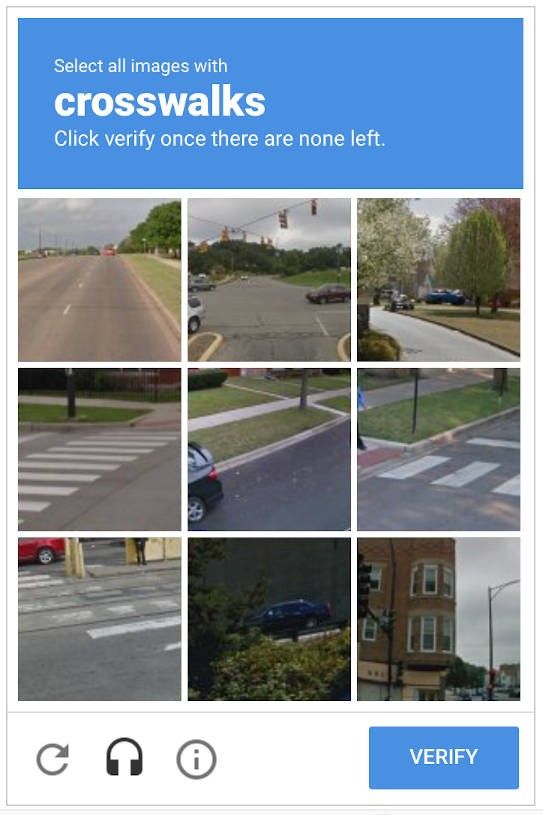
Instead of presenting a traditional image or checkbox challenge, the fake CAPTCHA instructs users to:
- Press Windows key + R
- Press Ctrl + V
- Press Enter
The instructions are framed as part of a verification process.
This technique, referred to as “ClickFix,” exploits user trust in simple keyboard prompts. Victims are made to believe they are completing a routine security check as usual.
New ClickFix Attack Wave Targeting Windows Systems to Deploy StealC Stealer
When users follow the instructions:
- A malicious PowerShell command is preloaded onto the clipboard.
- Pressing Ctrl + V pastes the command into the Windows Run dialog.
- Pressing Enter executes the script.
The script then connects to a remote server and downloads additional StealC Stealer malware components.
Because the command is run manually through the Run dialog, it can bypass some browser download warnings and security prompts.
Once installed, StealC begins collecting stored credentials and other sensitive data, including Outlook account details.
What ClickFix with Stealthy StealC targets?
StealC especially targets:
- Browser login credentials
- Cryptocurrency wallets
- Steam accounts
- Outlook credentials
- System information
- Screenshots
The process uses encrypted HTTP traffic to speak with attacker-controlled infrastructure.
How to protect yourself from the CAPTCHA scam?
Fake CAPTCHA attack depends on user interaction. The key defense is to never execute commands from web pages.
If a website asks you to:
- Open the Run dialog
- Paste a command
- Execute PowerShell
Close the page immediately.
CAPTCHA challenges DO NOT require keyboard shortcuts or system-level commands. Any such request is a huge red flag.
Additional actions include:
- Avoid running PowerShell commands you did not explicitly initiate.
- Keep Windows security features enabled.
- Monitor for unusual outbound network activity if you manage enterprise systems.
- Restrict script execution and enforce application control policies in managed environments.
If you suspect you already run such a command:
- Disconnect the device from the network.
- Run a full security scan with updated protection tools.
- Change passwords for Outlook, email, and other stored accounts from a clean device.
- Enable multi-factor authentication where available.
Why is CAPTCHA attack effective?
The CAPTCHA method does not rely on traditional file downloads. Instead, it uses social engineering and psychology to get users to run malicious commands themselves.
By appearing as a CAPTCHA verification, hackers take advantage of a common and widely trusted web interaction.
The attack targets Windows systems specifically, using built-in tools such as PowerShell and the Run dialog.
There is no need for a patch from Microsoft. Because it does not abuse a system vulnerability but rather user behavior.

Internet is just such a popular attack vector these days. Everyone uses a web browser and most of them are based off of Chromium. The success for the bad actors must be good or they would move on to something else.
It feels good to be on Linux in times like these. The exploit simply will do nothing on Linux.
I can imagine in the future if Linux is more popular and gets targeted, how will this work, but to execute root commands on Linux, you need to input your password and I don’t know how can hackers bypass that. There is probably a way as no system is absolutely secure, but for now at least it’s not being targeted. The good thing is Linux is not as rigid as Windows and more often undergoes changes that make it more flexible and evolving and Windows still serves a larger userbase so changes there come slower so having things like running something as administrator to require a password on Windows looks like it won’t happen anytime soon.