Zorin OS 18 released with advanced window tiling, improved theme, and more
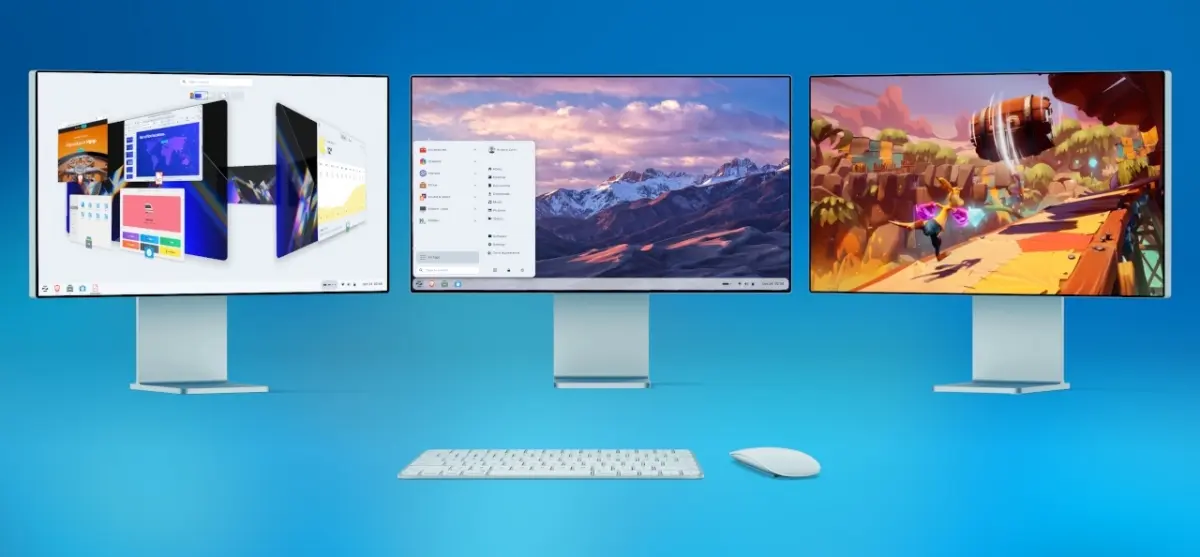
Zorin OS 18 has been released. The update brings several new features, and some design changes to the distro.
There used to be a time when Ubuntu was considered noob-friendly, suitable for beginners. But many Linux fans frown at the suggestion today. Linux Mint, Fedora, Cachy OS, Bazzite, and Zorin OS are among those that are usually recommended for someone new to Linux. Zorin OS 18 seems to be focusing on that, particularly to help users who are migrating from Windows. The developers of the distro are even inviting users who cannot upgrade from Windows 10 to Windows 11 due to hardware requirements to try Zorin OS.
The update adds support for OneDrive file integration to the built-in Online Accounts feature, so you can sign in with Microsoft 365 + OneDrive, and manage your cloud storage content from the Files app. Zorin's database now supports over 170 apps, and recommends alternatives to Windows apps. The OS supports Wine version 10 to run Windows-native apps and games.
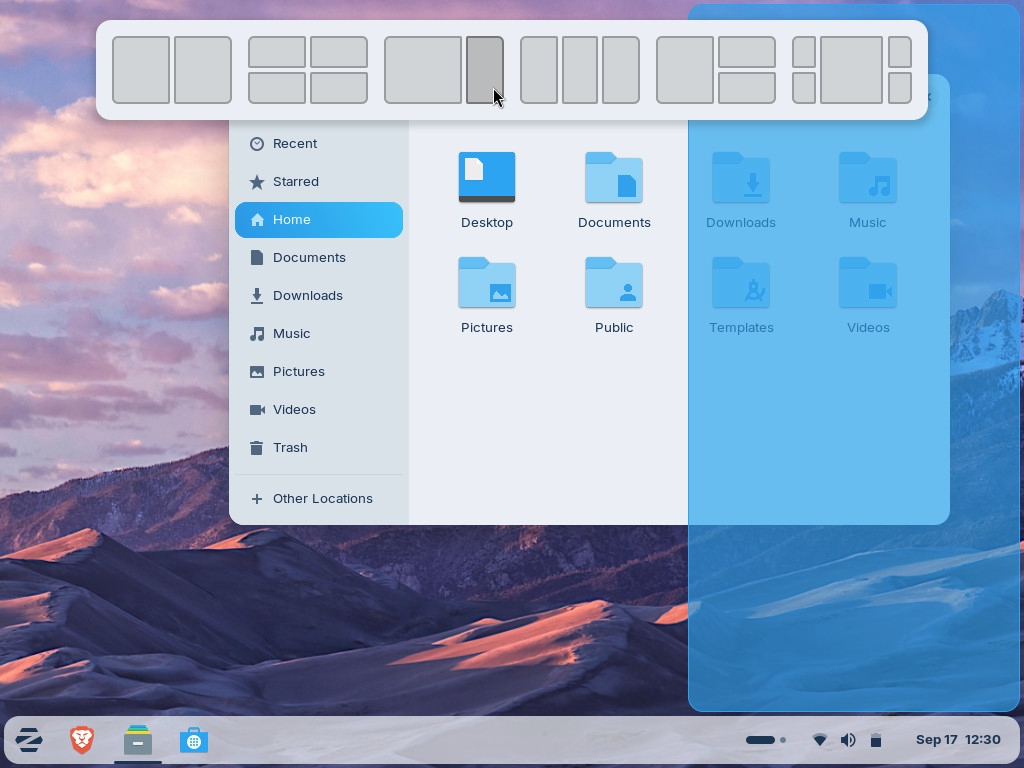
Zorin OS 18 comes with a new window tiling manager, that looks very similar to Windows' Snap feature, which is a good thing. To tile a window, drag it to the top of the screen, and a pop-up will appear displaying various layouts. Choose the one you like, and it gets tiled. Users can create custom tiling layouts, customize the tiling behavior, and even enable auto tiling and smart window suggestions. It supports keyboard shortcuts.
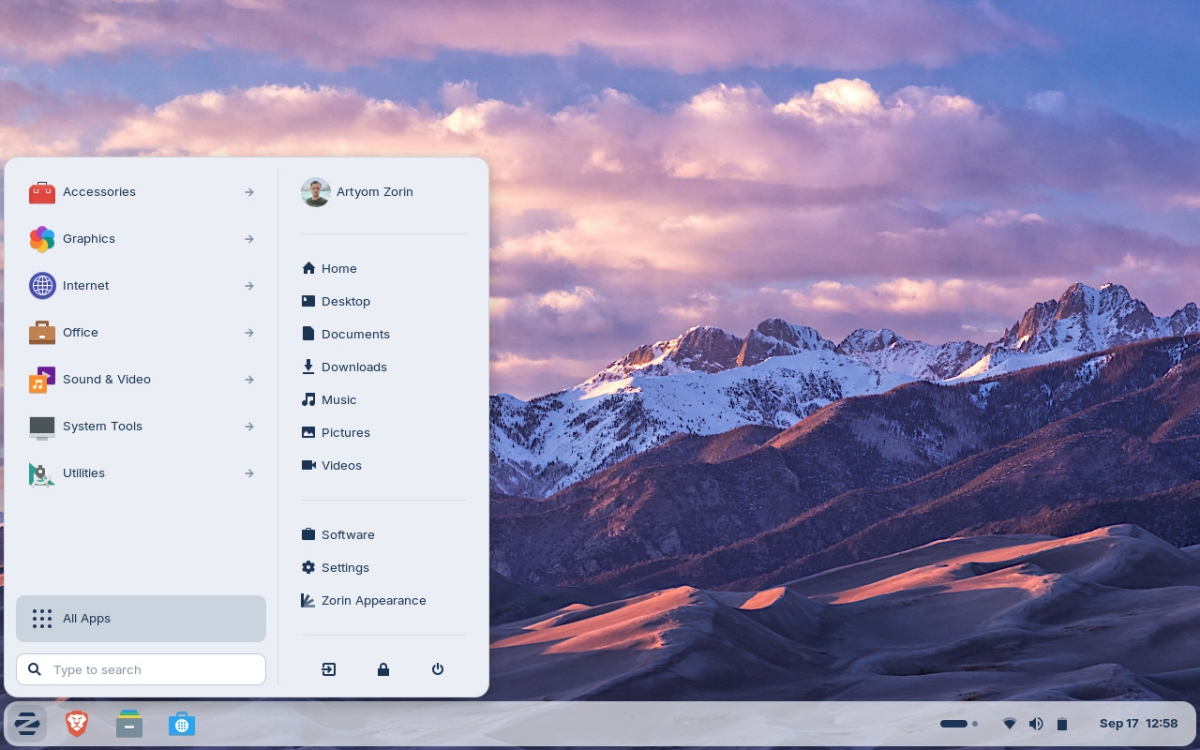
The default theme in Zorin OS has been updated with rounded corners, improvements to the color palette, tint, etc. Even the panel has this rounded style. Apps including Settings, Files, Calendar have all been redesigned slightly. Zorin has given the Evolution mail app a makeover, and has replaced the Cheese app with a new Camera app. The distro's Web Apps tool allows you to create a desktop app for any website, and these get added to the start menu. You can use these shortcuts with any browser of your choice.
The update includes various performance optimizations for a faster system. The Files app has a "Search Everywhere" button, which you can use to find your files by name, or text content.
Zorin OS 18 is based on Ubuntu 24.04.3 LTS, and comes with the GNOME Shell. It ships with the Linux kernel 6.14. The distro will be supported until June 2029. There are two new theme colors in Zorin OS: Yellow and Brown.
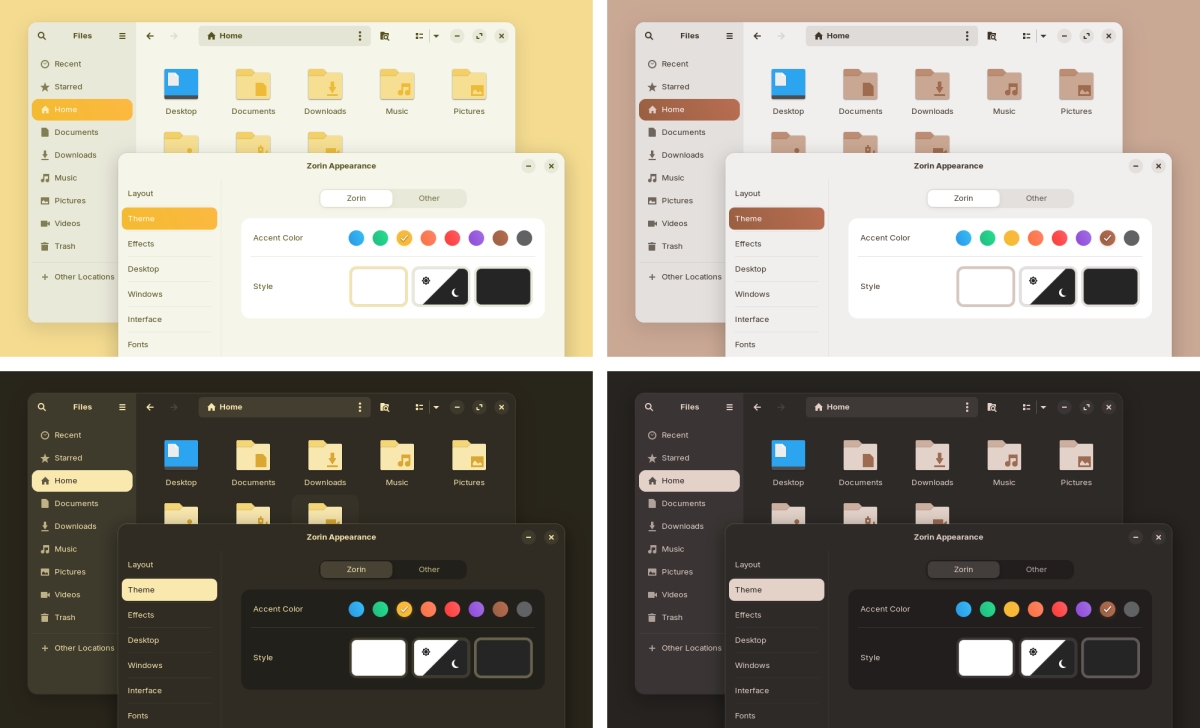
Zorin OS Pro, which is the optional premium version, has some new exclusive layouts and 11 new apps. And Zorin OS Education also gets a handful of new apps. A Lite Edition with XFCE is coming soon. Refer to the announcement for the full release notes.
(Images courtesy: Zorin)
Here are the system requirements for Zorin OS
- CPU: 1 GHz Dual Core – Intel/AMD 64-bit processor
- RAM: 2 GB
- Storage: 15 GB (Core), 32 GB (Education), or 40 GB (Pro)
- Display: 800 × 600 resolution
Download Zorin OS 18 from the official website.
On a side note, Linux Mint Debian Edition 7 was released yesterday.
Have you tried Zorin OS?

Zorin is for people too crippled (or just plain stupid) to use Debian.
Wow. I guess we should all just bow in awe of your amazing abilities. You must be so great.
My friends potato laptop needed to be updated from an older version of Windows 11, so I put 25H2 on it and booooy was it great and amazing. After laughing/crying/swearing for about an hour I gave up and installed Zorin 18 on it. Works like a charm. My friend was amazed that his craptop was usable and that he knew his way around the system right off the bat. VICTORY!
The best thing that happened to that machine, ever.
Tell everybody.
The ZorinOS taskbar and start menu offers greater customization than Windows 11 ones. Microsoft has genuinely gone off the rails.
I have only been playing with distros for little projects, but I have been intrigued by Zorin OS for some time. It may be worth running as one of my VMs, or keeping as an image for DriveDroid…
I’ve just tried it briefly via DriveDroid on an old laptop. It seems nice and light. I am still tempted by the prospect of leaving Windows behind on my main computer, but I have decades of customisations and utilities I may (or may not?) lose or have to replace, and there are some Windows programs I still need.
I also don’t want to start distro hopping, and I already have a list of ‘nice’ ones!
(off topic but do anyone else’s username/email cookies expire way too quickly on this site? I had to manually change the expiration date to get the details to stick)
Will they go through the Herculean efforts to keep their enterprising users from customizing the free version of Zorin as they have done in the past?
I was ready to pony up for the paid edition some time back before I stumbled upon their forums with the details of their efforts.
Instead I’m now a happy user of Pop!_OS Cosmic.
I’ve also been testing/using Zorin O/S for some time and find it to be very useful, with ease of use like no other.
My only beef is that release 18 gives you Brave browser instead of my preferred one, namely Firefox. No problem, as Firefox can be d/l;d and Brave uninstalled.
Zorin can be a great alternative to Windozz!!
Firefox’s recent privacy changes like selling user data to advertisers led them to change default browser to Brave. You can easily uninstall Brave and install Firefox if you want.
If I used Zorin, I would be happy, because now I have to uninstall Firefox and install Brave.
It would be better if during installation distros ask you which browser you want and install it then and there.
We’ve been using ZorinOS for awhile now on one of our old PC’s we replaced.
We use that PC for Media and the occasional websearch. We did have to install a few extras via the console and buy a new linux compatable wi-fi adapter.
Help on the Zorin Forums is pretty good.
Note: Since the last big update the OS has been acting up a bit. Sometimes it won’t wake on usb (keyboard and mouse) and the desktop icons don’t appear sometimes, requiring a restart.