

This Windows Winget command tells you which programs have updates
Keeping software up to date on your Windows PCs is not a straightforward process. Sure, some programs include their own update checks and even automatic update options. That's the case for all […]
How to speed up Windows 11: Top 10 ways
After many updates and enhancements, Windows 11 got to a point where more people started to upgrade their systems. However, some of them are facing speed issues. Today, we will show you […]
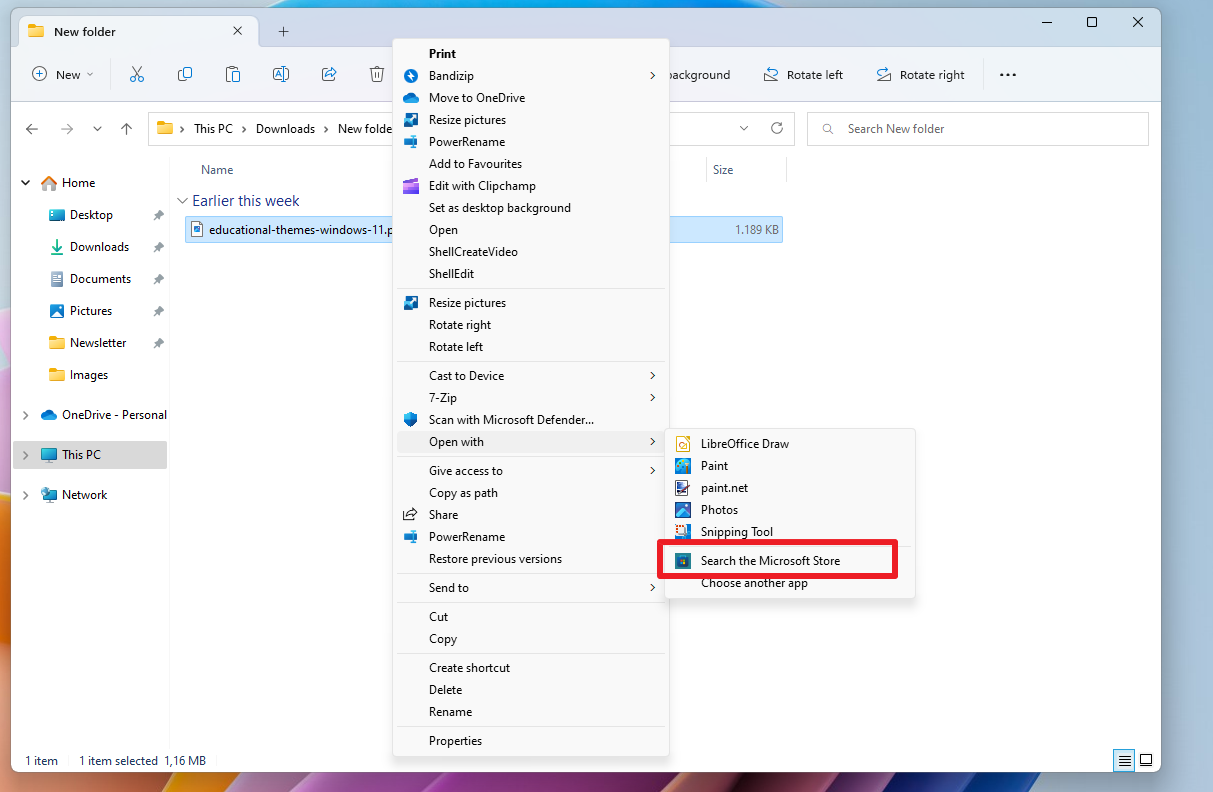
Don't use "search the Microsoft Store" to find apps for specific file extensions
If you don't want to use WhatsApp for viewing Mp4 video files or Doc Opener for Sell to open Microsoft Word documents, then you should disregard the Microsoft Store recommendations for these […]

Invert Files to select files faster on Windows
When it comes to selecting files in File Explorer, Windows users have plenty of options. From left-clicking to selecting individual files to drawing a rectangle around files for selection. Keyboard shortcuts help […]
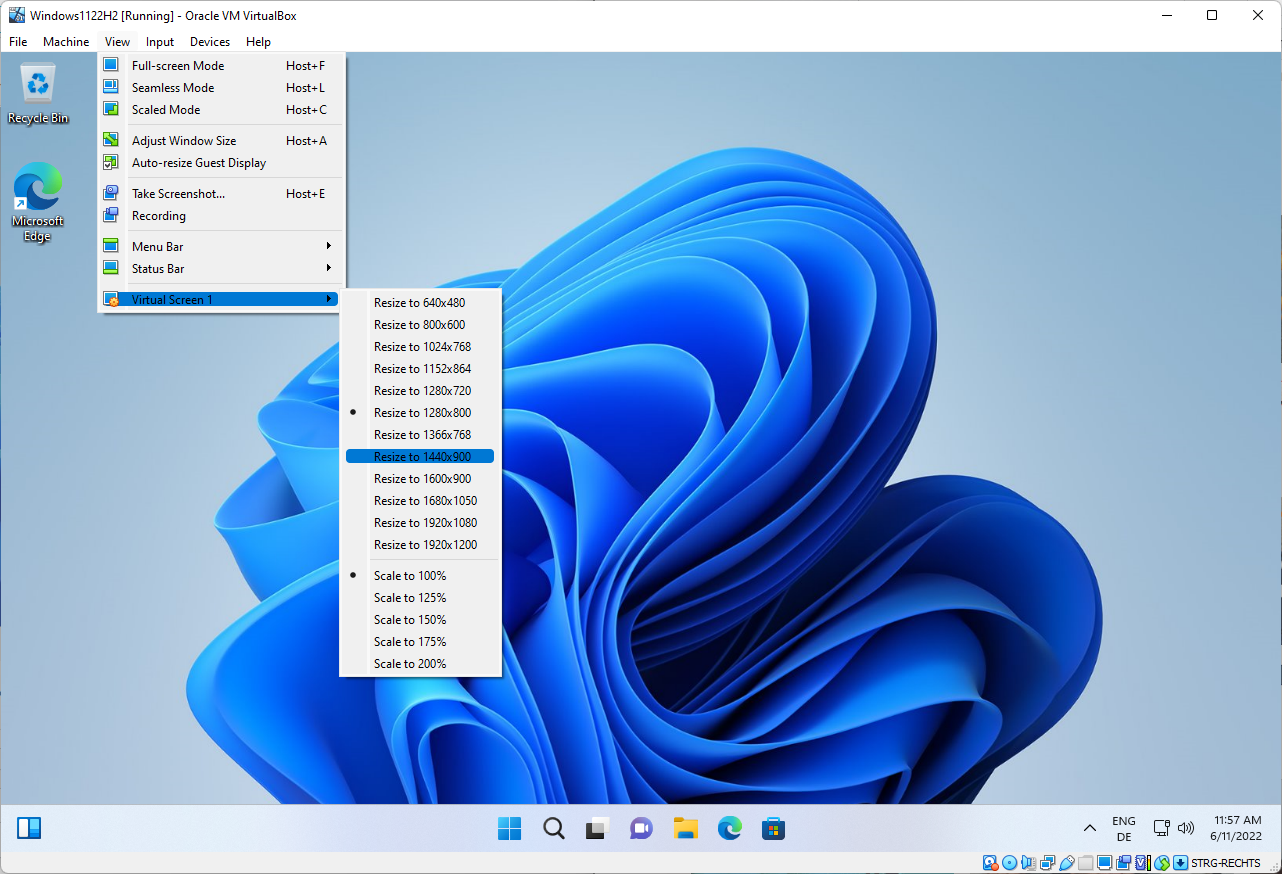
How to change the Windows screen size in VirtualBox?
Oracle's VirtualBox virtualization software is a popular choice for users who want to test new operating system versions. If you install Windows in VirtualBox, you may notice that you can't change the […]
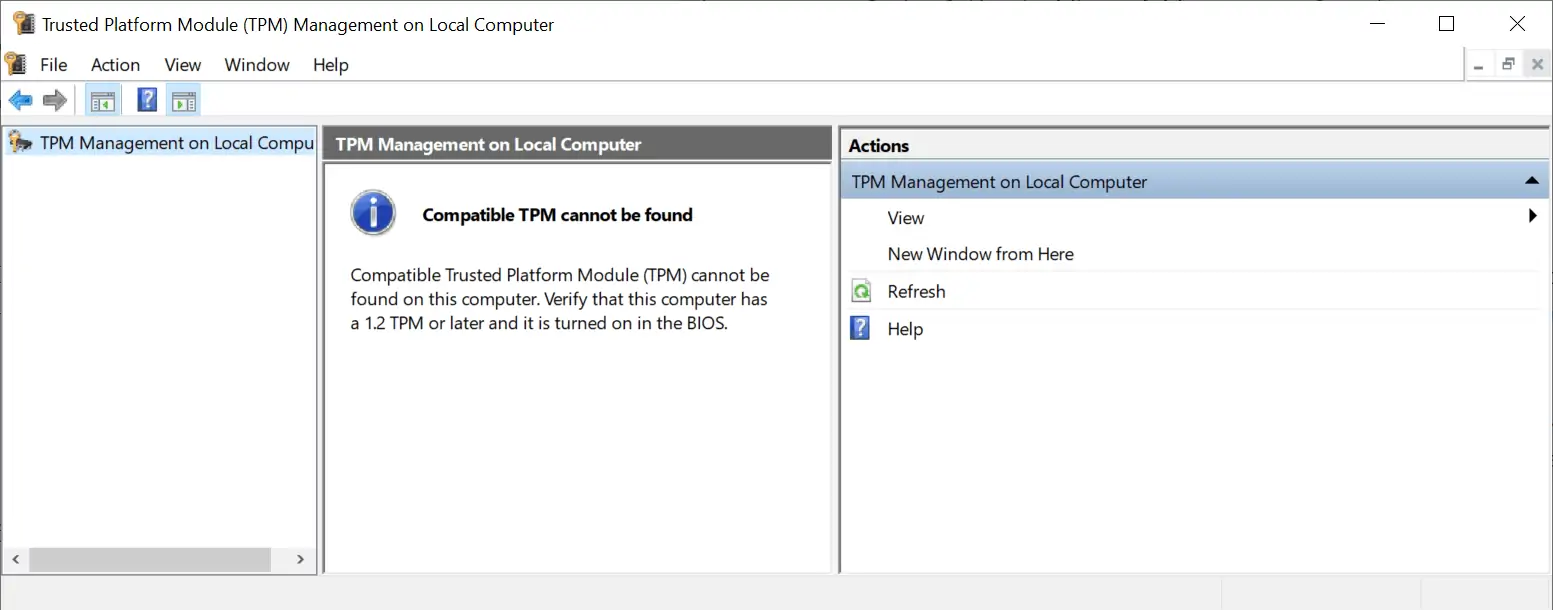
How to enable TPM 2.0 on your PC
One of the pre-requisites for Windows 11 is TPM 2.0, the Trusted Platform Module according to Microsoft. While Windows 11 will install on devices with TPM 1.2, some functionality may not be […]

How to download Reddit images in bulk
Images and photos are posted to a lot of subreddits on Reddit every day. In fact, Reddit hosts thousands of communities dedicated to the posting of images, from wallpapers and cute animals […]

Log all DNS activity on your Windows PCs with DNSLookupView
DNSLookupView is a new portable application by Nirsoft, which logs all DNS activity on Windows devices. DNS is a cornerstone of the Internet, as it translates domain names such as ghacks.net into […]

How to export Windows drivers using DISM
Did you know that you can use the built-in tool DISM on Windows machines to export drivers? Windows comes with a set of drivers to make sure that most hardware devices work […]

You better add Pin Protection to your Bitlocker configuration
Bitlocker is a popular encryption technology by Microsoft that is used to protect data on Windows devices. Home users and Enterprise customers may protect the system and data using Bitlocker. Bitlocker works […]

Fix the VeraCrypt "Automatic Repair" issue on Windows
VeraCrypt is a popular open source encryption tool that may be used to encrypt files, create encrypted containers, encrypt entire hard drives and partitions, and even the system partition. Encryption of the […]

Solution: how to fix the Windows Update 0x80070422 error
Windows operating systems may display error code 0x80070422 during updating operations. In this guide, we provide background information on the issue and solutions on how to repair devices that show the error […]

How to disable Bing Search in Windows 10 version 2004 and newer
When Microsoft launched its Windows 10 operating system in 2015, it merged the local search functionality with the digital assistant Cortana and also Bing Search. Cortana has since been revamped completely and […]

How to identify fonts on any webpage without using an extension in Firefox and Chrome
Webpages consist of several visual elements, even though we may not normally notice them. All we see is text, links, images, and forms, right? Observe the text style on a webpage closely, […]

How to set up a mobile Wi-Fi hotspot in Windows 7 or above without any software
I came across a router which had an issue with the Wi-Fi; the LAN connection was working fine but the wireless functionality appeared to be busted. My friend wanted a temporary fix, […]

How to copy, select and search text in ePub books using SumatraPDF
SumatraPDF has been our go-to PDF and ePub reader for quite a few years, and I'm sure that some of you may be using it too. I'll admit to using Microsoft Edge […]

Back to Basics: How to block Windows programs from accessing the internet
Today, in our Windows 10 beginner's guide series, we'll be looking at how to block Windows programs from accessing the internet. Tip: check out some of the previous parts of the series, […]

Back to Basics: How to change the default save location in Windows 10
Continuing with our beginner friendly back to basics guides, this time we show you how to change default save locations in Windows 10. The operating system saves all documents, pictures, music etc […]

Where are desktop backgrounds (wallpapers) stored in Windows 10?
The Windows 10 operating system comes with a set of wallpapers and the ability to refresh wallpapers regularly from a pool of images. The following guide provides users of Windows 10 with […]

How to enable Ransomware Protection in Windows Defender and add custom folders to it
Windows Defender has been gaining a foothold steadily for the past few years. But there is one flaw in the antivirus that ships with Windows 10. The option for Ransomware Protection is […]

How to enable Clipboard History in Windows 10 and customize it
Windows 10 has a ton of features baked into the OS; one such feature is the Clipboard History which some find mighty useful, others not so much. It has been around for […]

How to reset the Screenshots counter on Windows 10
Microsoft improved the screenshot taking functionality of Windows in Windows 10 significantly. The operating system comes with plenty of options to take screenshots, and one of the easiest options is to use […]

Fix "Optimization Not Available" in Optimize Drives in Windows
Microsoft's Windows operating system runs maintenance tasks including disk analysis and defragmention regularly on its own. Most Windows users and administrators don't need to run these manually anymore, but there are cases […]

How to disable file groups in Open dialogs in Windows
The next Windows 10 version may group files automatically in open dialogs. When you use the open option to load files in Windows 10 version 1809 or earlier currently, e.g. to open […]

How to disable Auto Suggest in Explorer and Run Box on Windows
The following guide demonstrates how to disable auto suggest functionality in Windows Explorer (File Explorer) and the Run box on Windows devices. When you type something in Explorer's location field, suggestions are […]

How to improve the readability of Windows console windows
Windows console windows like the command prompt window use a default size and layout by default on all Windows PCs. The command prompt window for example always opens up with a set […]

Use DISM to fix issues SFC can't
A common suggestion on Windows support forums is to scan the system for file integrity issues using the command sfc /scannow which you may run on the active system but also on […]

Block "You need to format the disk" message in Windows
When you click on a drive letter of a drive with a RAW partition that has an assigned drive letter, you get the prompt "you need to format the disk in drive […]

The Windows Winsat command
Winsat, or Windows System Assessment Tool, is a Windows program that benchmarks various components of machines when run. The main file that is run to benchmark the device is winsat.exe, and you […]

How to edit timestamps with Windows PowerShell
The following tutorial demonstrates how you can edit file timestamps -- create, last access and last write -- using Windows PowerShell. PowerShell is part of any modern version of Microsoft's Windows operating […]

Manage Windows 10 Search Indexing
Windows Search can cause high load situations on Windows 10 machines -- and on previous versions of Windows as well -- especially when search indexing runs. Basically, what search indexing does is […]

How to delete large folders in Windows super fast
The fastest way to delete large folders and files in Windows is to take the command-line approach. You could either do it manually via CMD or create and run a batch file […]

Remove the Windows.old folder manually
Windows creates the folder Windows.old on a PC running Windows when you upgrade the PC to a new version of the operating system. The Windows.old folder contains files and folders of the […]

How to disable Windows Defender in Windows 10 permanently
Windows Defender is the default antivirus solution of Windows 10 just like it has been on Windows 8. The program is enabled by default and will turn itself off if another antivirus […]

Should you run Windows Defender and the Malicious Software Removal Tool?
Microsoft has created several security solutions in the past that are either available as standalone downloads or integrated in Windows directly. The most common ones are Windows Defender, which Microsoft included in […]

Fixing "the application was unable to start correctly (0xc0000018)" in Windows
I have received the error message "the application was unable to start correctly (0xc0000018)" twice already ever since I upgraded one of my machines to Microsoft's new operating system Windows 10. A […]

Pin Windows Settings to the Windows 10 Start Menu
Microsoft reintroduces a proper start menu in its upcoming operating system Windows 10 after throwing the start menu to the trash in Windows 8 and reviving it in an unloving way in […]

How to enable Developer Mode in Windows 10 to sideload apps
If you are running a recent version of the Windows 10 operating system then you may have noticed a new "For developers" option in the operating system's settings. This configuration option allows […]

How to block Windows 10 Upgrade notifications in earlier versions of Windows
Windows 7 and 8.1 users who have started their system today may have noticed a new update notification in the operating system's system tray area that allows them to reserve an upgrade […]

How to move Windows 10 apps to another drive to save space
While most apps for Windows 10 are considerable small in size, there are some games and larger apps available for the system that occupy hundreds of Megabytes or even more than that. […]
