
Chrome 25 introduces silent extension installation blocking

If you have been using a development version of Google Chrome you have benefited from a new security feature that Google introduced in Chrome 25 for a while now. Google in December 2012 introduced silent extension installation blocking in the Chrome Dev version. That feature made it later on to the Beta version of the browser before it landed in the latest stable release of the Google browser that was released two days ago.
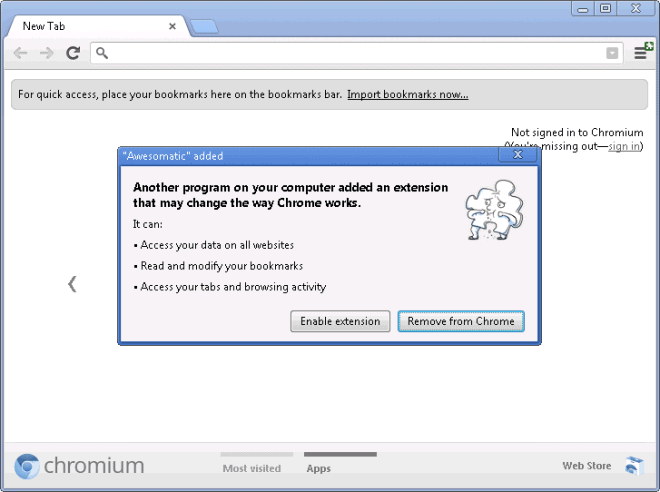
Previously, Chrome would accept silent extension installations, for instance by third party software installed on the system, without objection or notification to the user which raised security and privacy concerns as users did not have control over the process. The main issue here was that extensions installed this way were enabled by default in the browser, often without the user noticing that this was the case.
The feature that Google introduces in Chrome 25 prevents the automatic installation of extensions in the browser. The feature will automatically disable extensions that are installed via third party software, security suites come to mind for instance, and also disable extensions that have previously been installed by third party software. This means that users may notice that some extensions installed in Chrome may have been disabled after the upgrade to Chrome 25.
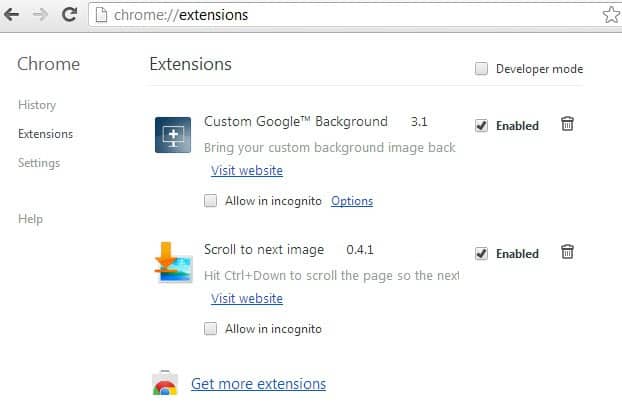
It is however easy enough to manage extensions. Just load chrome://extensions/ in the browser's address bar or click on Settings > Tools > Extensions to do so. Here you can enable or disable any extension that is currently installed in the browser.
This is not Google's first change in regards to extension installations. Back in June 2012 Google introduced a feature that blocks the installation of extensions, apps and user scripts from third party websites. While it is still possible to install those extensions, it requires a little bit of effort on part of the user to do so. One of the easy ways to install blocked extensions is to download them to your computer, and drag them from there into the extensions manager interface.
Google is not the first company to introduce the blocking of silent extension installations in its web browser. Mozilla introduced the feature in Firefox 8 back in November 2011.
Existing Google Chrome users should have received the update to Chrome 25 by now. New users can download the latest version of the web browser from the official Chrome landing page.
Advertisement















I don’t think that chrome was able till now to stop such activities, and i dont think they will. this is the new solution for last chrome version (37.xx.xx.xx), http://youtu.be/2ZnBdb1cAnI
I hate that they removed the “Recently Closed” feature in Chrome 25. Now they have a “Recent Tabs > Reopen closed tab” thingie which is just crap. Even IE has a better closed tab functionality.
Chrome 25 stable introduced Voice recognition too.
Have you tried that one out yet?
Only the demo site. Works really nice.
Good move :)