
Homeflip makes app switching on Android a breeze

Switching to an application while another is running is not really that comfortable of an operation on most Android devices as you need to open the apps listing page first or the start screen to access another app that is available on the device.
Newer versions of Android try to improve the process by improving application accessibility, e.g. by letting users swipe up to display apps.
While you can install launcher apps to improve that task, they may require some getting used to time before you can really benefit from using them on your device.
Update: Homeflip is no longer available. You can check out alternatives such as Sidebar, Edge Screen, Shortcuts - Swiftly Switch instead which offer similar functionality. End
Homeflip is a relatively new app for Android that maps a launcher like interface to the Home button. What it basically does is display the list of installed applications on the screen when you press the Home button of the phone so that you can quickly launch another application listed here.
You can swipe to the top or bottom of the screen to quickly browse the available applications, use a swipe to the left to add an application to the favorites, or a swipe to th right to remove it from the app listing. Last but not least it is possible to reorder applications by dragging them to another position on the screen. A tap on an app loads it directly on the device.
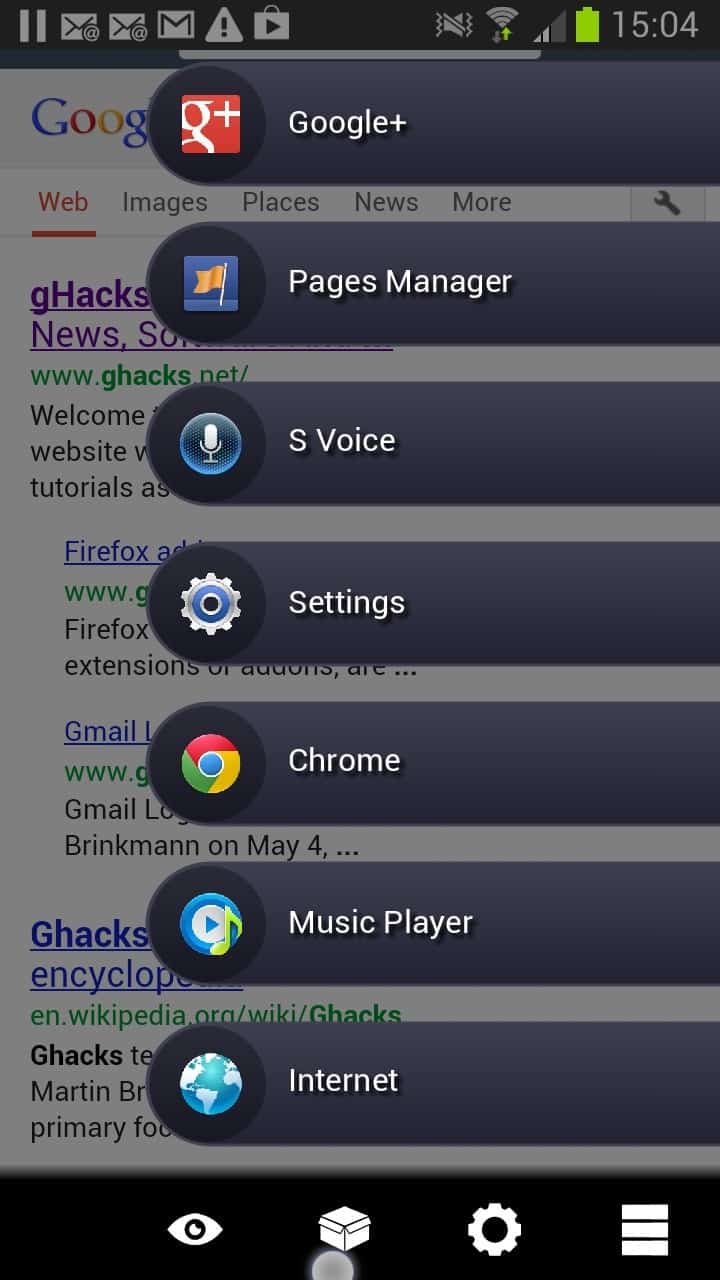
You can also swipe down from the very top right corner of the screen to the bottom to activate the feature without using the Home button of the phone or tablet which is the better solution if you do not want to lose the Home button's default functionality. You can customize the swipe zone in the options to suite your needs.
The button on the lower right of the toolbar on the screenshot above activates compact mode which only displays the application icons on the screen but not the titles.
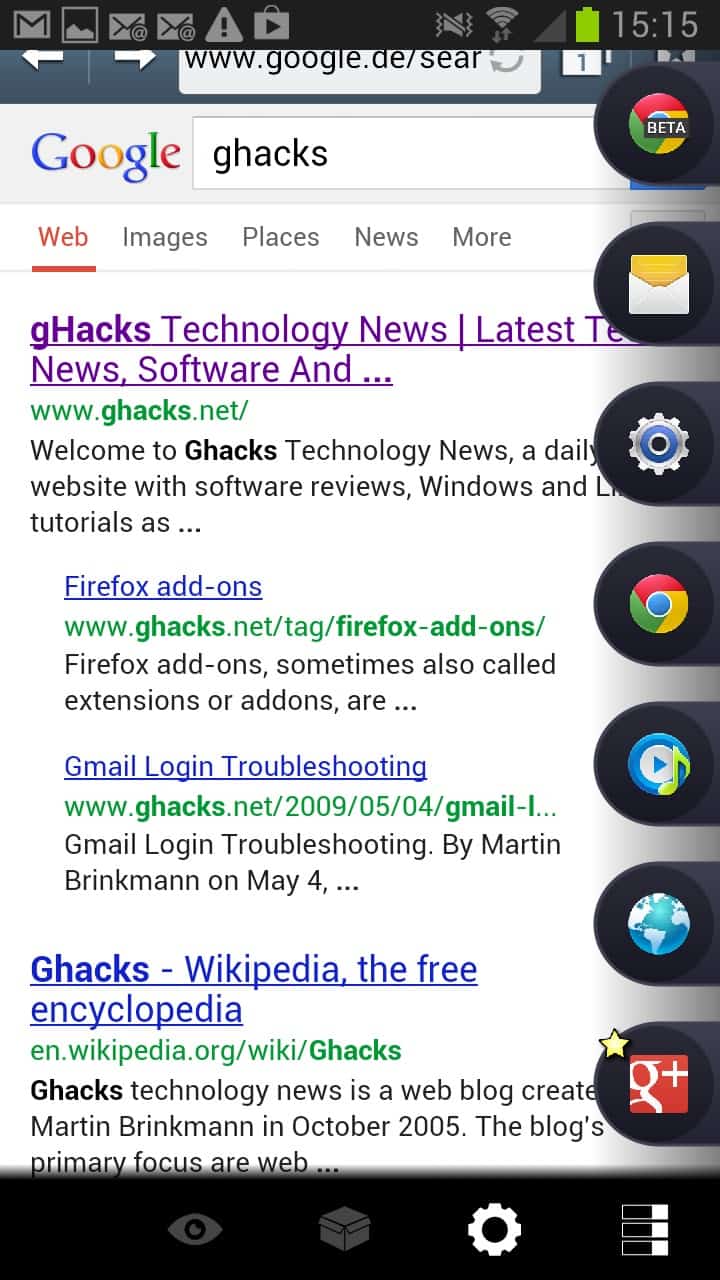
This may be useful if you want to keep part of the page you are on visible while you are picking an application to launch using Homeflip. The button next to it opens the preferences where you can enable or disable the Home functionality, the swipe gesture and make theme related changes that define the size and spacing of tasks, the dimming of the background screen or if animations should be enabled or not.
Verdict
Homeflip can be an interesting option for Android users who want an unobtrusive way of launching apps on their device.


















Requires Android 4.0 and higher. :-(