
Host websites on Dropbox with Site44

If you want to dive into the webmaster world and become a publisher of content on the Internet, you have several options at your disposal to do so.
You can sign up for a free hosting service like Blogger or WordPress.com to get started. The benefit of this option is that it does not cost you a dime, the negative aspect that you can't modify the site to your liking as you are limited by the tools the services make available.
Another option would be to sign up for a paid hosting account, but that is not always a good option either. Paid hosting accounts require that you pay a hosting company for their service, and you may not want to do so right away when you are just getting started. While you can sign up for a cheap hosting account, these are usually limited as well and if your site becomes popular, you end up having to migrate to a more powerful solution.
A third option which may be an alternative for some is to use Dropbox to host your own website. One of the services that makes this dead easy is Site44.
Host websites on Dropbox
How it works? Easy! Visit the site44 website and click on the sign in with Dropbox to get started button. You are redirected to Dropbox where you are asked whether you want to connect the site with your account. The app will create a folder named site44 in the Dropbox account to which it will have full access to. If you proceed, you are taken to the next and final page of the setup.
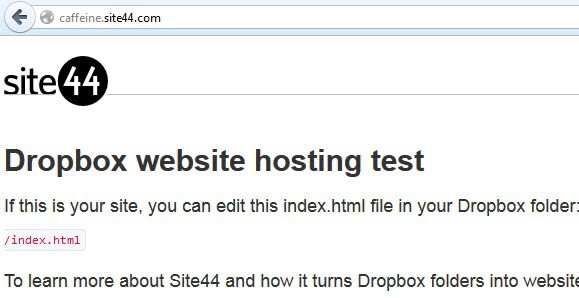
Here you can either select a free subdomain on the site44.com website to host your site, or use your own domain name. The second option requires you to add a new CNAME record at the domain hoster before you can proceed with it. Either way, your website is in the end accessible via its subdomain or the domain that you have selected. And that's it.
You can start to edit, add or remove html pages, images and other media in the site44 Dropbox folder locally on your PC. The changes are automatically synced with Dropbox from where they are picked up by the service.
Note that Site44 limits you to plain HTML sites. You cannot use any code that is processed server-side, e.g. PHP is off limits.
Here is a short video demonstration that walks you through the service:
Site44
The hosted website is limited to static HTML pages which makes it ideal for mockups or information that do not change. You can use JavaScript and CSS but no server side languages such as PHP or ASP.NET. You can use it to upload your resume for instance, a paper that you want to publish, or a list of links that you maintain that you want to access from all over the web.
You start out with a free starter plan that limits the number of websites to 5 and the monthly data transfer limit to 100 Megabyte per month. Paid accounts start at $4.95 per month and increase both the number of websites and the data transfer limit. It takes on the other hand only a couple of seconds before updates become available on the Internet.
Alternatives
Site44 is not the only service that you can use. There is Pancake.io which comes with a few extras such as themes or file viewers. Then there is Droppages another service supporting themes and a few extras including compression, gzipping and caching of contents for best performance.
At the end of the day, you do get excellent options to publish static HTML pages on the Internet using these services.
















I have tried to do exactly as you told in the video. But, still my pictures do not display whether I put them in the images folder or in the root folder with index.html file. I have been stuck on this for last 4 days. Hope you can tell me something about the last step.
Hi, I’m one of the founders of Site44. If you send email to support@site44.com and tell us what website you’re working on, we can take a look and see what’s wrong. My guess would be that the relative links in your HTML don’t point to the same location as where you’re putting your images, but that’s just a guess. If you tell us more, we can help you figure it out.
Just a quick correction: WordPress is software for installing on your own host. WordPress.com is the hosted version. You should change the part at the beginning of the article where you say “You can sign up for a free hosting service like Blogger or WordPress to get started” to “You can sign up for a free hosting service like Blogger or WordPress.com to get started”
Corrected, it can lead to confusion, you are right about that.
Quick update … I took the test down. Dropbox and Win8 seem to crash Firefox!
If you already have a host, you can just add a subdomain to an existing host and redirect to the dropbox index html link.
I just tried this and it works like a charm (test.ourmeetingplace.org). An interesting way to add websites to an existing host account without getting hit with the download traffic.
Thanks for the article! I’m one of Site44’s founders. FYI, we also support gzip compression and serve most hits from an in-memory cache. (This is a reaction to your mention of this features for Droppages.)
Steve thanks for your comment, good to know that you are also supporting that.