
Dropbox Experimental Client Updated, New Web Interface

Dropbox is still working on the next version of their client application, and that version's big new photo import feature. Dropbox yesterday have updated the experimental client build version to version 1.3.19. The version is available exclusively in the forum, where it can be downloaded for all support operating systems (except mobile clients). The new versions fix a number of issues, among them a fix for an autoplay issue under 64-bit versions of Windows Vista, and a general fix under Windows to support imports from SD cards with no name.
The new version, in addition to that, has seen performance improvements on all platforms. Especially the cpu usage has been reduced during imports. Photos furthermore show up correctly rotated on all platforms now.
Dropbox users who used the experimental build in the past to import photos into their account have received free storage space for that, up to a maximum of 5 Gigabytes. New users, who are using the photo import option for the first time will now only get a maximum of 3 Gigabytes of free space.
Dropbox employee David E. notes that previous users will still get up to 5 Gigabytes of free storage. Both receive the space in 500 Megabytes chunk whenever they import photos into their Dropbox account using the photo import feature. He also mentioned that Dropbox users will keep any additional storage space that they have earned during the beta.
Dropbox users who have already earned the maximum of five additional Gigabytes of storage space will not receive another 3 Gigabytes when they update and use the new client.
Some users are reportedly seeing a new web interface, while others are still seeing the old interface on the Dropbox website. At this point, it is not clear if Dropbox is A-B testing a new user interface, or if the company is rolling out a new interface to all users.
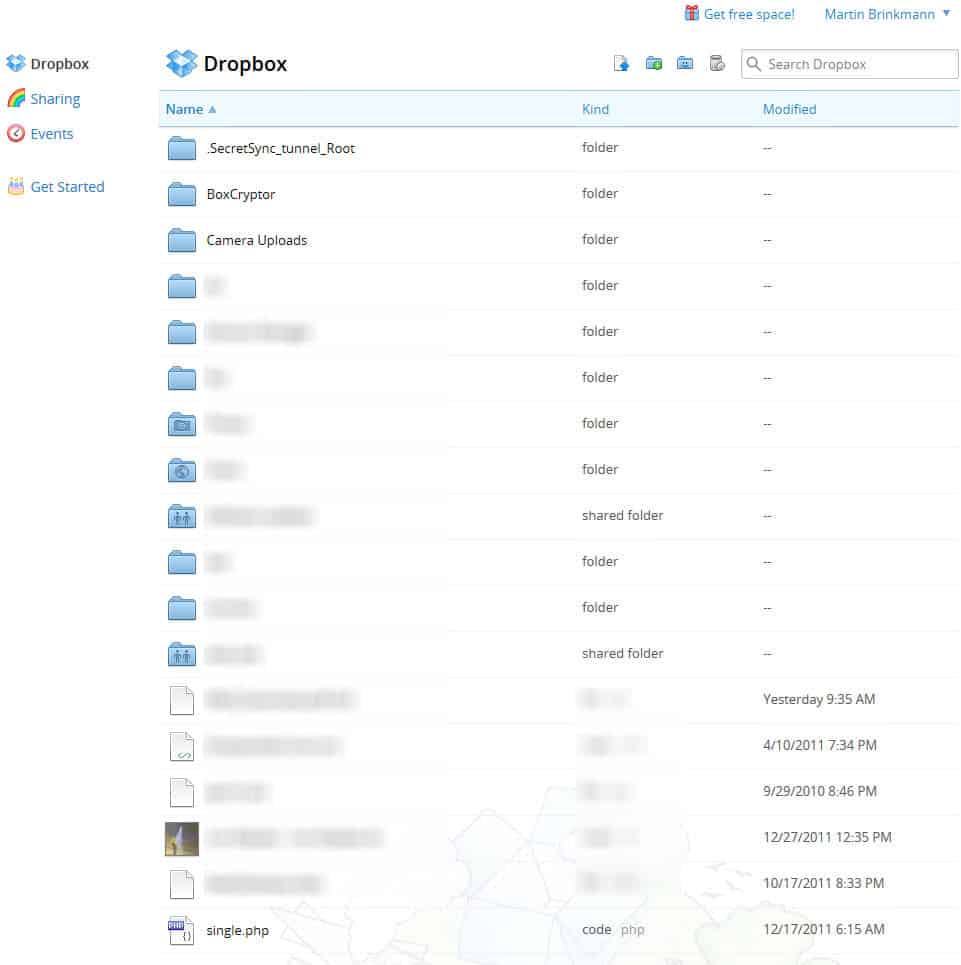
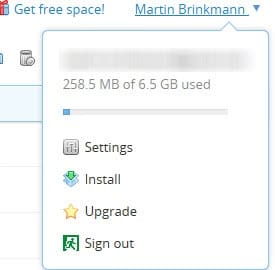
I noticed that it does not display free and used space information directly on the screen. You find the information with a click on your username in the upper right corner of the screen.
Are you seeing the new web interface already? If so, what's your take on it?
Advertisement
















Today 57 of my files were maliciously deleted from my Drobox by a third party. Could you restore them please. John c. Smith
Dropbox has to move faster with new features as Windows 8 with build-in SkyDrive support
is near and other cloud services are coming with new options.
Box for Android Adds New Collaboration Features and a 50GB Upgrade to Boost
Productivity
Box Personal users who log in from any Android phone or tablet in the next
month. With all that extra space for storage and sharing, Box for Android
users can easily collaborate with colleagues on business content from
anywhere, especially given the slew of new features we’re adding with today’s
update (v1.6) to the app….
http://www.youtube.com/watch?feature=player_embedded&v=c2PdgaEiFtA
I think it is much better. I never really though that the previous interface was a problem, but after seeing this new interface I though to myself why dropbox did not make these changes earlier. The bigger icons are definitely a plus.