
Automatically Restart Firefox On High Memory Usage

High memory usage can slow down a program or the operating system. While I personally never experienced that in Firefox on my computer systems, I know of users who did and still do. Finding the cause for the high memory usage in Firefox would obviously be the best solution for the issue. Sometimes though that is not possible.
The next best thing is a solution that mitigates the issue. Some Firefox users close and re-open the browser regularly to flush and reset the web browser's memory use. Others install add-ons that optimize memory usage of Firefox or perform other operations that reduce the browser's use of memory.
Memory Restart is one of those add-ons. It is a fairly simple add-on that displays the browser's current memory utilization in the status bar. The add-on highlights below peak memory usage in red.
A left-click on the icon displays a restart prompt. A click on yes restarts the browser, no closes the prompt without actions being taken.
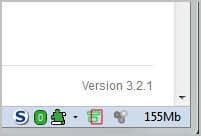
Memory used by the browser is not updated in realtime, the program seems to update the count once per minute.
The information alone would be useful enough, but Memory Restart brings another feature to the table that might even be more to the liking of Firefox users with memory issues.
The extension can restart the browser automatically if the memory usage goes through the default memory threshold of 500Mb.
This default threshold can be changed in the program' options. Here it is furthermore possible to enable the automatic restart option when the limit is reached by the browser. This happens without notification or user interaction. A countdown or notification option could improve the process to give Firefox users enough time to save their work on the web before the browser is restarted by the extension.
Firefox users can download Memory Restart from the official Mozilla Firefox add-on repository.
Advertisement
















For me Firefox has always had a memory issue, I mean going all the way back to 1.x. From experience of 2 computers only 7.0 was an improvement but 8.0 seems to be a regression.
This might be worth a try but ultimately it’s something that has to be solved once and for all by them, the developers might have to take a look at Pale Moon because Pale Moon acts (a bit) better on my PCs
I use Cleanmem.
@Mike J
I run the latest Nightly versions, Aurora, and occasionally Beta and never experience crashes. Release versions too.
I don’t have memory issues either and I have a lot of add-ons enabled and use a very modest machine.
No warning before restart is a big fail. Perhaps the developer will do something about that. I can’t imagine being in the middle of typing a sentence and the all of a sudden, Firefox restarts.
Huh, I only run three extensions and two plug-ins. But it seems if the browser gets stressed by video or something, bam.
BTW–this Firefox Beta is prone to crashes. Anyone who uses a browser for anything serious would be well-advised to wait until the final version is out. (You cannot keep the old version as the Beta overwrites it.)
You could also try out Unload Tab:
https://addons.mozilla.org/en-US/firefox/addon/unloadtab/?src=search
I did Ff 9 Beta5. It does seem to use less RAM-finally.