
Checksum Control, Verify Files In Windows

Checksum Control is a free program for the Windows operating system that provides you with options to create and verify MD5 and SFV checksums.
File verification software can be used to verify the integrity of files. This is for instance helpful when verifying the integrity of data backups, or files on a web server to make sure that hackers did not modify them or that they have been corrupted during the transfer to the remote server.
All programs that offer the functionality work alike. They process a list of files, create checksums for each file and save those information to a list. The verification then takes place when the program is run again on the same set of files. Files that have not been modified in the meantime have the same checksum, modified files a different one.
I have reviewed several file verification programs in the past. This includes File Verifier++ and SVF Ninja as well as HashTab a Windows Explorer shell extension and the command line tool Checksum Integrity Verifier.
Checksum Control
Checksum Control is a portable file verification software for the Windows operating system. Its portable nature makes it ideal for the verification of backups on optical discs or external storage devices.
Just create a file verification table of all files that you want to backup and put that list along with the Checksum Control program in the backup location.
The actual checksum creation process is straightforward. Selevted SFV/MD-5 Create from the task list when the program starts. You can then add files or folders via drag and drop, or by selecting a root folder for the creation. All files in that folder and subfolders are processed automatically by Checksum Control once you hit the start button.
The application supports a skiplist which basically is a blacklist of files that will not be included in the checksum creation process.
Checksum Creation supports two types of checksums, SFV checksum files and MD-5 checksums. The latter are better suited for file verification purposes as it uses larger checksum values.
You select a file name for the verification file in the last step and may add a comment to the file as well. This completes the creation of the file verification table.
Verifying file integrity
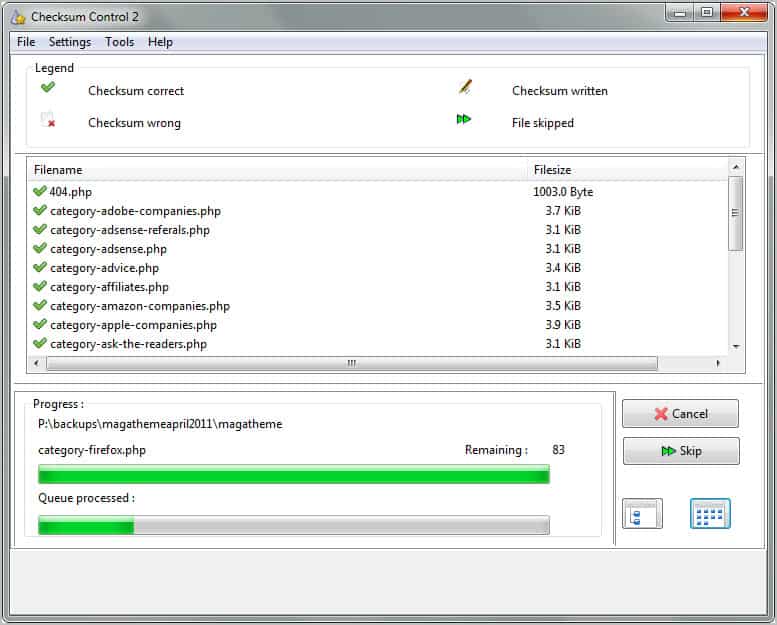
You select the file verification option on the start page if you want to verify a previously created file verification table. The program will check all file checksums and display a report in the end. The report window displays files with correct and wrong checksums, as well as files that have been skipped during the test.
How does it compare against previously reviewed file verification programs? File Verifier++ supports additional algorithms and has the easier to use interface and the same is true for SVF Ninja. Checksum Control is a great alternative even though it takes longer to create the file verification table thanks to the applications paged layout.
Windows users can download Checksum Control from the developer website. The application is compatible with 32-bit and 64-bit editions of the Windows operating system.





















Recently, I have tried http://intactfile.com. I am quite surprised that the program works really fast when I compared with other multi-threaded program.
Wow, another beautiful tool like FCIV. But lack of ECC (error-correcting code) is drawback for me. Thank you, Martin!
In all my years using computers, I have never used one of these programs. Maybe they are useful if download from warez sites?
Thanks Martin!
This would be really interesting:
[ 1 ] to scan all files in my Dropbox folder – before the Upload (of course),
and
[ 2 ] to verify the stored checksum of any files, eventually Downloaded from Dropbox, later.
I don’t know about keeping the List file w/calculated checksums
in the remote backup server (Dropbox in my case)….
– after all, if an attack occurs in the server,
your list file on the server could also be changed as well, by the attacker, right?
Wish this File Verification process were integrated easily into Dropbox itself,
so as to be “automated & transparent”, without User intervention and addtional pgms.
…any ideas out there how to do this?
SFdude