
Dropbox Update With Security Enhancements

Users who use the file synchronization and hosting service Dropbox on their system need to take good care of the authentication files of the service. These files were generated during first authentication on the system.
The problem from a security point of view was that all data would fall into the hands of third parties if they got hold of the authentication files of the user. This meant that it was enough to use the authentication files on a new installation of Dropbox to sync all of the user's files to that system without re-authorization.
Many users were not aware that this was possible, especially the fact that the authentication files were all that was needed was problematic.
Even worse; Changing the Dropbox account password did not stop the synchronization on the third party PC. The only option available was to end the session in the Dropbox user interface on the official service website.
Dropbox today released an updated version of their software client that puts an end to this security loophole. The changelog notes that Dropbox version 1.2.48 ships with security enhancements that prevent attackers from stealing a computer's account credentials just by copying the configuration files to another computer.
That's a big step forward in terms of security and protection of accounts. Dropbox furthermore switched to a new encrypted database format to "prevent unauthorized access to local Dropbox client databases".
The new version ships with Mac OS Lion integration and several smaller fixes that have not been explicitly mentioned in the forum post announcing the new version.
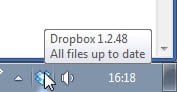
Dropbox 1.2.48 is already available for download on the official Dropbox website. Dropbox users and interested new users can head over there to download the client for their operating system. The new version can be installed over the old version.
Please note that the Dropbox client offers no update checker or automatic update installer. All users need to download and install the new version manually to benefit from the new version's improvements.
Dropbox users who want to host important files on Dropbox should consider encrypting the files for extra protection. This can be done with specialized software like Boxcryptor or encryption software like True Crypt. (via)
Update: The Dropbox team informed me via email that their software has an automatic update feature and that all users of the service would be automatically updated to the latest version in the coming days.
Advertisement















Good to see that Dropbox is beginning to become security conscious..finally. Bit to late for me. After the hacking attempt back in June, I switched to SpiderOak as it self encrypts all uploaded files using my individual key which is known only be me.
Thanks for this – real shame that such a nice little program doesn’t have an update checker – you’d have thought it was a pretty standard feature these days.
indeed – especially for a cloud app!