
Manage Third Party Access To Google, Twitter, Facebook And Dropbox

Apis of popular web applications like Facebook, Google, Dropbox or Twitter allow third party developers to create services and tools that offer additional features or functionality. These third party services require user authorization before they can access account related data.
One example of such a service is Find Big Email which crawls all your Google emails to find the messages that require the most storage space.
Third party services can only access your data if you authorize them first. Dangers still exist regardless of the security precaution as these services gain (limited) access to personal data on the service.
The company behind the service could sell the product or information to another company or their service could be hacked or highjacked. And there is the danger that you authorize malicious services or tools unknowingly.
That's where authorization management comes into play. The following list guides you through the account access pages of Google, Facebook, Twitter and Dropbox. These services allow you to see all authorized third party tools and services, and provide the options to disallow access to services and applications that you no longer use or want to cut off for another reason.
Manage Google Account Access
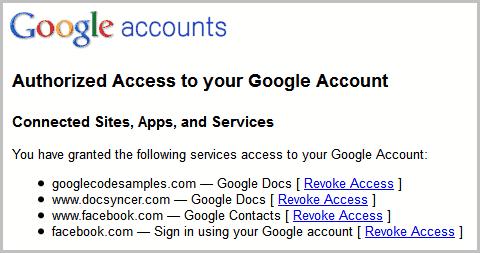
Visit the Google Accounts page and log into your Google account if you have not done so already.
You see a list of applications, tools and services that you have authorized to access your account. You can revoke access with a click on the link next to the service's listing.
The very same page lists application specific passwords, which are needed if you have enabled 2-step verification and use third party apps that do not support this account verification method. You can revoke application specific passwords in a similar manner.
Manage Dropbox Account Access
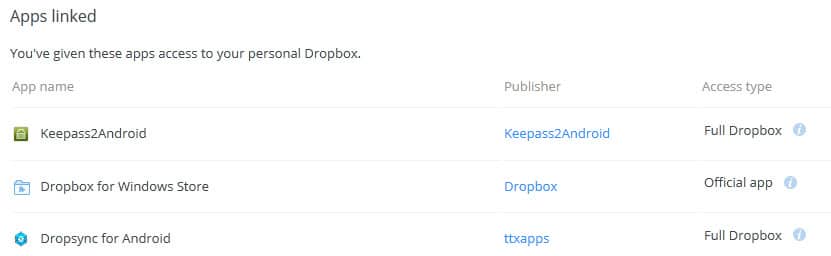
The popular file hosting and synchronization service Dropbox displays a list of authorized apps and services under Account Settings.
Just go to the Dropbox website, log into your account there and look at the list of applications that are listed under Applications there.
Note: if you are redirected, switch to the Security tab on the page to display all apps linked to the account (you may need to scroll down)
The listing displays the app name, developer and access type. The x at the end of each row can be used to revoke the access.
Twitter Account Access
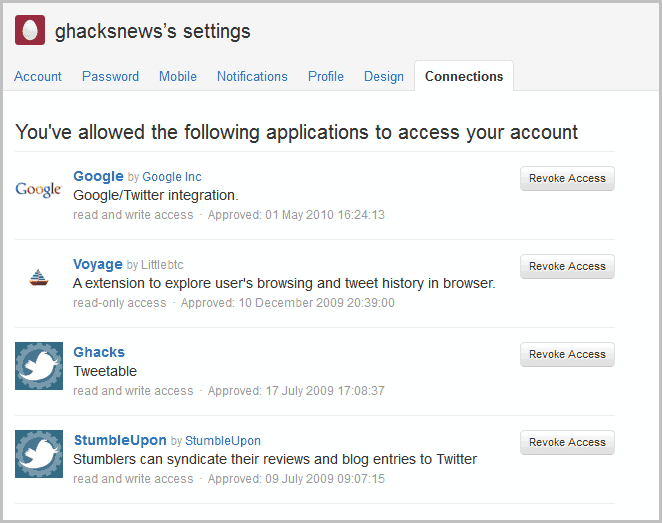
Visit the apps page on Twitter to see all applications that you have authorized to access your Twitter account.
Each app is listed with its name, developer, a short description, type of access and the date and time it was authorized.
A click on the revoke access button removes the authorization immediately.
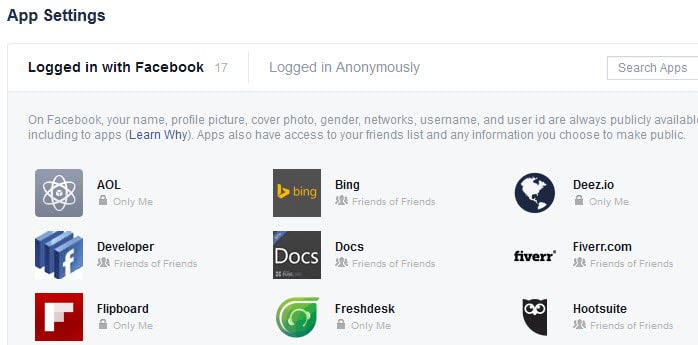
Visit your application settings page on Facebook. You need to log in to your Facebook account before you see the settings there.
There you find listed all applications and services that you have linked to your Facebook account.
To remove an app hover with the mouse cursor over it and click on the x icon next to it to remove authorization right away.
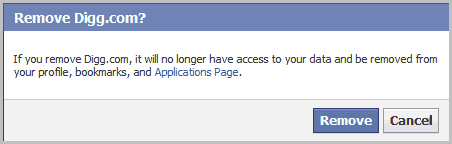
When you click on the x you see a confirmation popup. A click on Remove revokes the authorization.
You can click on the edit icon there as well to edit some of the requested permissions. In essence, it allows you to modify all optional permissions as well as the app visibility.
Third party apps and services can improve the core service significantly. Users do need to make sure on the other hand that they check the permissions and authorizations regularly, to block apps and services that they no longer use.
This reduces the risk of information theft, account tampering and of other malicious activities significantly.
Microsoft
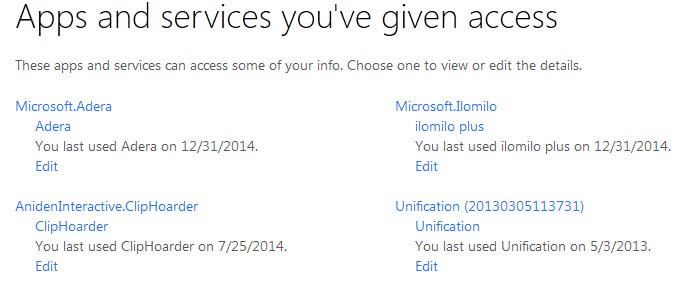
Since Microsoft introduced Microsoft Accounts, you can use your account to authorize other apps and services as well. If you are running apps on Windows 8 or 10 for instance, you may have received permission prompts from time to time to authorize those apps before you can use them.
Visit the manage apps page to display the list of authorized apps and services. Each service is listed with its name and when it was added.
Click on Edit underneath the service or app to remove the permissions on the next page.

















I would like to thank you for this post, if it wasn’t for you I would’ve spent another 4 hours looking for such simple answer. It is sad though that Google doesn’t make it as easy -if they even answered this question before- for the regular user to find it. I
Martin-
Thanks for the article. Do you have any specific examples where some one has signed up for a third party app and then had their info used inappropriately? If you have such a story and can share it while protecting the victim of the abuse I’d love to hear it. I’ve been asked to write an article about this and would love your input.
Tim in Palo Alto, CA
Now, thank you, Martin, because 1- I was not aware of the implications of these 3d party accesses once I had forgotten them, 2- I’ve just found out that 3 out of 4 sites that had 3d party access to a Google account were no longer of my habits, old authorizations I had completely forgotten…
So, I shall remember this one, I can tell you …