
iSafePDF, Free Software To Encrypt, Sign PDF Documents

The open source software iSafePDF can be used to manipulate existing pdf documents. More precisely, it offers options to add information and security features to pdf documents. The portable application displays a list of tabbed options after it has been launched.
The first three offer the manipulation options, the fourth - console - displays a log of operations and the last contains information about the application and its developer.
A pdf document needs to be loaded in the Document tab before all existing features become available. The program fills out the PDF MetaData automatically. It is now up to the user to make changes to the pdf file.
MetaData information can be changed in the Document tab. Here it is possible to delete, add or edit the author, title, subject, keywords, creator and producer.
It is furthermore possible to select a new or the same pdf document as the target file. The pdf will be overwritten if the same is selected, otherwise it will be created anew.
The signature tab offers options to add certificates to the pdf document. It is optionally possible to create a timestamped signature. Multi-signatures, the process of signing documents multiple times, is available as well under the Signature tab.
Encryption finally can be used to add protections to the document. This includes password protecting the pdf but also options to disable pdf specific features like printing, making modifications or copying.
A click on the Process button applies the changes to the selected document. It is for instance possible to password protect pdf documents so that they can only be accessed if the correct password is entered in the pdf reader.
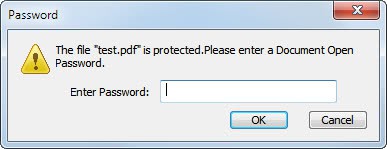
ISafePDf is a handy portable software program for users who want to password protect, sign or timestamp pdf documents. A batch operating mode would be a good addition in future releases, as it is currently only possible to process single pdf documents.
The pdf software can be downloaded from the developer website. The program is compatible with the Microsoft Windows operating system and available as a portable version and source code.
Advertisement


















hi,
does your software have the ability to specify an area where a time stamp and signature need to appear, or does it always drop this in a fixed position?
Does anyone know if there is encryption software that not only asks a user for a password but will allow you to bypass the “user – entered password” if the PDF doc is opened through an application. In other words I’d like to send a password automatically, behind the scenes when a user clicks on a PDF icon from my application (Written in Visual FoxPro). Would be a great help, our company is not looking for freeware will pay. Thx.
Hi,
I’m the author of iSafePDF, the current version 1.3.0 uses a 128Bits AES encryption. the
it’s strong enougth to protect documents but while it uses a typed password, it still can be broken with brute force if the password is not strong enought.
The next release I’m planning to include an option to encrypt PDF using a certificate and a batch mode for both windows and linux… but right now, I don’t have any spare time to work on it ;)
BTW : thank you for speaking about my software ;)
Regards
I also thank you for the information. It found a place on my USB-collection. Keep up the good work.
Thanks so much for commenting!
The question is: What enryption will be applied to the PDF? It differs from 40 to 128bit RC4, 128bit AES up to 256bit AES.
In worst case, no encryption will be applied at all and the document only will be “enter password to open the document”, which can be easily removed.