
iCare Data Recovery Software Giveaway

ICare Data Recovery Software is a file and partition recovery software for the Windows operating system. The program retails for $69.95 but is currently freely available for everyone visiting the promotion page. The giveaway lasts until December 25 which should give anyone enough time to download and activate the data recovery tool.
Update: The offer has expired, a free version that is limited to the recovery of 2 Gigabyte of data is available on the developer website.
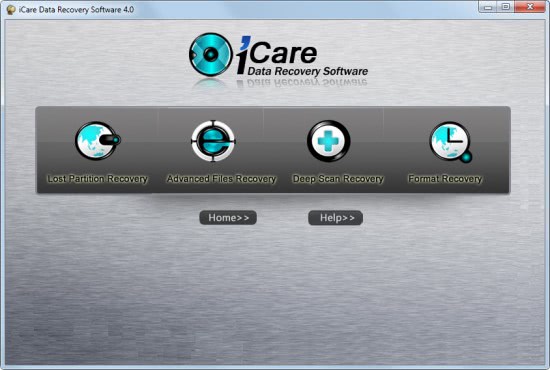
The software program displays a list of options on startup, they are:
- Lost Partition Recovery
- Advanced Files Recovery
- Deep Scan Recovery
- Format Recovery
Partition Recovery
Partition recovery can help the user recover hard drive partitions, for instance if the file system or MBR have been damage or become corrupted, if the partition has been deleted by mistake or if the partition is no longer been detected by the PC.
The partition recovery module scans the computer's hard drives on selection and all available ones are displayed in the disk listing. The user needs to select the drive on which the partition was located.
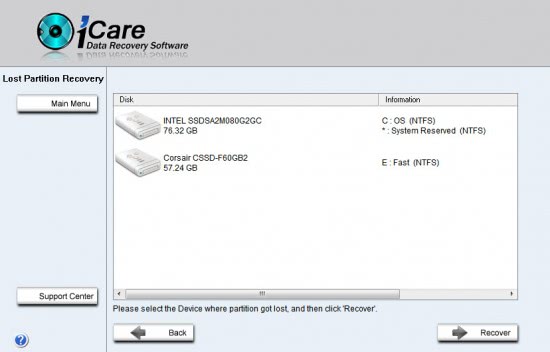
The device will be scanned and the available partitions displayed in a menu in the end. A click on Show files after selecting one of the partitions lists the available files found on that partition so that they can be recovered by the program.
Advanced File Recovery
Advanced file recovery works best in situations where files have been deleted by human error or by malicious software. A prime example would be a case where a user deletes file in the Windows recycle bin only to find out that one of the files is still needed on the system.
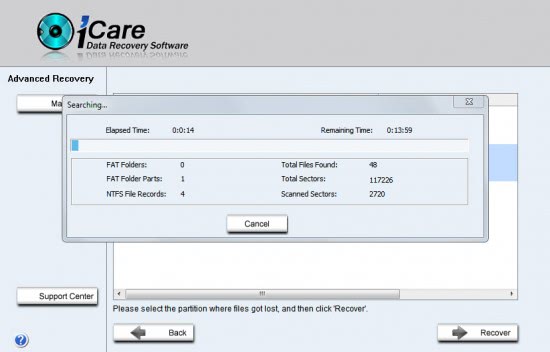
The module will scan the selected hard drive for deleted files that can be recovered. the scan may take some time depending on the size and speed of the hard drive.
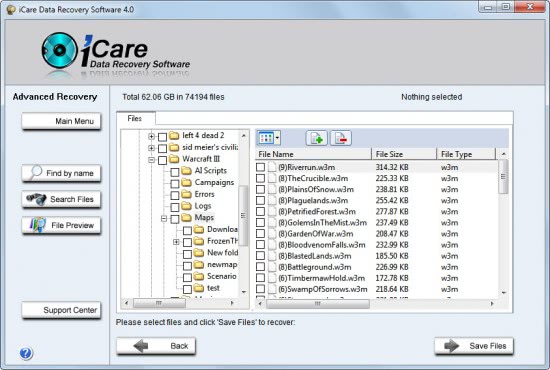
Files can be selected for recovery in the file browser. The data recovery software offers a search to find files by name and a file preview to see if the complete file can be recovered.
Deep Scan Recovery
Deep scan recovery is a RAW recovery mode which means that it will scan the device sector by sector ignoring file systems. Raw recovery can find files that the other recovery modes may not be able to find. A disadvantage of this mode is that the files cannot be identified by their name.
Format Recovery
Format Recovery has been designed to address formatting related problems on the system. Helpful if a hard drive or other storage device has been formatted in error. This module is used to scan the formatted device to find out if data can be recovered from it. This depends largely if the device was quickly or fully formatted.
Advertisement
















I cannot get the start page for changing the recovery mode, the software starts off directly in simple recovery mode…why????
Hi! I tried the software and it works great, but once I choose Lost Partition mode, I cannot change it to other recovery modes, actually I can’t get the start pade back again….. any suggestions?
Martin,
The web site indicates the program can be installed on a USB drive (I was hoping for a bootable CD option), but there’s no link to instructions for this process.
Any ideas, or am I just missing the directions on the site?
Thanks!
Jim Carter
Hm, I have not tried that and can’t really say how its done. Sorry for that.
Thank you, Martin!
Just a question, if it happens that I need to re-install windows, will I be able to use this license key or it is time-limited?
Merci Martin.