
Screen Markers, Add Marker Lines On The Screen

Markers on the screen can sometimes be very handy, for instance when designing or trying to place objects in an exact spot on the computer desktop.
The free software Screen Markers has been designed to provide exactly that functionality. It can be used an unlimited amount of marker lines on the computer screen.
Here is how it works. The user interface of the software looks complicated on first glance, and it could use some improvement.
The Add Marker button can be used to place a new marker on the screen. A click on the button displays a new horizontal and vertical line that can be placed in any location on the desktop.
Screen Markers records the exact position of the marker lines, and displays them in the main program interface.
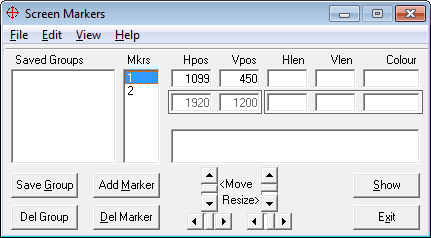
Here it is then possible to edit the horizontal or vertical position directly, either by entering the numbers directly, or by clicking on the move and resize buttons in the interface.
Each marker can have its own color, which can be selected by clicking on the Colour field in the user interface. Here it is furthermore possible to change the vertical and horizontal length of each line individually. All lines take go from top to bottom, and left to right by default. Sometimes less is needed and this option makes it possible.
Markers can be saved in groups, which is helpful if they are needed on consecutive sessions as well. The select marker blinks irritatingly by default, which can be unset in the options.
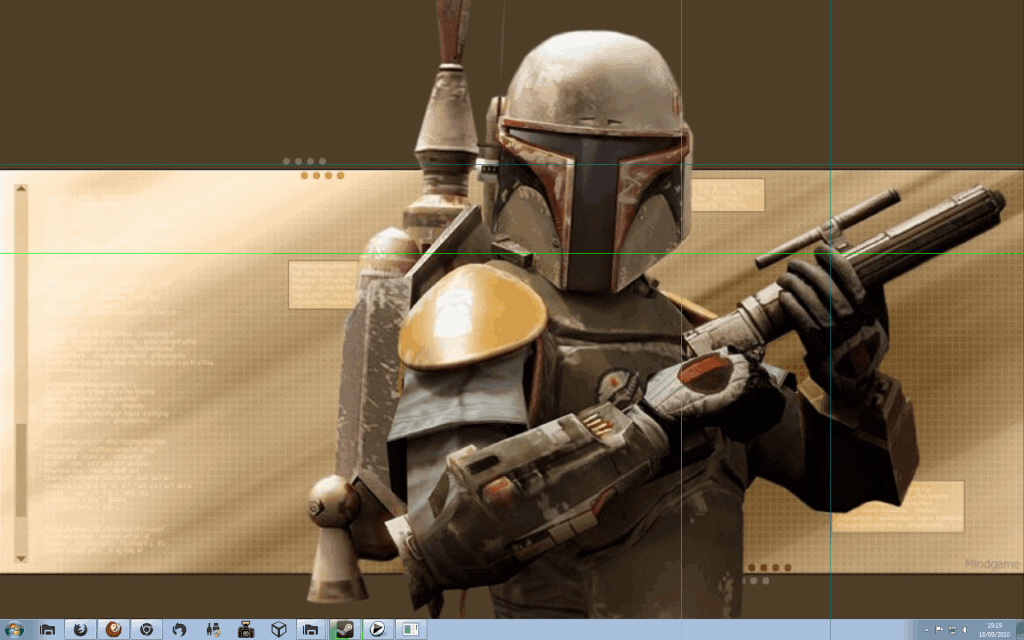
Markers are only shown to the user if the Show button is clicked on. They stay on the screen until the button is triggered a second time.
Screen Markers is pretty easy to use, despite its confusing interface. The freeware program is compatible with all recent Microsoft Windows operating systems up to Windows 7.
Downloads are available at the developer's website. The program requires the VB6 Runtime which should be installed on most systems. A download is provided for that as well on the developer site in case it is needed.
Advertisement



















