
Filmerit, Fix DirectShow Filter Problems

Filmerit is a free portable software program by French software developer Paul Glagla, that can be used to effectively fix DirectShow related filter problems in Windows. The program was recommended by long term Ghacks reader Transcontinental in yesterday's Scan For Codec Problems With Codec Toolbox review.
Filmerit scans the Windows Registry for filter errors, and displays its findings after the scan in its main interface. The program is set to read-only at the beginning, which means that it will display filter related information, but does not offer to fix them just yet.
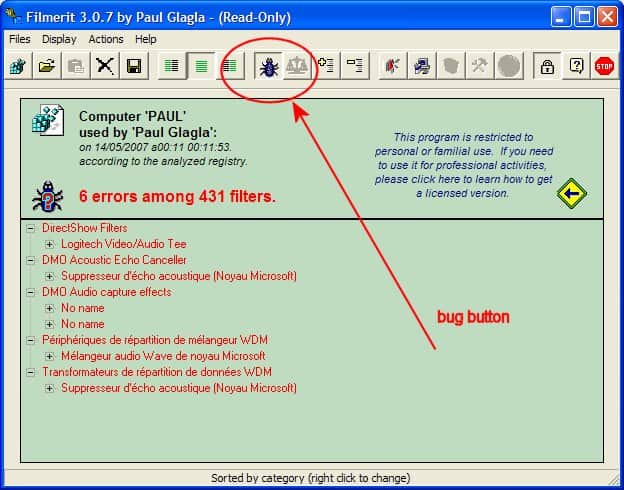
A click on the Bug icon in the header bar displays only filters with errors in the interface. That's helpful considering that usually more than 100 different filters are found in the Registry, with the majority of them working properly.
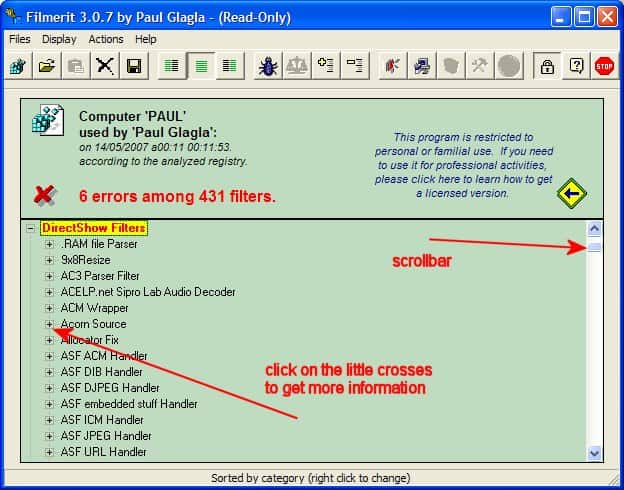
All filters can be sorted by merit, that is their priority level in Windows. Applications that use DirectShow filters will pick the filter with the highest merit for playback. That's a problem if the filter is not the one that the user wants to use, or if it lacks the quality of other available filters.
Filmerit has a two-click option to repair and fix all filter related problems at once. A click on the Lock icon, which is activated by default, switches the program to normal mode. In normal mode, corrections can be made to the Registry.
A warning is displayed which needs to be accepted.By clicking on I accept a system restore point will be created, which can later be used to restore the old settings in case something in the procedure goes wrong.
Finally, a click on the big red button next to the Lock icon repairs the filter problems in the Registry. The button becomes active after the warning message has been read and accepted.
Filmerit is an interesting alternative to yesterday's Codec Toolbox. The two programs complement each other, and are a good addition for a troubleshooting collection. Both are fully portable, and compatible with the latest Windows operating systems.
Advertisement


















Tried using filmerit to delete filter errors. It corrupted the registry in two computers (Windows 7 Ultimate and Enterprise). Was able to recover the system via the restore point Filmerit in one computer, but not in the other one – which had to have Windows7 reinstalled.
This is only my experience, but Glagla states on his site he has only tested this program on XP and Vista. From my experience, it should NOT be used in Windows7 to change anything.
Cleber