
Scan For Codec Problems With Codec Toolbox

Codecs; As long as they are installed correctly and not missing, out of date or causing incompatibilities everything is fine. Codec related problems may take some time to fix. Many users like to resolve codec issues by installing a codec pack, or switching to a media player using binary codecs.
That's fine and often works, but it does not always resolve the underlying problem. Codec Toolbox is a free beta program for Windows that can check the system for codec problems.
All that a user needs to do is to start the portable program and select the Check problems of codecs option in the pull down menu in the main interface.
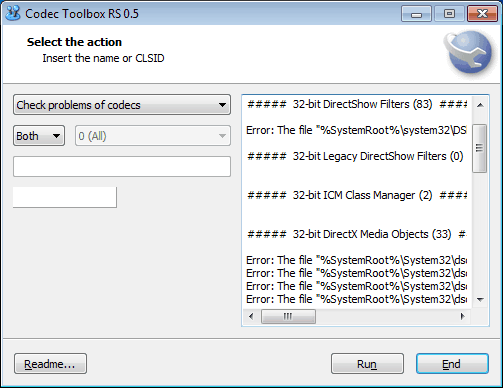
The program scans all installed codec information and displays errors related to them in the text box on the same screen. It will for instance notify the user if a codec is missing on the hard drive that is referenced in the Windows Registry.
At this time, there is no option to automatically resolve the codec problems from within the software. This means that the user has to repair the problems manually. For a missing file and reference in the Registry this would for instance mean to delete the entry in the Registry.
codec Toolbox can do more than just scan the system for missing codecs. It can create a list of all codecs installed on the system, and read and change the merit value of codecs. The merit value is used by applications to select a codec if multiple are able to play a media file. The codec with the highest merit value is picked automatically by the applications.
Codec Toolbox comes with command line parameters as well to perform the supported operations. The program is still in development, and users will likely notice that in one form or the other. It is for instance not possible to change the size of the program interface, which makes it incredible difficulty to read the outputs of the program.
The portable program is compatible with 32-bit and 64-bit editions of Windows. A download is provided at the developer forum. Alternatives are Codec Sniper, Codecinstaller or G-Spot.
Advertisement


















You have missed “RS” in the name, it is “Codec Toolbox RS”.
In this range of products (codec related) an interesting complement is Paul Glagla’s ‘Filmerit’ @ http://paul.glagla.free.fr/filmerit_en.htm. Cleaned up my system efficiently.