
Google Chrome Dev Hits Version 7

The Chromium developers have really redefined versioning at least when it comes to their web browser. The browser that made its first appearance in 2008 has now reached version 7 in the developer channel, with the likelihood that the beta and stable channels will follow suite later this year.
Usually, a major leap in version correlates to a big change in a product. Not so with Google Chrome 7, as the first release fixes one issue for all operating systems, one Mac specific issue and stability fixes for the Chrome Frame feature.
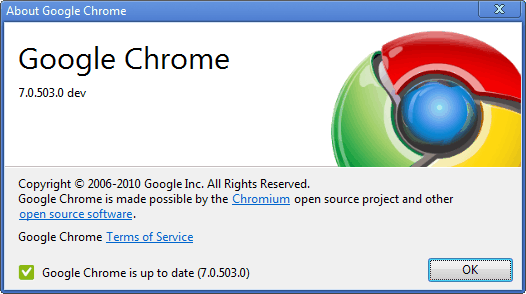
That's not really anything to get excited about, some would even go so far to state that the only reason Chrome accelerates the versioning is to beat Internet Explorer and Opera who currently sit tight in the first two spots with versions 9 and 10 respectively.
But it is only a matter of time until Google Chrome manages to get ahead of those two browsers. Will the developers top there, or will we see releases of Google Chrome 15 in two year's time?
Users who want to download the latest dev release of Google Chrome 7 can do so at the official dev channel download page.
Update: Google in recent time has added another channel to the Chrome development process. Google Chrome Canary is the new cutting edge channel which can be best compared to the nightly builds of Mozilla Firefox. The main advantage of Canary over Chrome Dev is the fact that it can be run besides a stable version of the Chrome browser. The latest Canary builds can be downloaded from the Google Tools homepage of the project.
Chrome Dev in the meantime has improved significantly as well. The download link posted above is still valid, only Chrome 7 is outdated and no longer in use.
Advertisement















As far as I know, the major number primarily corresponds to milestones in their system, which has a connection with the development process and feature freezes. Unfortunately, the description of the development process http://www.chromium.org/developers/calendar is still not updated to explain the new development model. One reason for increasing the rate of major versions was to “lower the pressure” on developers to get their feature ready in time for Stable release, in effect giving them about *twice as many chances* per year to get a feature included in a Stable release. That, if something, is worth the change of major versions. With other browsers a major version change typically mean that browser plugins/extensions needed to be retested and maybe updated (Firefox is picky about manifests, which you learn to defeat by installing the “Nightly” extension or what it was called).
Also, all browsers have their favourite bugs that seem to never go away. On Firefox it’s primarily printing, on IE I guess standards compliance and compatibility with other browsers. Any guess on what’s wrong with Opera that so few people go to use it? I tried Opera and Safari and never got around to getting used to the startup screens (and for Safari 4, slowness in getting it started up). Neverending bugs on Chrome? Try crbug.com/147 for one bug that has some tiny progress on Mac (and a possibly workable solution from me :-), or print preview crbug.com/173
I’d be interested to hear other suggestions for “eternal” bugs in Chrome, i.e. things that never worked and which seems like nobody even want’s to seriously get into fixing…
Whats with this number changes, they still need to make their browser perfect many bugs still present.
Indeed, the number is not important but the product it self is important