
MouseClick, Click Mouse Buttons Automatically

Working with the mouse would be a lot easier if the computer would know when to automatically click a mouse button, and when not to. While that surely leads to a non-trivial algorithm, considering that the system has to differentiate between user intentions, it might make using a computer more enjoyable and direct.
MouseClick is a free program for Windows, Mac and Linux that offers a simpler solution. The program basically emulates a mouse click whenever mouse movement stops.
Available for selection are left, right and middle-clicks as well as a feature called smart drag.
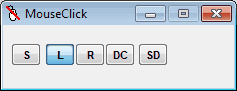
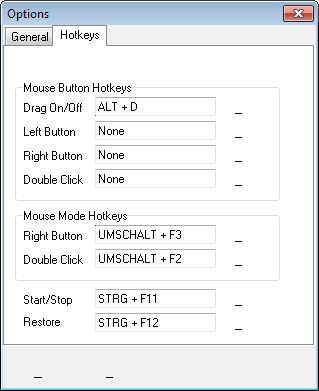
MouseClick for Windows is a portable lightweight application. It displays a set of buttons on startup, which define the emulation type. These can be configured right in the program interface, or with hotkeys.
A click on S, or Ctrl-F11, starts the selected program mode. MouseClick by default sends a click to the computer whenever the mouse movement stops. This takes some time to get used to, and it is likely that unwanted clicks are made in the beginning, especially when browsing the Internet. A rule of thumb, if you do not want a click do not place the cursor over a clickable element, or turn off the program first with the hotkey.
The developer created MouseClick to assist " in the recovery and prevention of Repetitive Strain Injury (RSI)". The software has other uses besides that. It can for instance be helpful for laptop, notebook or netbook users who work with the touchpad.
Yes, those touchpads come with buttons as well but it is sometimes easier not to use them, especially when it comes to dragging and dropping windows for instance.
Users who want to try out MouseClick can download it from the developer website over at UFridman (via Web Domination).
Update: The homepage of the developer is not available anymore. We have uploaded the latest version of Mouse Click to our servers. You can download MouseClick here: (Download Removed)
Advertisement


















PTFB (Push the Freakin’ Button) is also good to have, if you need example automatically close info messages etc.
Actually, I was thinking that everything would be much easier if my computer could read my mind and know what I want to do!