
PDF Reader Rendering Quality Comparison, Which Is The Best?

A question came up in the comments of the Foxit 4.0 release post here at Ghacks: How is the rendering quality of that pdf reader compared to that of Adobe Reader? I honestly could not tell at that time because I did not work much with pdf readers, and when I had to read a pdf I was not that much concerned about text rendering but the contents.
Still, it is a valid question. Do pdf readers render pdf documents differently, and if that's the case, which one is the best of the pack?
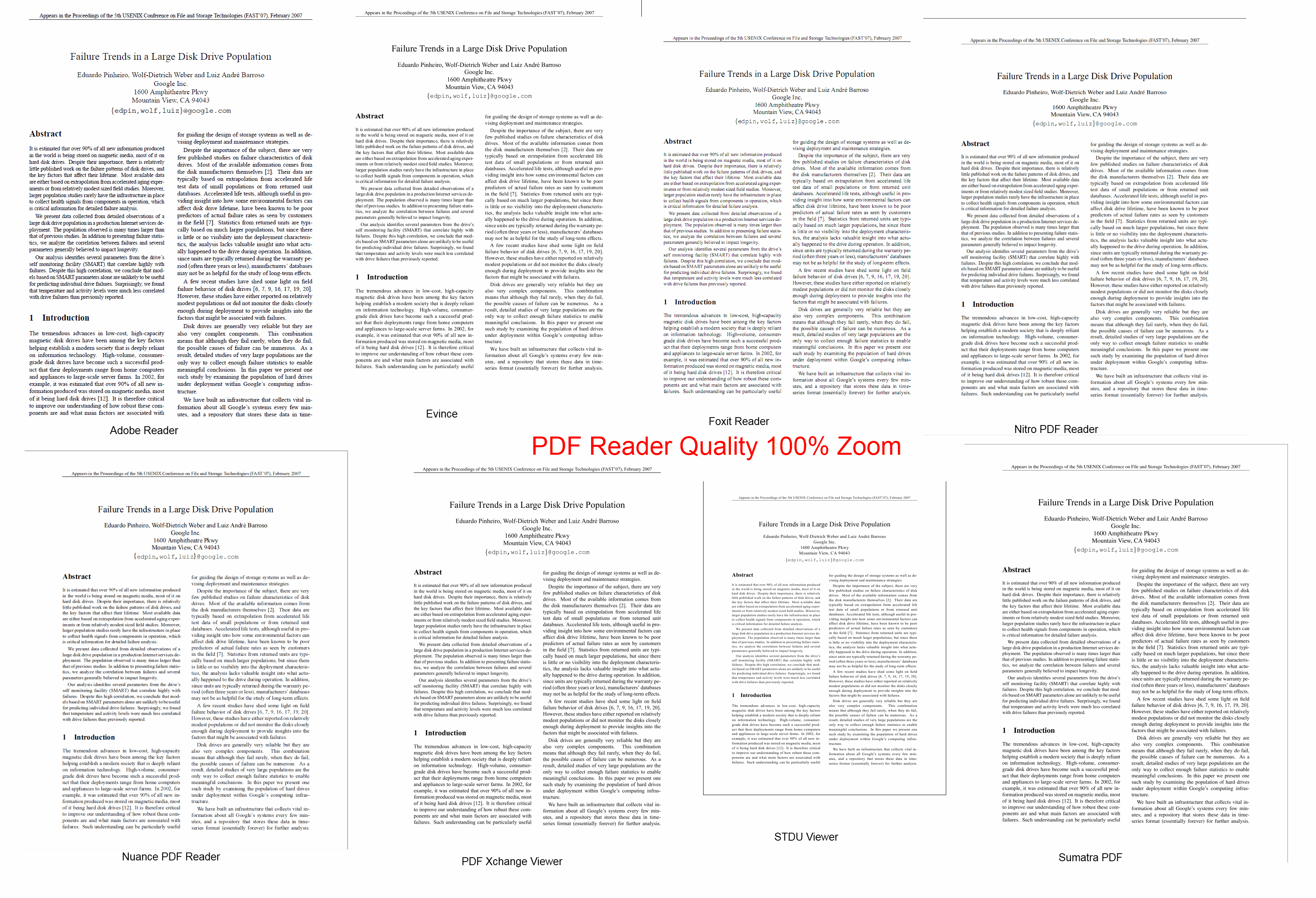
Some rules had to be established for this test; All pdf readers should display the same page of the same pdf document in 100% and 200% view as well as a sample paragraph in 100%. Screenshot quality had to be the same to make it easier for anyone to spot possible quality differences in the text rendering engine.
I have also decided to only add free pdf viewers to the list.
List of pdf readers:
- Adobe Reader 9.3.3
- Foxit Reader 4.0
- Nitro PDF Reader 1.1.1.13
- Sumatra PDF 1.1
- PDF-XChange Viewer
- STDU Viewer
- Nuance PDF Reader
- Evince
Test System:
- Microsoft Windows 7 Professional 64-bit
- 8GB computer memory
- Intel Core i7 860
- HP w2408h widescreen monitor, 1920x1200 resolution
- Ati Radeon 4870, latest Catalyst drivers
- Test Pdf
The screenshots:
Thumbnails are displayed due to size limitations, click on a thumbnail to view the full sized image.
Samples
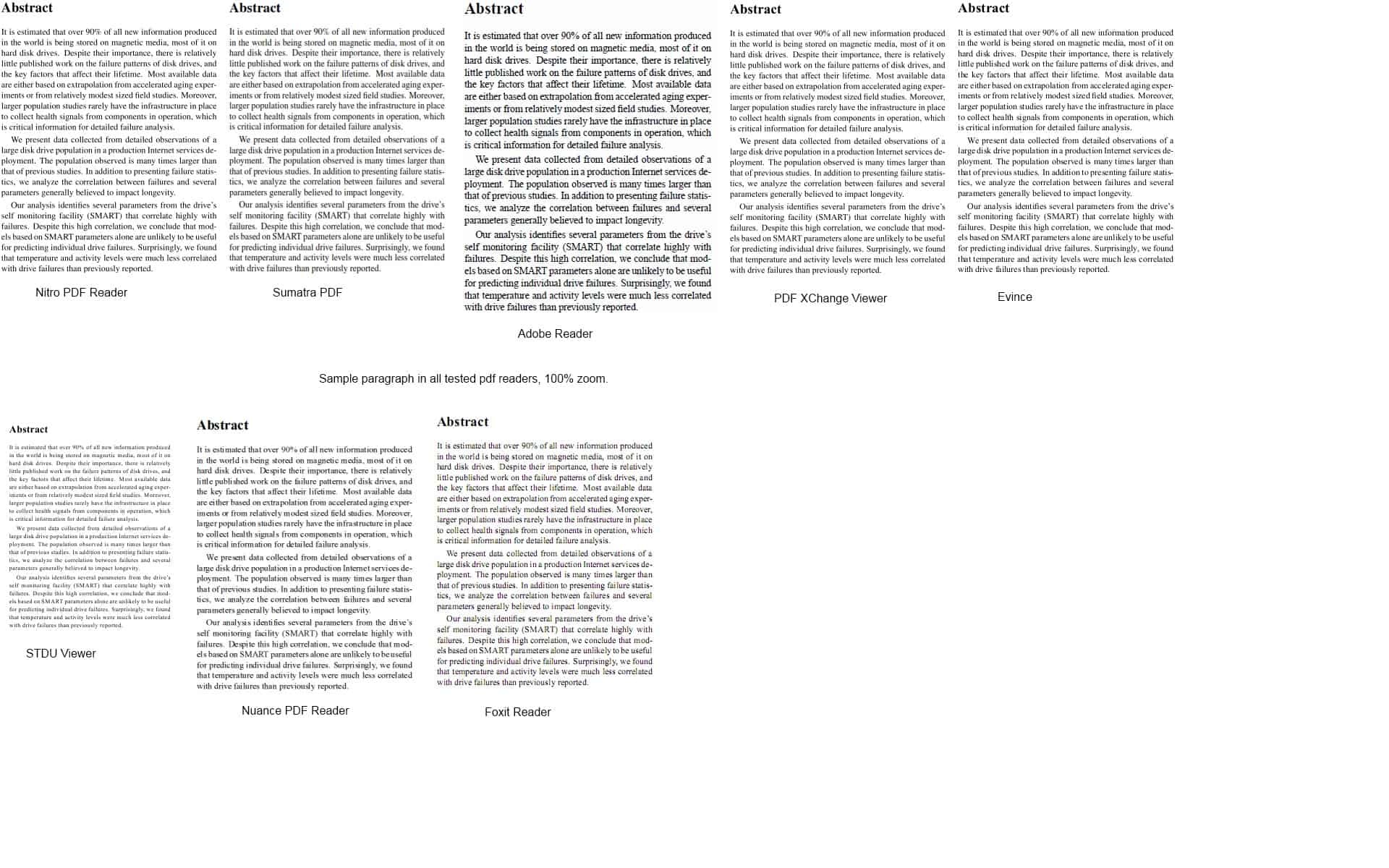
The first batch of samples shows that pdf readers display the same text in a different font sizes. Adobe Reader uses the largest font sizes while STDU Viewer the smallest, which offers a barely readable rendering of the text in that size. Quality obviously depends on a few factors that might differ from system to system.
What's your favorite pdf reader? Let us know in the comments.
The 100% sample screenshot comparison
Now the 200% samples of the eight pdf readers
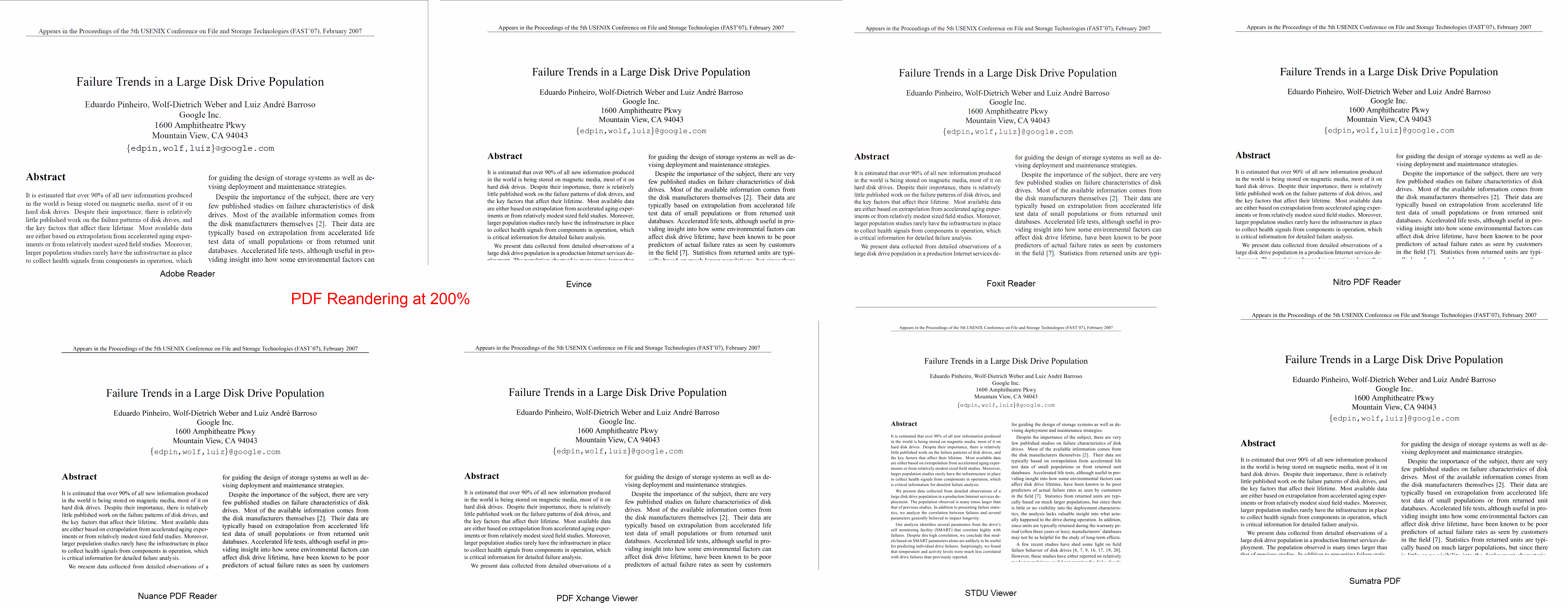
As you can see, rendering quality differs highly depending on which pdf reader has been used to display the pdf document. Adobe Reader followed by Sumatra provide a very good rendering quality. The pdf rendering quality obviously depends on a few factors that are influenced by computer hardware.
I would still recommend either Adobe Reader or Sumatra as they seem to provide the best rendering quality of all tested pdf readers. Sumatra especially for users who do not want anything to do with Adobe Reader.
Advertisement



















you can use view>>reflow command in adobe acrobat otherwise choose file>>save as text option,available in all major readers or use online file converting software
you can use the view>>reflow command in adobe acrobat.also you can crop out surrounding whitespaces. else you can convert it to text(file>>save as text option) or other formats through online converters or paid ones as nitro pdf etc
Adobe Acrobat Reader by default scales text 110%.This biases these comparisons to make Acrobat Reader look better. If you change the setting to use system scaling, the comparison will turn into an “apples to apples” comparison. In such a case, I’ve generally found Acrobat Reader to be one of the worst renderers for on screen viewing.
Great article. I happen to see that top tier is Adobe Acrobat, Sumatra and PDF Xchange Viewer. Have you tested this on scripted text? Is there a difference with truetype vs. opentype?
I’m looking for a windows pdf whcih can reflow text (e-book style) for my notepad’s small screen, but I have not found any yet. Can you give me a suggestion?
Another interesting reader is Almetis Reader: http://www.almetis.com/fr/almetis-reader.html
I use PDF-XChange and now I see that my favourite viewer is really the best. Sometimes I have used screenshots (like these) and hadn’t problems with further print black text as black. No doubt PDF-XChange Viewer is the excellent program )). Thanks for the article and for the comparison.
It is good idea to make a comparison on the same zoom level, but please note that real pixel size of rendered page depends of DPI used by the application. while most application uses system DPI (96 by default), and is on their own mind (as always :) ) and uses 110 dpi by default, and as a result page on 100% is a bit bigger.
I use PDF Studio because it is cross-platform. I would have liked to see how it compares in term of rendering quality with other viewers.
I use “Sumatra” but “PDF Xchange” is good.Sumatra is much memory friendly than PDF Xchange.
Aside from its top tier rendering capabilities, the regularly updated PDFX-Change viewer includes a nice assortment of mark-up and other tools. It may not be the “smallest” offering but, from my perspective, it is currently the most complete free-for-personal-use package available…
FYI and for what it’s worth — I did an unpublished comparison for myself more than a year ago and also included products from Drumlin (which rendered like Foxit, and both over- and under-whelmed with regard to features) and Haihaisoft (which renders like Sumatra and is very likeable overall). I recently tried Foxit’s latest version, too, but still have not yet found a reason to change the setup in my system…
Nice Comparison, in a near future can you make a cpu and memory comparison in PDF viewers.
Nice work, Martin. I did have the idea that comparisons should be set on same text and same fonts, and I had experienced myself but Adobe and Foxit readers. This experimentation is most interesting, and of course may be pointed out that text (and image) rendering is only a parameter among others. But, nowadays, aesthetic is taken into consideration much more than by the past, and the pleasure of the eye has its importance, I believe.
I like PDF XChange Viewer myself.
I just looked at your test document vs. about 10 random PDF docs and your doc looks poor in comparison in all cases.
Maybe it is the Times Roman font (which I always find difficult to see clearly)?
Also, were you using Cleartype when you did your screen grabs?
Yes Cleartype has been enabled. I have been using the default settings in all pdf readers.
I prefer Nitro on Windows.
The quality difference between it and Adobe is minimal (imho), and there’s the bonus of having a pdf annotator and printer without extra software.