
Weezo, Remote Access And Web Server For Windows

Weezo is remote access made easy. The server comes as a portable version or installer for the Windows operating system. It basically allows a user to configure remote access to files on a computer system and to run scripts on a web server at the same time.
Here is how it works. Weezo will run a configuration script on the first startup. The script will start the core services and perform connection checks to ensure that the server is accessible from a local network and the Internet.
A free Weezo account can be created during setup of the server. The account offers the advantage that a permanent url is associated with it which can be used to access the server. This is similar to a service that offers a permanent domain name for dynamic IPs. It is possible to use the program anonymously, but this means that users connected to the computer need the right IP address to do so.
The Weezo server interface is then started on the computer, providing the means to configure the the shared contents and users as well as core configuration options and an activity monitor that displays information about logged in users and server status changes.
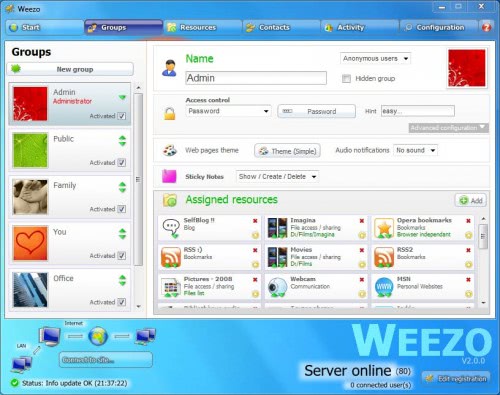
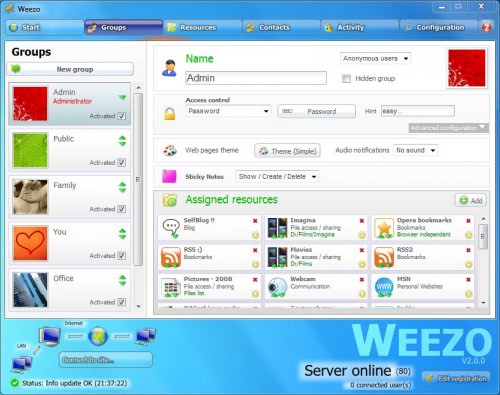
All resorts around user groups and resources. Groups are used to allow or block access to resources. The administrator for instance has access to all resources by default while the public group does not.
Groups are protected with passwords and can be further protected by adding allowed IPs. Options to provide a distinct website theme, sounds and sticky notes are provided as well.
Resources are the core of the server. Here it is possible to enable file access and sharing, blog and websites, communication modules like chat or webcam, bookmarks, web TV, a web proxy routing traffic through the Weezo website and additional modules.
Some interesting resources are the following:
- Photos Album: Share photos with anyone connecting to the server.
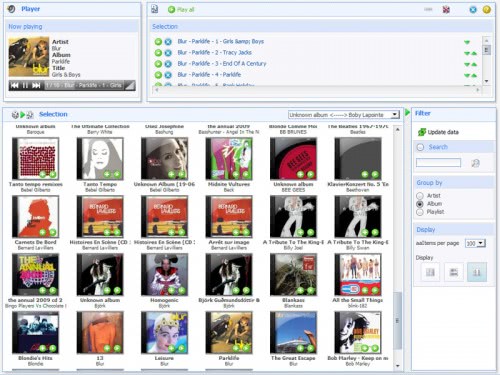
- Music and Videos: Listen to music or watch videos remotely, great for sharing music and videos with friends.
- RSS Reader, bookmarks: Access and share RSS feeds and bookmarks easily wherever you are
One click install / download options are provided for popular web scripts such as WordPress, Joomla or phpBB even though they are not always offered in the latest version. MySQL can be installed as well as it is a requirement for several of the scripts.
Some modules were not completely translated into English, only offered in French. WordPress for instance was available in French. It was however no problem to change the configuration files on the local system to change the language to English. This is also the way to update scripts to their latest versions.
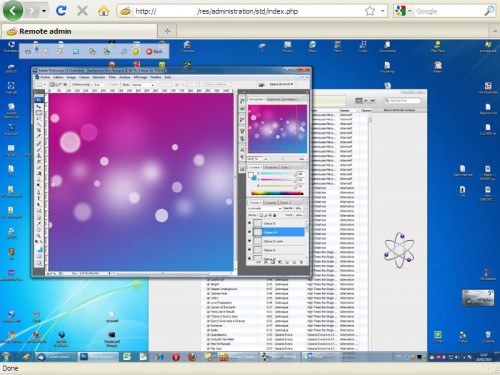
Admins have direct access to MySQL, phpMyAdmin, the Apache configuration and pretty much every other server configuration file. Helpful for instance to import a database or make modifications to the remote server.
Ports can be changed in the configuration, the default port is 80. It is furthermore possible to use a secure connection (SSL) to connect to the server.
Screenshots:
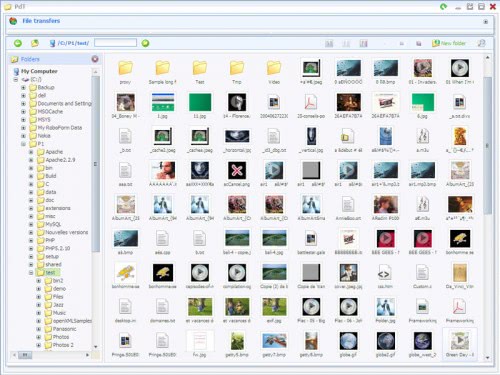
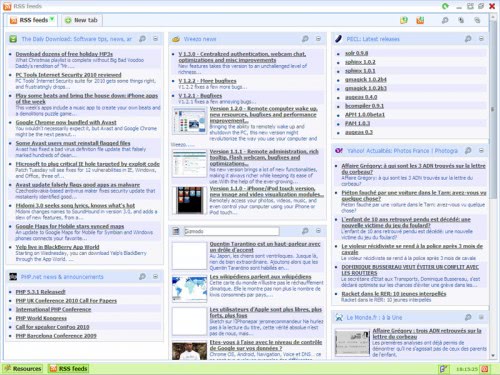
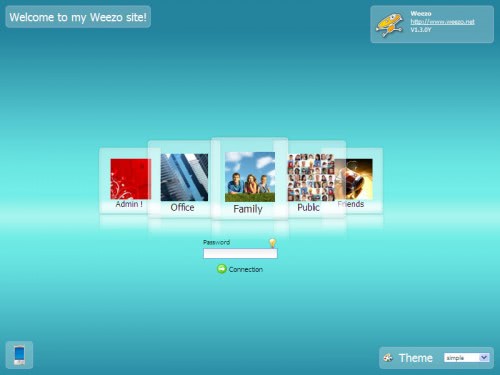
Weezo offers a one-click installation server for web scripts, file sharing and remote file access. It provides rights management and an easy to understand admin interface that can be used to configure most, but not all, of the options of the server.
Some operations require manual configuration changes, which definitely will be a problem for inexperienced users. There is for instance no option to update WordPress to the latest version from within the admin interface.
Weezo is available for download at the developer's website.
Advertisement


















Weezo remote access is good. Additionally, one can also have a look at tools like logmein, R-HUB remote support servers etc. for all their remote access needs. These are easy to use and work well on all platforms.
@ Dave,
I’m getting that too…
I guess the registration server is down :(
Can you tell me why everytime I try and create an account it keeps telling me:
“Weezo registration server is not responding.
Please retry later…
If you still want to use Weezo, select unregistered mode.”
Does anyone know if they are still supporting this or not.
I use Weezo for over 2 years now. And I like it very much :)
StormtrooprDave, I think your issue is due to connexion problems. You need to route your ports if you’ve got a router, open your firewall, static IP is better than DHCP, etc…
Although the forum is in French, you can go over and speak English: we will answer.
Can Weezo run a Curl Script based on user data entered on a website, and post the results back to the website?
Ben I do not know. I tried searching for Curl on the site and forum but could not find any reference, so I would say likely not.
How does this compare to Orb which I find very slow and cumbersome?
Can’t get it working. At the setup test it hangs at testing server outgoing connection and doesn’t go any further.
The forum is in French so that’s a dead end
Likely a firewall / router issue.
Looked pretty speedy to me, but it surely depends on the Internet connection of the server and the other connections.