
Google Search Now Offering Page Previews And Other Filters

Not every Internet user is happy with the redesign of the Google search interface and the increasing number of extensions, userscripts and other solutions to bring back old Google is a clear indicator for that.
The left sidebar does on the other hand offer several new features that have not been there before when using Google Search.
If you look at the new search sidebar you notice that it is divided into three different sections; Search source filters, filters that manipulate the search results and the something different section that links to related searches.
Update: Note that Google modified the interface of search results pages again in recent time. The screenshots below don't show the latest interface but a previous iteration. Most of the filters are not provided anymore with the exception of the first filter list you see on the screenshot below (in red) which is still available.
Some features, like filtering results by time are also still provided but the majority of results filters listed below are not. End
If you take a closer look at the search results filters you notice several interesting filters at the end of the listing.
It is there possible to only display sites with images, reduce or increase the number of shopping sites in the results, enable page previews and translated search.
Standard results
This is the standard search results listing. A mix of websites, images, news and other sources on the same page.
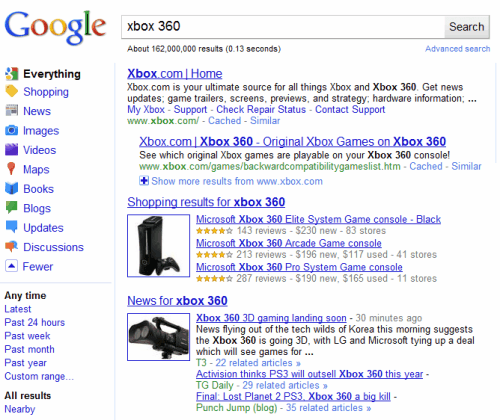
Sites with images
Will only display sites that contain images. There seems to be a minimum image requirement of three.
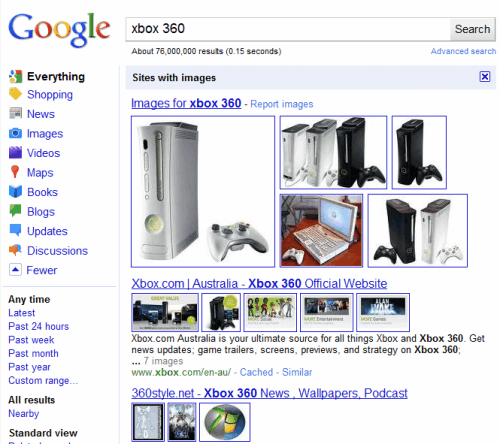
Fewer shopping sites
Removes most shopping site related links from the search results including Google's own "shopping results" block.
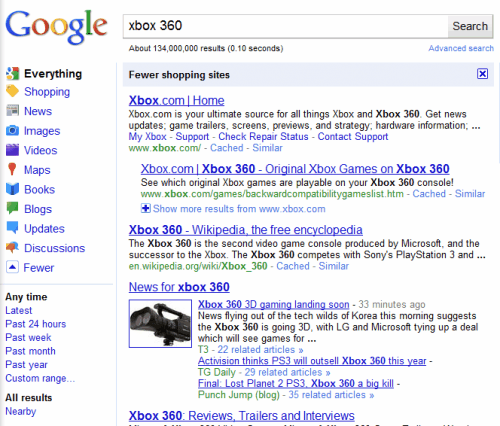
More shopping sites
The exact opposite of fewer shopping sites. Will list many shopping sites and less regular results.
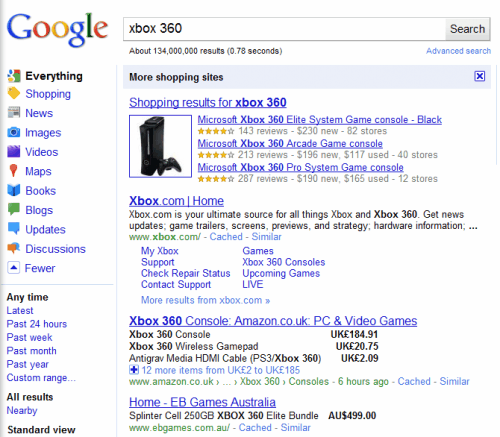
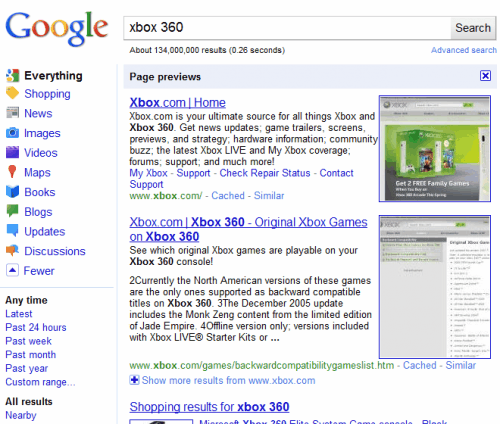
Page previews
Displays thumbnails of every page in the search results. The thumbnails are placed on the right side of the results.
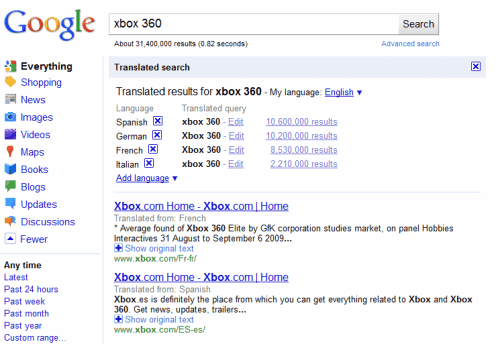
Translated search
Offers to translate the results into another language. Controls are displayed on top of the search results. Uses Google Translate for the translation.
The new search filters can be helpful at times. The biggest problem we see is that they cannot be set as permanent filters.
Are you using the search filters of the new Google sidebar?
Advertisement

















I have google set to display 100 results at a time. Google images displays only 20 at a time regardless of that setting.
With 1MB/sec max download display is effectively instantaneous.
Using sites with images still displays 100 results at a time but in Google Chrome (5.0.396.0 dev) it takes a long, …, long time to display … usually resulting in the [Do you want to kill this page] popup
In Firefox 3.5 (lots of addons) the Sites with images is MUCH more responsive.
Possibly its one or more of the Google Chrome extension I’ve installed?
– AdBlock – Version: 1.4.27
– AdSweep – Version: 1.6.17.2
– AdThwart – Version: 0.8.17
– All Search – Version: 1.2
– AniWeather – Version: 0.6.19.6 (Disabled)
– Chrome Flags – Version: 1.1 (Disabled)
– Chrome Gestures – Version: 1.12.0 (Disabled)
– Chromium Wheel Smooth Scroller – Version: 1.0.16
– Cooliris – Version: 1.11.7.33611 (Disabled)
– Del.icio.us Tools – Version: 0.4
– Explode – Version: 0.8.1
– Frame two pages – Version: 1.6.1
– Google Image Search Direct Links – Version: 1.0
– Google Quick Scroll – Version: 1.2.1
– Google Similar Pages beta (by Google) – Version: 0.5.4.7
– IE Tab – Version: 1.4.30.4
– IMDB plus – Version: 0.7
– Link Icon – Version: 1.2.1
– Linky – Version: 1.0.2 (Disabled)
– Mouse Stroke – Version: 1.9.4.4 (Disabled)
– Notifier for Google Wave – Version: 3 (Disabled)
– Readability Redux – Version: 1.1.2
– RSS Subscription Extension (by Google) – Version: 2.1.1
– Select To Get Maps – Version: 1.1.1
– Slideshow – Version: 1.2.5 (Disabled)
– Smooth Gestures – Version: 0.13.2
– SmoothScroll – Version: 0.6.1 (Disabled)
– Snap Links Lite – Version: 1.2.4
– Speed Tracer (by Google) – Version: 0.13 (Disabled)
– TabJump – Intelligent Tab Navigator – Version: 0.7.1
– Turn Off the Lights – Version: 1.7.9.17
– Ultimate Chrome Flag – Version: 0.2.16
Anyone having/not having this problem?
more friendly the new interface of Google Search.