
Automatically Move Files Into Directories

Dir Split is a free program for Microsoft windows that allows you to split files in a single directory into multiple directories.
This can for instance be useful if a large number of files need to be split because of their total number. The application moves files based on a maximum number of files per folder.
Dir Split is not as sophisticated as Move Out which moves files based on their file extension or name.
The main use for Dir Split is therefore to move files of a similar type from one root folder into different subfolders as it makes no distinction between file extension, size or name. If you have a large folder full of mp3, image or video files for instance, you may move them using the program.
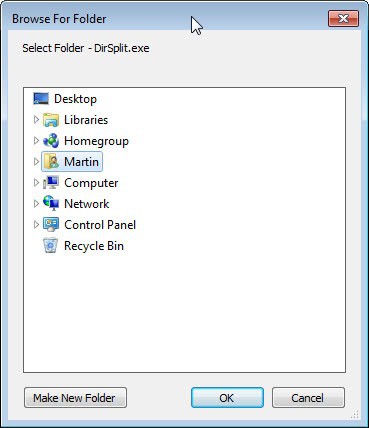
The program is straightforward to use. It begins by displaying a folder browser to select the root folder that contains the files that you wants to move into subdirectories. The number of files per subdirectory needs to be specified in the second and last step of the process.
Dir Split
The software program will then move all files that are stored in the root folder into subdirectories. The folders are numbered starting with 1.
The program may work well if you want to divide a large file collection, music, videos or images for instance, into multiple folders to speed up the loading and browsing of the folder on the system.

Dir split is a specialized application that can be downloaded from the developer's website over on Codeplex. It is compatible with most 32-bit and 64-bit Microsoft Windows operating systems including Windows 7 and Windows 10.
Update: The official DirSplit website is no longer available. The website it was hosted on returns an error message and it looks as if the author of the program has abandoned it.
You can now use Move Out instead which I have linked above, or download the latest working version of DirSplit instead from our servers. The program is still compatible with all recent versions of Windows, but remember that it won't be updated anymore so that problems and issues that you run into won't be fixed: (Download Removed)






















Thanks Sooo Much .very useful for me.I split 130000 Midi files to many sub folder because my workstation cant read those files.
Search “RoboBasket” in google you will find a application from Easy-to-Use Software which can automatically process your files based on user predefined rules. You can process your files based on name, size, date, mp3 tag, extension and more other attributes. and choose actions from move, copy, rename, delete and more.