There are two main reasons for switching to one of Google's alternative search interfaces: speed and usability.
ADVERTISEMENT
The following three Google search engines use the same search index and parameters that the default Google search engine offers. The difference is that all three of them are faster, more accessible and less obtrusive when displaying search results.
One of the major points of criticism lately has been the additional elements that the standard Google search engine displays on the search results pages.
This includes advertisement, sponsored listings, Google Maps, Google News or YouTube results thrown into the mix, something that many search engine users feel completely unnecessary.
This search engine comes close to the standard Google search engine. It makes use of a similar user interface with the main difference that the search result pages do not display advertisements or other elements that Google likes to add to those pages.
Google XHTML
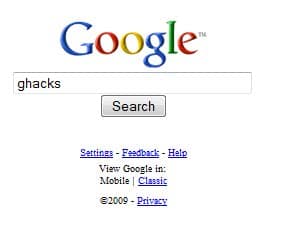
Google XHTML is a search interface for mobile devices. It can be accessed by desktop computers and normal web browsers.
The benefit is a faster interface that displays the search results without additional noise. The search result listings are aligned to the left and contain titles and short descriptions of the content.
The feature uses a slightly different layout as well, as some options are listed on the left side, something that Google removed from the company's main search engine years ago. [link]
Google IE
Note: google Is not available anymore. When you open the site, an ad to download Google Chrome is displayed instead. The link has been removed therefore.
Another interface for mobile devices. The IE suggests that it might be related to Microsoft's Internet Explorer in some way. This one the most barebone of them all which especially becomes apparent on the search results pages. The results only consist of the page titles with no description or other information thrown into the mix. This can be confusing if many of the websites listed in the results use the same or a similar title.
Got anything to add? Let us know in the comments.
Summary
Article Name
3 Faster Less Obtrusive Google Search Engines
Description
The article lists three specialized Google Search engines that you may use instead of the main Google Search engine for your web searches.
NEW SEARCH ENGINE
Atoall.com’s new search engine which is know as best search engine is now available for easy web search. Write in the address bar three button twice which are together on the computer keyboard (angle) e.g. ppooii.com. This Internet search engine has unique technology. You can contact us for also search engine promotion.
I’ve also been using ixquick. But another engine I use often is goosh (http://goosh.org/). It still uses the google API, but is designed to have more of a “command line” feel to it. Plus, you can configure the look to suit your personal preferences, and you don’t have to deal with all the extras that google now throws into your search.
Hi Martin,
Given up Google for a while now in favor of Scroogle SSL & Ixquick HTTPS (privacy reasons/ issues). Both come as a plugin for Firefox.
If anyone interested:
Scroogle SSL http://mycroft.mozdev.org/search-engines.html?name=scroogle
























NEW SEARCH ENGINE
Atoall.com’s new search engine which is know as best search engine is now available for easy web search. Write in the address bar three button twice which are together on the computer keyboard (angle) e.g. ppooii.com. This Internet search engine has unique technology. You can contact us for also search engine promotion.
I’ve also been using ixquick. But another engine I use often is goosh (http://goosh.org/). It still uses the google API, but is designed to have more of a “command line” feel to it. Plus, you can configure the look to suit your personal preferences, and you don’t have to deal with all the extras that google now throws into your search.
Google sandbox only features Google.com results, which means if you are searching outside the US then it’s not really much use.
The mobile searches are very fast though.
Hi Martin,
Gave up Google a while back in favor of Scroogle SSL & Ixquick HTTPS (privacy reasons/ issues). Both come as a plugin for Firefox.
If anyone interested:
Scroogle SSL
http://mycroft.mozdev.org/search-engines.html?name=scroogle
Ixquick HTTPS
https://ixquick.com/
Thanks anyway.
Hi Martin,
Given up Google for a while now in favor of Scroogle SSL & Ixquick HTTPS (privacy reasons/ issues). Both come as a plugin for Firefox.
If anyone interested:
Scroogle SSL
http://mycroft.mozdev.org/search-engines.html?name=scroogle
Ixquick HTTPS
https://ixquick.com/
Thanks anyway.