
Apache Web Log Analyzer

Webmasters have a few log file analysis options. Many web hosting companies provide pre-installed scripts like Webalizer that automatically perform an Apache log file analysis and display the results in a web browser. There are also several external online services that can be added to the websites directly to display an analysis that is comparable to those Apache log analyzers.
Another option for some webmasters are software programs that can load and process Apache log files. One of these programs is Apache Log Viewer, a free Apache log file analyzer for the Windows operating system. The webmaster needs to load the Apache log file (either access or error log) in uncompressed format into the Apache log analyzer. The program will then automatically process the log file and display it in a more readable format.
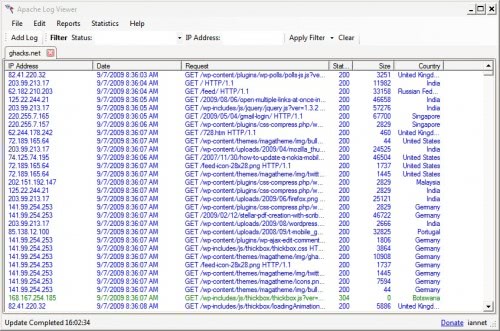
The log file analysis software will process the log file and display data like IP addresses, dates of access, requests, the Apache status code, size and country in the Apache log file analyzer.
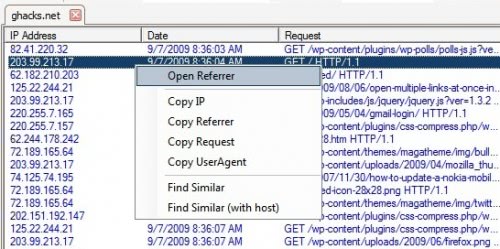
It is furthermore possible to create reports like viewing the visits by country, hits or visits. Some reports are disabled and will be unlocked after making a donation.
Another interesting option is the ability to filter by status message or IP address.

Apache Log Viewer provides enough information that provide a quick overview after performing an Apache log file analysis. The Apache log analyzer can be downloaded from the developer's website.
Update: The program is still freely available on the Internet as of March 2012. It is compatible with all recent versions of the Microsoft Windows operating system (both client and server), and requires the Microsoft .Net Framework 3.5 to run.
Advertisement


















