Change the start mode and connection of multiple Office addins at once

If you have a copy of Microsoft Office installed on your PC it is near certain that several Office addins are installed on the computer as well. Office 2013 for example ships with default addins of which some are loaded during startup. Other programs, antivirus software or iTunes for example may also install addins on the system, and you often do not have a say in the matter.
While it is possible to change the status of each addin in the Windows Registry or each individual Office program, it is not the most comfortable of things to do.
You find addins for all Office programs listed under the HKEY_CURRENT_USER\Software\Microsoft\Office key in the Registry. Just select the Office program that you want to check and there then the Addins subdirectory. Here you find all addins listed as directories that you can open. The Load Behavior parameter defines if an addin is loaded on startup or not.

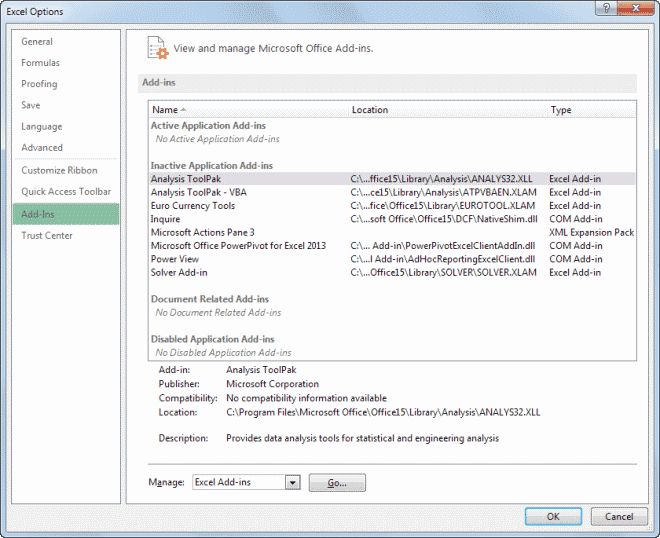
In Office, you would have to click on File > Options Add-ins to manage the active and inactive application add-ins for the selected program. In Outlook, you select Tools > Trust Center > Add-ins instead.
OfficeIns is a free Nirsoft application that simplifies the process for you. It lists all Office addins for all programs of the Office suite so that you can manage them all in one go and without having to switch pages or applications.
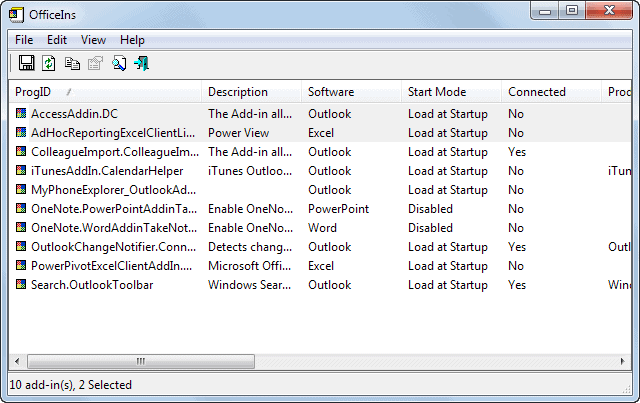
The program is available as a 32-bit and 64-bit edition. Note that it is fully portable and can be loaded right after you have downloaded and extracted it on the system. It is recommended to run it with administrative privileges to take advantage of all of the program's functionality. If you do not do that, you cannot use functionality such as opening an addins location in the Windows Registry.
All add-ins are listed alphabetically by the program. The software column highlights the program they are associated with, and start mode whether they are automatically loaded on start or not.
You can right-click any item here to display a context menu that provides you with options to change the start mode of an addin:
- Disabled - This turns the add-in off and won't load it at all.
- Load at Startup - Loads the addin automatically when the program starts.
- Load on Demand - Loads the addin only if it is requested (for instance by clicking on a menu item).
- Load at First Time - Loads the addin on first load, loads UI elements afterwards only but not the addin until the user clicks on one of the elements.
You can select one or multiple addins to change their start mode in one go. The program ships with the usual Nirsoft program features such as the ability to create an HTML report or to export date to XML or CSV files.
Verdict
OfficeIns is a handy portable program that you may not use that often, but helps you out when you need to modify the start mode of one or multiple Office add-ins on a PC.
Advertisement