
Firefox Extensions Website Gets Overhaul. Collections Introduced

The Firefox extensions website at Mozilla.org got a long needed overhaul.
The design of the website has been changed drastically making it more welcoming and eye pleasing to visiting users.
The various extension categories are listed on the right while the main part of the screen is reserved for extension recommendations sorted by topics like building a perfect website, managing social networks, planning business trips or keeping an eye on kids and calendars plus the option to browse recommended, popular, newest and update add-ons as well as the newly introduced collections.
The development team seems to have increased the size of the fonts quite a bit which makes everything more readable on the website.
Probably the most important feature of the update is the introduction of collections. Collections are basically lists of Firefox add-ons that users can create directly on the site
Several collections are already available inlcuding the Web Developer's Toolbox, Traveler's Pack or Family Organizer. Each collection includes a number of add-ons which can be installed at once to make the installation process as easy as possible.
This can be very helpful in certain situations like configuring a new computer system for relatives, friends or colleagues. It has to be noted that the add-ons that are stored in collections will come with the default options enabled. This is different from programs like Febe which can not only backup the extensions but also the preferences of these extensions.
Every Mozilla user may create custom collections and have them listed on the Mozilla website along with all the other collections that are available.
This can be an interesting tool for website owners to offer an extension collection to their website's visitors. The add-on collector extension has been created to make the collection creation easier.
I have created the Ghacks.net collection which basically consists of a few add-ons that I use on a day to day basis. I'm open to suggestions on additional extension that should be added to the collection. It is possible to add users to the collection to make it a group project.
Update: Mozilla Add-ons has been redesigned yet again in recent time. The site has not changed functionality-wise which is great but things have been moved around a bit. Here is a screenshot of the new layout.
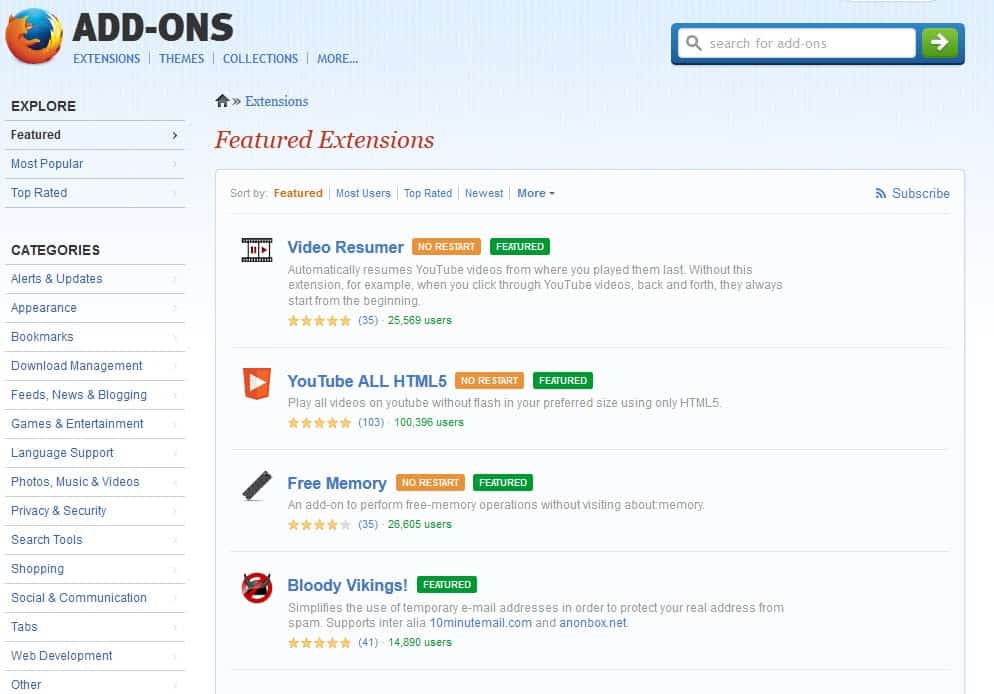
You can read more about that move here.
As far as collections are concerned, they have never really taken off but are still available on the site.
Advertisement

















I can recommend the following adds :)
– Adblock Plus (blocks adds, can’t live without it anymore)
– Fission (shows a loading bar in the adress bar, like in Safari)
– GMail Notifier (for the GMail users)
– Wolfram Alpha Google (together with your Google results, you get at the right a window with the results from Wolfram Alpha. Sometimes handy, sometimes useless)
– Xmarks (allows you to synchronize your bookmarks across several computers. Also shows you suggested tags(very useful actually) )
I’d have to recommend FEBE – Firefox Environment Backup Extension. It let’s you back up nearly everything related to your browser including extensions, themes, passwords, cookies, and preferences. It’s great to have before/after an OS install.
I also like Nasa Night Launch (theme), Forecast Fox and of course any of the mouse gesture extensions – I definitely can’t browse without that.
beddy48a? Thanx Martin. I agree the collections idea is a nice concept