
Intype is a plain text editor with coding support

Intype is a text, code and xml editor for the Windows operating system that looks similar to advanced editors like Notepad++ in many aspects. It features the same extensibility and customization options as the popular Notepad replacement, including support for scripting and native plugins.
Note: Intype is no longer available. The developer site is no longer available as well, and while you can download the program from various third-party sites, this won't do you any good as you cannot register it anymore. Check out our suggestions at the end of the article.
There is no noticeable difference between InType and Notepad++ in regards to startup time or the loading time of texts or code.
Intype
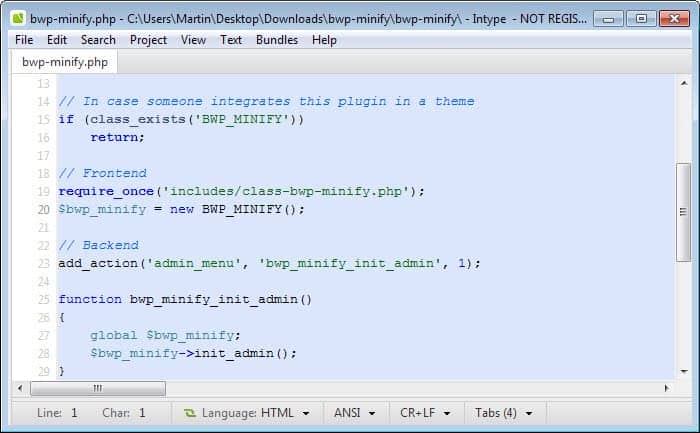
The Intype text editor uses a tabbed interface to display multiple text documents in the same interface.
Plugins - which are called bundles in the editor - are available for various programming languages to improve support in the editor so that code is highlighted better and to improve readability among other things.
Support is built-in for programming languages like C, PHP, Java and various other scripting languages like HTML, XML or CSS which means that code is formatted properly in the editor among other things.
The project's website offers downloads of additional bundles that can be added to the text editor. The editor is currently in alpha stage. It can be freely downloaded from the developer's website. The FAQ states however that the editor will not be free once it is fully released.
Verdict
Intype is an interesting program. There is no real advantage over using free alternative such as Notepad++ though, and that is probably the main reason why the program will have a hard time finding customers when it drops the free tag and becomes a commercial program.
Update: The most recent version of the editor is no longer free. It is available for €42 on the developer website. Extension bundles are not available as well anymore on the website. You can however still edit and manage bundles from within the application itself.
The editor supports several other features of interest. It offers project management functionality for instance. Projects allow you to bundle multiple files so that you can load them all at once whenever the need arises.
Intype might be worth a look for users who use plain text editors for coding purposes. It does not however provide access to powerful new features or commands that other text editors like Notepad++ do not offer.
Update: The editor has not been updated since 2013 and while it works just fine, a lack of updates suggests that the project is not receiving the attention that a paid program should deserve.
Probably the best alternative right now is Sublime Text, a versatile professional editor for code, markup and plain text.





















I remember trying out Intype 0.3.1.547 about a year ago. I liked it but as I was used to Notepad++ because the release was still alpha, I never really did much with it. However, today I’ve had to edit an xml file & the code is unreadable in Notepad++ (not that N++ can’t show xml properly, it’s because the code I have is XHTML & N++ is reading it as XML). I thought Intype may be able to deal with it so I re-ran it & at first it looked the same as N++ (syntax colours as one long unreadable string) so I switched it over to read as XHTML in Intype & it looks far more readable & easier to work with.
See 2 shots of the same file in Intype & N++
Notepad++ doesn’t seem to have the XHTML language added (perhaps needs a plug-in ?), so at least Intype has a feature that N++ is missing.
Intype : http://i44.tinypic.com/nb7tja.jpg
Notepad++ : http://i42.tinypic.com/2ppkbk8.jpg
0.3.1.734 is the latest Unstable build available.But you are showing
0.3.1.824 ,how did you get it?
I think you took the screenshot from the blog about upcoming possible design of new Intype build,didn’t you?