
Microsoft Outlook RSS Add-In

Only Microsoft Outlook 2007 has the functionality to manage and display RSS feeds right in the email client. Previous versions of Microsoft Outlook and Outlook Express do not provide the means to add RSS feeds to the email client. Enter RSS Popper, a free Microsoft Outlook add-in that adds RSS feed support to those Microsoft Outlook versions. It officially supports Microsoft Outlook 2000, Outlook XP and Microsoft Outlook 2003 but can be installed in Microsoft Outlook 2007 as well (which does not make much sense because it does support RSS feeds).
After downloading and installing RSS Popper a new toolbar appears in Microsoft Outlook. The toolbar contains one pulldown menu with the options to edit feeds and configure the options of the Microsoft Outlook add-in. It does contain two switches that can be used to turn RSS delivery on or off and to Refresh the RSS items.

The RSS news items are displayed under the RSS folder in the Mail Folders panel. This is similar to the way how Microsoft Outlook 2007 handles RSS news feeds.
RSS Popper comes with a few general RSS news items installed but one of the main reasons to use it is to add your own RSS feeds to the program.
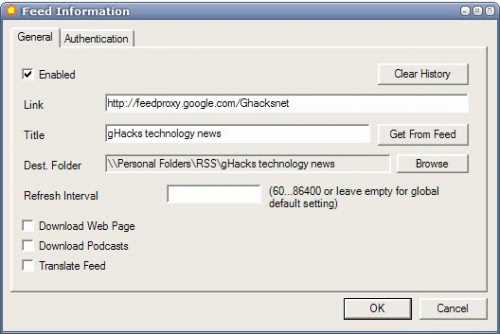
RSS Popper supports RSS / Atom feeds, iCalendar items, Bloglines and Newsgator accounts. Interesting options include the function to translate a feed or to use authentication.
Update: RSS Popper is not compatible with newer versions of Microsoft Outlook, at least not according to the program website which does not appear to have been updated in the last few years.
I'd highly recommend to use a standalone feed reader to read RSS feeds that you stumble upon. My current favorite is Great News, a lightweight program for Windows that has no dependencies.
Advertisement



















Take a look at the way Thunderbird displays an RSS feed item.
It can make it look like the webpage, right in a pane of the Thunderbird window.
This is the way it SHOULD be.
John
while you may not think it makes much sense to install RSS Popper (RP), let me be the first to say that Outlook 2007 handles RSS feeds horridly. RP is configurable, easy to set up and displays the feeds like they should be.