
Print Covers Easily With Undercover XP

If you backup CDs or DVDs of movies, games or applications regularly you may also want to attach the right cover to the burned media so that it becomes easier to recognize the contents of the backup without having to browse the actual disc.
Some DVD burning software programs come with so called cover designers that can be used to design custom covers for the burned disks. Many users on the other hand prefer the original covers for their backups and this is what Undercover XP is all about
Undercover XP is a cover printing software that can turn images into CD or DVD covers. It is best used with a website offering those covers for download, but you can create your own if you have the time and talent. Some websites that are recommended by the developers of Undercover XP are Free Covers or CD Covers.
The process has been streamlined and involves only a few steps in the best case scenario. You start by downloading a cover from the Internet or by scanning a cover from the original disk. You usually get one image that contains both the front and back or two images depicting the front and back. These images can then be added to Undercover XP and printed from within the program interface.
Use of the program could not be easier. Select the cover that you want to create using the left or right menu. The selection is immense here, from CD front and back covers, to DVD Box and slim covers, to covers for the Playstation 3, Nintendo WII or the Playstation Portable. You see the list of available covers on the screenshot above.
Even better, you can create your own formats quite easily using the program. This enables you to create new cover formats that you can then print out easily using the program. Simply select Options > Format Editor from the menu to get started.
Here you can name the new cover and define its size and other related information. Cover art can be added with a click on the blank area underneath the pull down menus at the front, or by using the File menu. The program supports several image formats including jpg, bmp, gif and png. It will automatically resize the image to the correct format to make it fit the selected cover format.
Undercover XP supports a wide variety of cover formats from various DVD or CD Box cover formats to covers for games for the Playstation 3, Wii or Playstation Portable or high definition covers for Blu-Ray and HD-DVD movies.
The software will try to automatically detect the format of the loaded image and correct the orientation as well. It will also position the cover correctly in the printable area so that all of the image will be printed on the printer.
A cover image can simply be loaded by clicking on the left or right image placeholders. This opens a browse computer dialog to load an image. It is furthermore possible to change the format in a pulldown menu in case the program got or you have decided to print it in a different format. The image will be automatically adjusted to the new cover format.
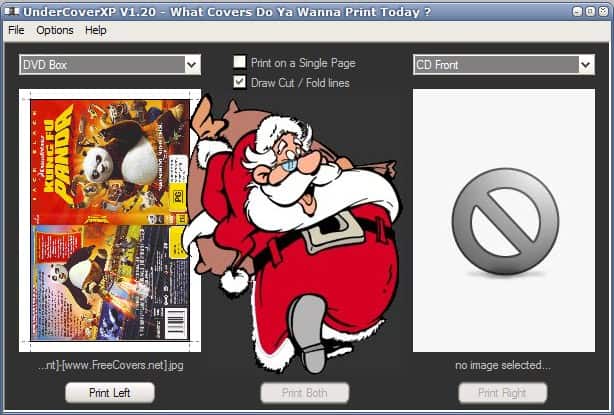
Once the image has been adjusted and the right cover format has been selected it can be printed on a connected printer. It is possible to print everything on a single page to save paper.
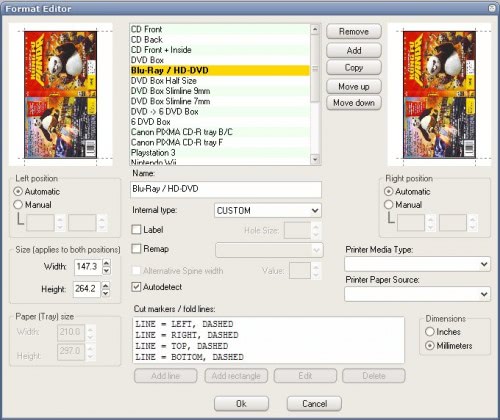
Undercover XP comes with a cover format editor. The format editor can be used to edit, add or delete cover formats to the software program.
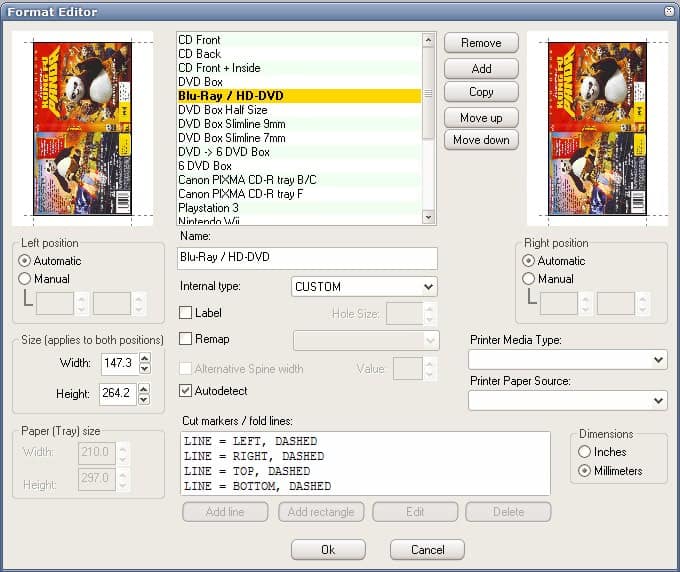
This can be very helpful if you want to print covers that are not in a default format that ship with the software. Everything from position to paper tray sizes, printer media types and paper sources can be defined in the format editor.
Undercover XP ships with 25 different languages. It is compatible not only to Windows XP but also to Windows Vista and Windows 2000.




















Maybe this software could be a comparison to other software, like Nero Cover Designet. But, actually, i often make cover for CD box by my self, with coreldraw. It is more precise and flexible.
I don’t like Nero products much but I find that the flexibiliy in the Nero Cover Designer is much better. Undercover XP forces the user to print each side on separate pieces of paper where the Nero program allows one so the sheet can be folded. Nero’s also allows freeform text and flexible picture sizing.