
Decrease the Noise Of LCD Displays
In the past two years I bought a 42" Samsung LCD television and a 24" HP computer monitor and experienced a buzzing sound emitting from both screens shortly after plugging them in for the first time.
The noise was a buzzing sound coming from the LCD display that was audible and nerve-wracking. I have to admit that I'm very noise-sensitive, and that it may not disturb you as much or at all if you are not that sensitive to noise in general.
My first thoughts were that the monitor must have a hardware defect, as it did not make sense, but once I started to investigate the issue and research it further, I discovered a working solution that eliminated the background noise that both LCD screens generated completely.
The noise was directly related to the brightness setting of both LCD monitors. Reducing the brightness of the monitor somehow generates the buzzing noise while a brightness level of 100 is the only level where it will not generate the sound.
I'm not a technician but I suspect that the noise is coming from the power supplies that power the small fluorescent tubes that are responsible for the backlight. Setting the brightness level to 100 eliminated the noise completely on both LCD displays. It was called Back Light and not brightness in the LCD television's options.
Setting the brightness to 100 resulted in a very bright computer monitor display which I was able to turn down by using the brightness settings of the video card.Turning down the brightness this way worked without issues, the annoying sound did not come back.
The LCD television provided two independent settings for brightness and backlight to adjust the display.
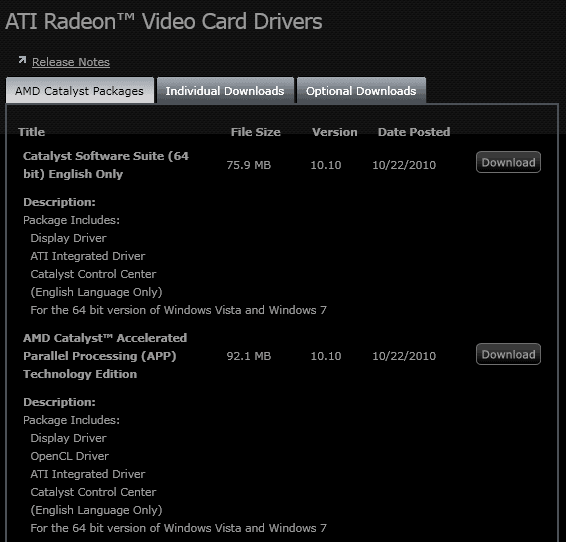
You can however use software applications, like those installed by video card drivers to change the brightness on the screen without affecting the sound level of it.
Other options include F.Lux, a free program that will dim the screen based on the time of the day, or Dim Screen, which is a portable application for Windows that changes the brightness in 10% intervals.














I got a 50″ inch – Pioneer Kuro. It makes quite some noise even what setting, output, inputs, video, audio regardless of any brightness or contrast setting.
The screen simply has to get a bit warm so the the “pixel orbits” starts being used (the safety for burn-ins) as when the screen is black and not receiving any input signals it’s quiet, not a sound.
Putting up the brightness helps for you guys, perhaps this is the issue. You turn it up, your screen gets warmer (this is normal), and it goes away.
My conclusion at least.
my god you just saved my life!! i was so annoyed by the buzzing, and just changing the bright setting made it go away!! thanks!!!!!!!
I have an Acer H213H LCD monitor running at 68% brightness. There is no noise regardless of what brightness level I set.
I would suspect that the higher you drive the brightness, the more strain you put on the monitor (potentially resulting in reduced life).
Just noticed that the timestamp on my post says:
November 2, 2010 at 3:02 am
This looks like YOUR time, not mine, which is currently
November 1, 2010 at 6:03 pm
I have the replacement monitor from HP and the color is even better AND no noise!!!
John that’s great. So you get no noise even if you reduce the brightness on the monitor?
thanks the buzzing noise went away that was driving me nuts
I was calibrating my HP w2338h and suddenly I started getting this annoying buzzing and it was driving me crazy. I went online with an HP support tech, explained the problem to him and they are sending me a new monitor. It happened when I changed the brightness from 100% to 90% during calibration but I didn’t put the two events together till reading the above. I just changed it back to 100% and it went silent again. Hopefully the new monitor won’t have this same issue.
Thanks! Works great with my Mac :)
Thank You SO MUCH….I have an HP w2338h and the noise was becoming unberable….This was the perfect quick fix.
Same HP monitor (w2338h), same problem, same solution — thanks!
Worked for me! Thanks!
Thank you so much! I just got a new HPw2338h monitor and I couldn’t find any fixes for that horrible buzz until I came across this.
THANKS! I was about to return a new Samsung 2433bw until I found this post. I find the monitor too bright at 100, but the noise level anywhere else is unacceptable.
THANKS FOR THE POST, MARTIN. I had the same problems as some others regarding hp w2338h, and your post solved the problem. You are great!
Thanks for this tip – have a 22inch AOC lcd and that damn noise has been driving me crazy so glad to find a work around. Doesn’t make sound all the time and sometimes I can ignore it but it really gets distracting when trying to get immersed in a good PC game
I’m so glad I found your post. I was ready to return my HP w2338h too. Brightness at 100 fixed it!
I was ready to return my new HP w2338h monitor because I could not stand the noise….at a brightness level of 100 it’s gone. Thanks for the tip.
I just bought a new Samsung 2433bw. Thank you Martin for the tip to increase the brightness to 100. It worked for me. I have a noise even at 99 but the monitor is silent at brightness 100.
Dark Kosmos my computer monitor does not even have a sound cable connected. But good to know that it is working for you and definitely worth a try.
Here is what I did, I disconnected sound cable and no matter what brightness it didn’t change.
yeah hate that sound to. Not when the pc is on but when everything is turned off (also the lcd) but when the wires are still connected.
I have my pc on my bedroom so when I go to sleep the buzzing noice just go on while the screen is turned off and that really irritate me. And unplugging the wire is also such a stupid thing.
I read somewhere once that florescent fixtures don’t like dimmer switches, which sort of sounds like your problem.
Awesome Post!!
thanks for the info :)
hehe ain’t that neat :D I put the brightness to zero and it did make a buzzing sound!