
How To Record Internet Radio With AIMP

Regular readers know that I switched from using XMPlay to AIMP recently which in my opinion provides the better total package. One of the interesting functions of AIMP is to record Internet radio (yes XMPlay can do that as well).
It took a while to find out how this function could be enabled in the player and this article should act as a guideline to everyone who wants to use the music player to record Internet radio.
Update: Newer versions of AIMP make the entire process a lot easier. It is no longer necessary to configure the player for Internet Radio recording in the preferences. All you need to do is click on the "radio capture" button in the program's main interface to start the recording.
You may still open the preferences of AIMP to configure recording options. Just click on the Preferences icon and go to Player > Internet Radio > Internet Radio Capture to configure the options.
You may want to consider enabling the "split to files" option as it splits songs by track automatically when enabled. You may also change the output directory and file name, and define default capture format and set presets there. End
The first step is to find an Internet radio station. The Shoutcast directory should provide something for every music taste on the planet. A simple click on the download button and the loading of the downloaded file on the system should load the stream in AIMP if it is configured as the default application for Internet Radio playlist files.
Since we have to configure one setting in the music player's option anyway I show you how to make AIMP2 the default player for the playlist files first. Once that is done we are going to configure the options to save Internet radio in a proper format and select a directory on the hard drive.
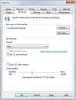
Pressing [CTRL P] after starting AIMP2 will open the player's options. Select the Associations entry under System to bring up the various compatible file types the player can play. If AIMP is your default player you can simple click on the Enable All button to associate all file types with AIMP. The important file type for Internet radio is .pls which you find at the bottom. You may also want to enable .m3u and .xspf to cover all major Internet Radio formats.
AIMP2 should now start playing the Internet radio whenever you click on a link that leads to an Internet radio playlist. Now head over to the Streaming menu under Player.
You have to pick a folder where the music from the Internet radio station will be saved in. A directory of the data will automatically be added in the root directory. The second option is about the format of the recorded music. The default is wave which takes up lots of space on the hard drive. A better option would be to select mp3 as the format. Either 192 or 256 Kbit should be good choices. Other choices are ogg or flac.
Now that the settings have been made it is time to start the recording. The recording option is only available in the main client and not in the minimal client. You can start the recording by clicking on Radio Cap on the left side of the player. A blinking text indicates that the player is recoding the music.
Users who would like to record more than one station at a time might want to take a look at Streamripper instead.
















Can’t choose MP3. What do I have to do? Can I insert die lame encoder somewhere??? Please help.
Thank you its help me
Thanks, was looking this option for AIMP2.
Pura Vida,
Costa Rica
thanks for info, as for me for I like Macvide Audio Recorder , for mac
I’m using station ripper and can’t complain – but whenever I need an oppurtunity I will use AIMP2!
Thanks for the heads up,Martin.
I’ve ben looking for a replacement of WMP.Wayyyyyyy to long.AIMP2 along with your help has made this a kick ass program!
Been using StationRipper for record internet radio – has the advantage that it records both Shoutcast + Web 2.0 stuff (like Pandora.com and Last.fm)
=L=
Thanks for this review Martin. I agree, AIMP2 is an exceptional player, I’ve made it as well my default audio “renderer”, because it does render audio so nicely ! And associated utilities, just to mention the Audio Library, are just so convenient. A great job.
I like recording directly off of Screamer Radio program.