
Taking a second look at Miro

When I first reviewed Miro it was still known as the Democracy Player; a lot has changed since then and I decided to take a second look at Miro. The first question that I was asking myself was how I could classify Miro. Is it a video player, a videocast player, a way to play videos from video portals ? It's actually all of this although I would not use it for everything that I have just mentioned.
I would classify Miro as a videocast player with extended functionality. If you think Joost or Bablegum now you are wrong because Miro is open plattform while the other two are not. Open Plattform, what's that again ? Open Plattform means that any video producer can get his videos on Miro and that every viewer can also add videos using urls. Try that with Joost.
Another huge difference is that videos are actually downloaded to your hard drive and placed by default in the My Videos folder if you are using Windows. That means that you can watch them, burn them or send them to a friend without problems. The option to send a email link to a friend also exists in Miro btw.
The quality of the video depends how it was encoded but I can say that it is better than the quality of Joost from what I have seen so far.
The channel system has another advantage. You can subscribe to channels and when you do that you can opt to download new videos automatically when they are published. A few default channels are already added to your sidebar but those naturally don't appeal to everyone.
If you take a look at the categories offered you notice 3283 categories like Music, Food and Sports at the moment. A click on a category opens a list of available publishers and a click on a publisher the list of available videos from that publishers. Videos can be downloaded with the click of the left mouse button and can be added to playlists which are filled by dragging and dropping downloaded videos into them.
Besides the possibility to add videos from channels or urls users can also search popular video portals like Youtube, Google Video and Dailymotion and add videos found there to their library. Those videos are downloaded as well which means that you can watch them with another video player or send them to your friends easily.
If I had something to criticize it would be the following. You can't reach the category list from everywhere nor is there a home button. I had to click on Miro Guide to access these features. Another criticism is that you can't go back since there is no back button. This is for example irritating if you browse a channel and find a publisher that sounds interesting. Once you click on that publisher you can't get back to the list of channels.
There is no way to navigate search results if you search one of the video portals. You only see a handful of results and can't browse to a existing second page of results. At least I could not figure out how this would be possible. It would be nice if it would be possible to search multiple video portals at once and see one results list.
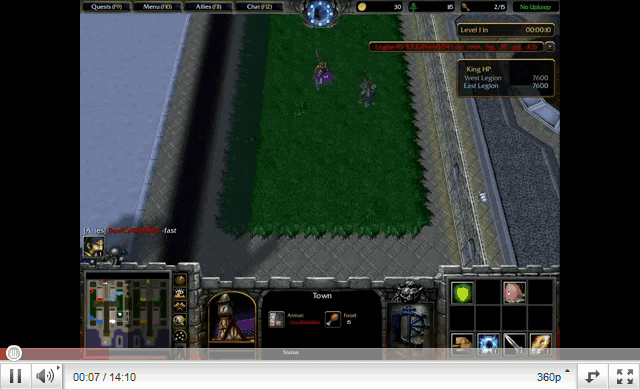
Yes, that screenshot is from the game Cannon Fodder on the Commodore Amiga by the Bitmap Brothers.
Advertisement














Miro is amazing for torrent feeds. I use:
http://tvfreedom.wordpress.com
http://www.tvrss.net
And! Mininova just added good feeds on their front page.
I’m using Miro exclusively for podcasts (GeekBrief.tv, Rocketboom – that kinda thing) at the moment.
That’s mainly because I’m not sure what else I could use it for; e.g. I searched the Miro Guide for “air force” or “military” to find some Discovery Channel-like documentaries, but that didn’t give me any decent results.
My main gripe is with the built-in video player; it lacks functionality and customizability, and it also has some quirks (sound quality / volume level).
For that reason I’d love to use an external player (SMPlayer) instead, but there’s no way to make Miro do that (yet?).
Do you mean when you add a channel, the back button disappears? Hitting the Miro Guide button will transport you back to the page where you added the channel from, and you can click the back button after that.
When I select a channel the back button disappears. (Add Channel to Miro)
What do you mean when you say the back button? The Miro Guide has a back button, and even if you change from a channel back to the Miro Guide, you can still use it.