
List all installed Windows Updates

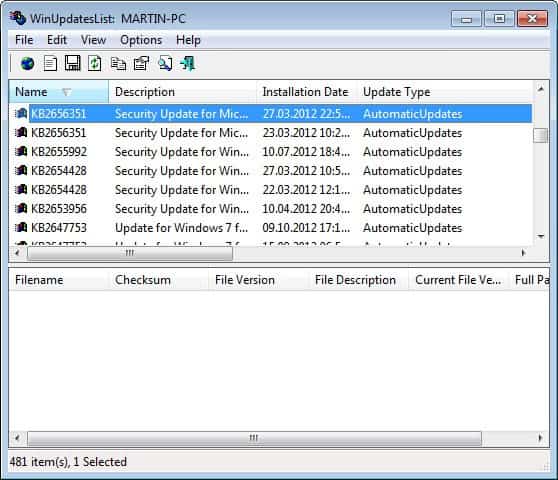
It sometimes may be a good idea to get a list of all installed Windows Updates on your system for administrative or security purposes. WinUpdatesList is a sweet small software from one of my favorite developers NirSoft. The software lists all installed Windows updates on your systemso that you know exactly what has already been installed on the system.
Besides listing all updated files the tool offers links to the Microsoft website where you can find further information about a selected update. That's for instance great to verify what an update fixed, improved or changed, as it is not always clear what updates that were installed on the system did. The program ships with export options that you can use to export the list of Windows updates to text, HTML, CSV or XML files.
You can sort all installed updates with a click on a column, for instance by name, installation date, type, or description. This can be handy to display the updates that were installed recently, or if you are looking for a particular update to check if it has been installed already on a computer system. You can use the built-in search module to find updates as well.
You can run the software on all Windows operating systems starting with Windows 98 except Windows Vista.
WinUpdatesList can also be used to gather the updates from a second installation of Windows XP / 2000 or from a remote computer.
To get these information you use the following two commands:
Another operating system on the same computer: (replace e:\winnt with the drive and dir)
wul.exe /another e:\winnt
Using the software to get the list from a remote computer: (replace 192.168.0.10 with the IP of the remote computer)
wul.exe /remote \\192.168.0.10
Update: WinUpdatesList is now fully compatible with all recent versions of the Microsoft Windows operating system including Vista and newer versions. I have tested the most recent version in December 2012 on a 64-bit Windows 7 Professional system where it ran without issues.
Advertisement


















Works fine in windows 7 64 bit. Thanks!
doesn’t work.