
Automatic Backups when USB Device is connected

Update: MyPendrive is no longer available. The developers turned the program into a commercial application in 2007 and stopped operating the website in the meantime.
The program cannot be used anymore as it requires registration. We suggest you check out the free alternative USB Flash Copy which can back up removable devices that you connect to your PC automatically based on your configuration parameters. There is no program, to our knowledge, that can back up data from the PC to USB Flash drives automatically. End
MyPendrive was a free software program for Windows initially that could be used to back up USB devices when they were connected to a Windows PC. The developers turned the program into a commercial application eventually. The review covers the free version of the program.
MyPendrive supported two main features in the free version: autostart any application from the USB drive when it is connected to the computer system, or backup local folders to the USB drive whenever it is connected.
The USB software had a clean user interface which made it easy to use. Options were easily accessible in the interface. You could open the Start Programs pane in the application to pick a program that you wanted to start whenever a USB drive was connected to the computer system.
The backup pane displayed configuration options. You could select up to three custom folders that you wanted to back up every time the USB drive was connected to the computer.
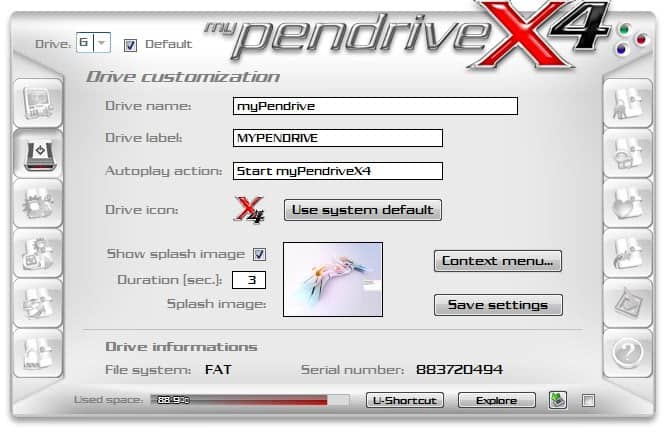
Several default Microsoft Windows folders such as My Documents, My Music and My Pictures were already available for selection. Besides those, you could browse the computer to select three folders that should be backed up as well. You could not select folders that were bigger than the available storage size on the USB Flash drive, obviously.
The total size of a backup is shown in My Pen Drive and you can compare the total with the size of the USB drive. Great little application, I use it mainly for backing up personal files every now and then as it is very comfortable to use for this purpose.
Advertisement


















