
Generate A System Health Report in Windows

Windows Vista offers an option to run a system check quickly which results in the generation of a System Health Report listing important health-related information about the system.
It takes about 60 seconds to gather the information and to display them in a list afterwards on the screen. You find the option to generate a system health report in your control panel.
Click on System and Maintenance, then Performance Information and Tools. Select advanced tools from the menu and click on generate a system health report to start the program.
It will automatically perform various checks on key components such as the operating system itself, hard drives and other devices. It will displays warnings if one of the tests it runs fails and displays solutions on how to resolve the issue that it has found.
The system health report should not be treated as the one and only solution for finding and evaluating possible problems, but it can provide you with the means to find out if something is not in order and needs to be fixed.
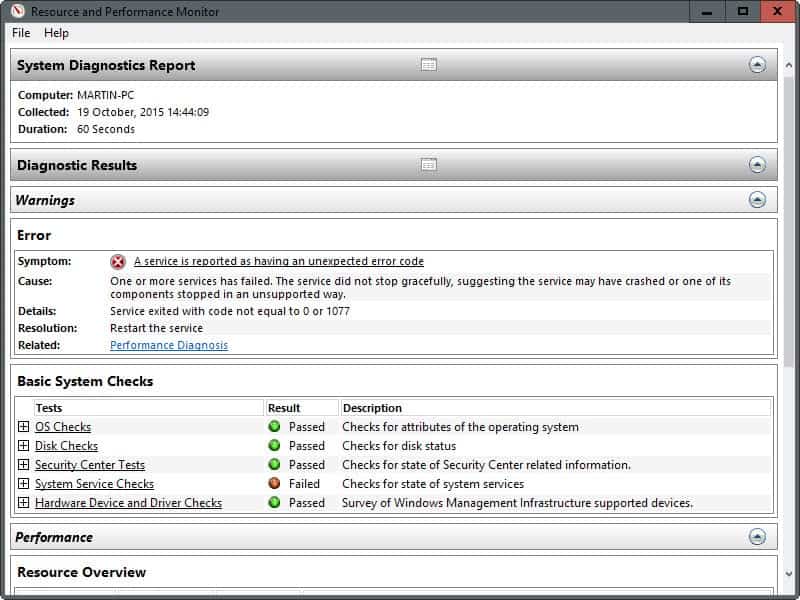
So what is the System Health Report testing?
- OS Checks
- Disk Checks
- Security Center Tests
- System Service Checks
- Hardware Device and Driver Checks
Update: The System Health Report is also part of newer versions of the Windows operating system. It is more complicated to access it though. If you are running Windows 7 do the following to open it:
- Click on the start button and select Control Panel from it when it opens up.
- Select System and Security here.
- Select Action Center on the next page.
- Click on View performance information listed on the left sidebar.
- Select Advanced tools on the left sidebar.
- Scroll down and select Generate a system health report from the list of advanced tools that opens up.
If you are running Windows 8, you need to perform the following steps instead:
- Press the Windows-key to open the start screen if it is not open already.
- Type System health report and switch to settings on the right.
- Select Review your computer's status and resolve issues here.
- Click View performance information.
- Select Advanced tools here.
- Select Generate system health report from the list of tools.
And finally, if you are running Windows 10, you need to do the following (note that this works in Windows 7 and 8 also).
- Tap on the Windows-key, type perfmon /report and hit enter.
- Windows opens the "Resource and Performance Monitor" interface and starts collecting information about the system.
- The health report is displayed in the same interface after the scan.
















Hi
When trying to run a system health report I receive the following error; An error occured while attempting to generate the report. the interface is unknown.
any ideas why this happens? also could be connected but I also receieve error message when trying to open event log; event log service is unavailable. verify that the service is running.
any help would be great
as a fellow Vista user do you know how to set certain programs like winrar to automatically run as admin rather than getting a UAC prompt everytime?
This is for you my friend https://www.ghacks.net/2007/02/28/an-unidentified-program-wants-access-to-your-computer/