
Hide Files in Pictures

I never was a great fan of programs that let you hide data as anyone who stumbles upon the files used for that gets access to the files. Encryption is usually a lot better as it protects the date from programs that scan the system for data. While you can combine the two methods, it is not really something that a lot of users consider.
The main advantage that these tools have is that they are easy to use. There are several reasons why you may want to hide information inside a picture. From hiding information on your computer so that no one can just stumble across it to sending information via email that you want to protect from prying eyes.
Hide in Pictures is one of the programs that lets you hide files of in bmp and gif images. The file size has to be in relation to the size of the image which means that you can't add a 700 megabyte avi file to a 2k gif image. Well, you can, but it would raise suspicion pretty quickly.
A double-click on a prepared image displays it on the system just like any other picture, and most users would not suspect that it contains more data. Bmp files seem to be better suited for this because they are usually larger than gifs by default.
Using Hide in Pictures is straightforward. Load a bmp or gif image, add a file to it and save the picture again. The file is now hidden and can be retrieved by using the retrieve file option of the software program.
As I said before this canbe a way to send files without causing suspicion. A password protected zip file for instance looks more suspicious than a picture of your cat. The major problem seems to be the file size limitations and the fact that the recipient has to known and use the program as well.
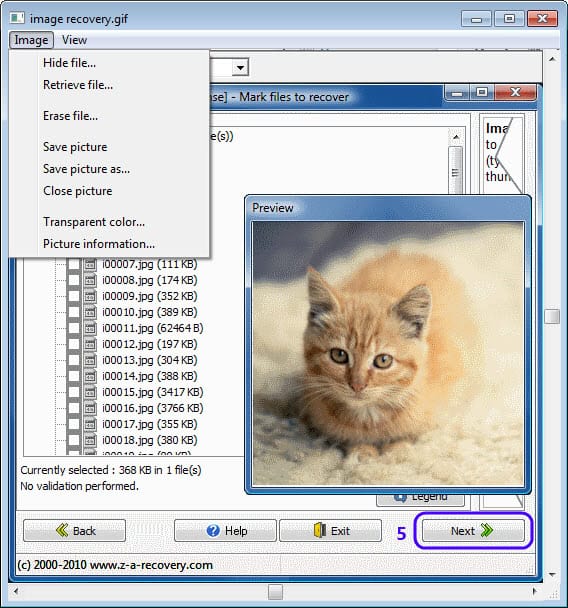
The program's file menu displays all the options that the program provides you with. Here you can add a file to the image, retrieve already added files or erase files from the image. What's holding the program back the most is support for only bmp and gif images.
It is ideal for data that is a couple of hundred Kilobytes in size. I'd recommend you protect the data with a password, for instance by zipping it, to improve security.
Advertisement


















How about encrypt a base64’ed file, so you won’t even need an attachment to your email