
Different Display Settings for each User in XP

Windows XP has the annoying habit of assuming that every user wants to run the operating system with the same screen resolution, color depth and refresh rate. If you ever had to share a computer running Windows XP with older folks you know what I mean - they tend to love low resolutions because everything on the screen appears to be bigger that way.
The issue here is that you also have to endure that resolution whenever you sign in to your user profile, and if you change the resolution in yours, they have to endure that one and probably change it back to the resolution they want to work in. It is a never ending cat and mouse game.
The tool XP User Display Settings stores screen related information for every user on a single machine separately and loads those settings once the user logs into the account on the system.This enables all users to select custom screen resolutions, refresh rates and color depths using the program without interfering with the settings of other users of the system.
It is important that the settings are changed in the application and not in the operating system itself. It should be clear that all users should run the tool to set their resolution, provided that they want to run a different one than the default system resolution and screen settings.
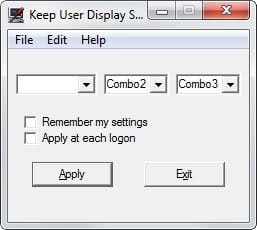
Windows XP user display settings do not seem to support fast user switching, that is at least what the author is stating at the products homepage. He suggests that you use XP Keep per user display settings instead which seems to support fast user switching. It would be best if you would take a look at the read me file which comes included with both programs to know what they do and how to remove them completely if something turns out not to be alright after installing the applications.
You need to run the program on system start, and the author recommends to place the UserDisplay.exe file in the system's start up folder so that it runs automatically on start.
Update: Note that the program is only useful for Windows XP users as Microsoft has introduced per-user settings in Vista and all newer versions of the operating system.
Advertisement
















I use the QRes tool http://www.softpedia.com/get/Multimedia/Video/Other-VIDEO-Tools/QRes.shtml and then used a bat file in per user startup folder, calling this commandline tool with the correct arguments