
Copy Paste with middle mouse button

I received an email some days ago from a reader who wanted to know if there was a program for Microsoft Windows operating systems that replicated the middle mouse functionality of Linux systems.
If you click on the middle mouse button on a machine running a flavor of Linux, you copy the text that is selected, and if you middle-click once again while a form or text field is active, it is automatically pasted into it.
Lucky me had already a bookmark to the freeware true x-mouse gizmo for Windows website so I replied with a link to that software and think it made him happy.
He is probably not the only one who would like such functionality though, and I decided therefore to write this little article that reviews the software. I prefer that a software does not install itself on my system, a unpack and go type of software, and x-mouse is exactly this kind of program. Download the executable, run it from a location on your computer and the freeware is active. It places a small icon in the system tray.
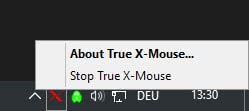
Windows users may find the procedure to copy and paste text with the middle mouse button confusing at first but will surely love it once they get used to it. You highlight a portion of the text with the left mouse button as usual and hit the middle mouse button once the complete text is highlighted.
This will copy the text to the clipboard. The next click of the middle mouse button will paste the text if the application allows it. It makes no sense to try and paste the text to the website for example as you need a editor for this or a form field on the website.
Update: True X-Mouse Gizmo has not been updated since 2005, and it is surprising that the program still works exactly as advertised after all these years. The functionality has been tested under a 64-bit version of Windows 7, and found to be working exactly as before. There is however a bug that you will notice when you try to display the system tray icons, as the window hides itself automatically after you click, making it impossible to access any of the program running there.
Update 2: The program is fully compatible with Microsoft's Windows 10 operating system as well.





















As mentioned here
https://superuser.com/questions/84550/select-to-copy-and-middle-click-to-paste-in-windows
there are quite a few other solutions to this problem.
For example http://12bytes.org/software/autoclipx
A workaround for the System tray bug:
When you click the up-triangle to display the hidden icons in the System tray, there is a gap between the button and the pop-up window. If your mouse crosses this gap, the window disappears and you can never move the mouse fast enough. To get around that, click once on the triangle to display the window, then click and drag from the button into the window. Then you can release the mouse and click the icon you want. This might work for other pop-up windows that also have this behavior.
Apart from this quirk, a very hand utility. I especially like the right-click to send window back to reveal window underneath. I have to retrain myself to control-click links in Firefox to open in a new tab, but that won’t take long to get used to.
Thanks for the link
I am using x-mouse for a long time now.
The only issue I have is that it takes away the middle mouse for other applications like firefox.
I found a workaround in firefox 3 that allowed to define long middle mouse click as click and a short one as paste (see true gizmo homepage).
But now it does not seem to work with firefox4. Is there any other solution for this? Some an idea?
I use a microsoft ergonomic keyboard that has two fairly big buttons right at the front, they can be programmed as you want so I have one for copy and another one for paste.
I have been waiting for someone to create the buttons only, connectable to the pc via usb you would be able to position them where you want them.
On all my pcs I use the middle click to show/hide desktop and wouldn’t change it.. till I found this so i might try it on a pc and see how it goes but I don’t like installing stuff, I’d rather have a button, and i want it on the table, to use with the left hand.
Where is the link? It seems to be http://fy.chalmers.se/~appro/nt/TXMouse/
There seems to be an issue with Access applications and multiple select form components (maybe others — going out on a limb). When I am running TXMouse, the Access application I am using on Windows XP crashes. This is repeatable. I’ll pass it on to the web site, but just in case someone reading about this tool and is using Access. Maybe some other VBA issues? TXMouse is extremely handy (except in this case).
I just found that tool and was very happy, too. But unfortunately with the tool it is not longer possible to open a new firefox-tab by clicking a link with the middle mouse button. Does anybody have a solution for this problem?
RapidClickInterval in the registry. (See TX-Mouse homepage)
But for some reason it does not work on firefox4…
You don’t even have to click to copy – just highlight, then click where you want to paste, and right click. You also get the useful feature of being able to use the scroll wheel on background windows without raising them first.
This thing works even in Vista! Thank you for this post! Peace and love
I love you for posting this link, I’ve been looking for such a thing ever since I used linux for the first time. Thanx again
huh, good. I’m using linux at Uni, and whenever I spend many times on this system, I find that it’s one of the most important lack of Windows. Sadly, this application overrides the other middle-mouse button functions, and it’s somewhat unnerving to discover that it must come to this price. I’m using Opera at home, and the third mouse button functions, I just can’t live without – easily closing a tab (more easily than through the ‘x’ button that is) and especially opening new tabs in the background.
Very very handy…
Is it possible to set it up so that a long middle-click is paste and a short one is normal ? (Basically just reverse the way it is now)
I can’t find enough documentation to figure it out, but it should be a 2 minutes job for whoever has the source code.