
Mikes Command Line

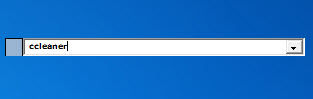
I love little useful freeware programs, the smaller the better in my opinion. Mikes Command Line is another one of them as it is only 72K in size. The freeware opens a single line command bar when executed. You may then type the name of a program, e.g. notepad or calc and the program that you typed into the form opens on the system. This by itself is useful as it can be used as a fast Windows Run replacement but wait until you hear about other features that it supports.
You can define macros in the program for advanced functionality. The author lists two macros on the program's page. The first performs a search on Google, the second one on Wikipedia.
To search Google, simply enter g, that is the macro command, followed by the search term. So, if you want to search for technology news on Google you would use the string "g technology news" to do so.
Macros can be added for other services as well. All you need is to replace the search term of the results url with a variable that the program identifies (the * symbol). All websites that display the search string on the results page are compatible with the application.
You can select that Mikes Command Line tool stays minimized in the system tray until you activate it with a hot key or the mouse. The other options are to have it stay on top all the time or behave like a regular window.
One final feature is that Mike's Command Line supports plugins, the author offers a plugin sdk on the website and some plugins that have already been created. You can use plugins to control Winamp from the command line, run shut down, log off or restart commands, empty the recycle bin of the operating system or the recent documents folder, or browse to a path on your computer.
Plugins are also available to extend the macro feature so that you can add automatic actions, clicks or keystrokes, to macros.
Update: Mike's Command Line is still working on the latest versions of Windows. When you start the program it displays a small command line on the screen that you can use to launch programs or run macros. The program itself is very versatile in this regard. We have tested it under a 64-bit version of Windows 7 and found it to be fully compatible with that operating system. It is therefor safe to assume that it is currently compatible with all versions of Windows that are available on the market.
Tips:
- You can change the width of the form and the font that is being used in the options under appearance. Here you can also define the window behavior.
- The program keeps a log of the last 100 entries. You can change that value under History, and also clear it from the menu.
- The default hotkey that brings the program to the forefront is Ctrl-Alt-M. You can change that hotkey in the settings as well.
- To add macros, right-click the form and select Macro Editor. Here you need to right-click again and select New from the context menu.



















Hey guys, why don’t you try Launchy.net, this one is really great and skinnable!
Great find, I will take a look at slickrun. It´s twice as big though :P
SlickRun is much more polished, and more powerful.
http://www.bayden.com/SlickRun/
Brilliant & compact.