
Super the ultimate video converter

Super is a free, very powerful, video converter for the Windows operating system that supports all popular video formats out of the box.
I have been receiving emails lately asking about a freeware utility to convert most known video formats between each other. When I saw the web page for Super the first time I was reminded of that email and thought it was a big coincidence that I found a video converter matching the demand that fast.
The tool stands out for several reasons: first it is freeware which is always good, second it does not require that you install the needed codecs - it has all codecs on board.
The website looks really messy at first glance and novice users might have a hard time finding what they are looking for, as the download link appears hidden on the page.
Update: You can also download Super from Softpedia instead which is probably the better way of acquiring it as the website is quite the maze to navigate through.
Super Video Converter
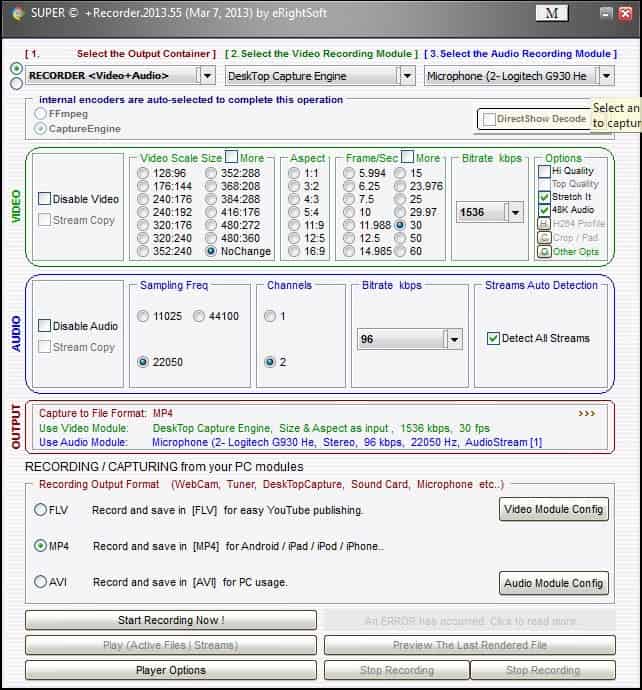
I know that you want to know about the supported formats before you believe my bold claims, here we go:
- Input video formats: 3gp/3g2, amv, asf, avi, dat, dvr-ms, flc, fli, f4v, flv, gxf, ifo, m2ts, mkv, mov, mpg, mtv, m4v, mp4, mxf, mxg, nsv, ogg, ogm, qt, ram, rm(vb), str, swf, tmf, trp, ts, ty(+), viv, vob, webm, wmv, wtv
- Input audio formats: 3ga, aac, ac3, amr, ape, cpt, dts, flac, mmf, m4a, mp2, mp3, mpc, ogg, ra, shn, tak, tta, vqf, wav, wma, wv
You may wonder about the practical use of this video converter, let me give you some examples.
If you are having a mobile device like a cellphone, a psp or a nintendo ds you know that they only support certain formats that they can play. You need to convert your normal videos or audio files into those formats to play them on your mobile devices. You can for example convert the audio, and only the audio, of a movie or show into a format that your mobile plays.
You are also able to create VCDs, SVCDs and DVDs from select video formats so that you can use burning software like Nero or ImgBurn to burn those to disc to play them on your television or computer afterwards. I don't like watching movies on my computer, it does not have the right feeling I think and I like to convert movies to watch them on TV.
A short note about the requirements:
- Win98 or higher
- 1800 Mhz cpu
- 512 MB ram
- 20 GB hard drive
I suppose Super will also run on PCs that do not meet the requirements but considerably slower than on those who do.
Super video converter tips
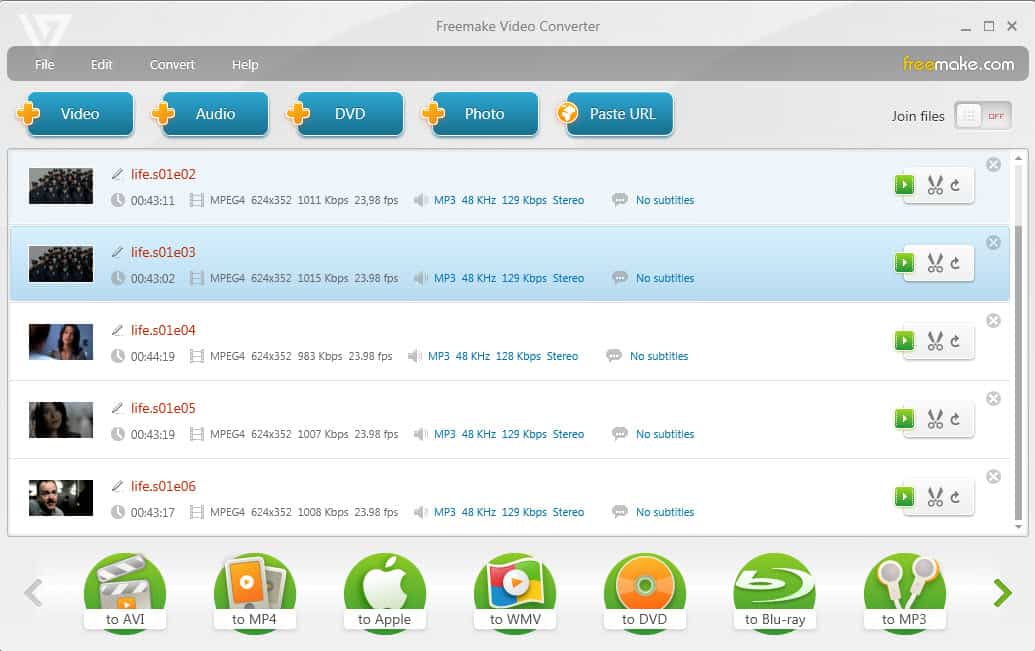
- The program displays all options on its first screen. To add files, right-click in the interface and select add multimedia files from the context menu.
- You can also load playlist files or multimedia streams into the application instead using the context menu.
- Once you have added at least one file, you can select the desired output video and audio codec at the top, and make modifications to the audio and video settings if you so desire.
- The program supports other media related features besides transcoding. You can use it to join media files or split them apart for example. To do so click on the radio button next to the upper left corner of the screen.
Update: Super has been updated regularly by Eright Soft, the development company. It is compatible with all recent and not so recent versions of the Microsoft Windows operating system. As of February 2016, it supports every client version of Windows starting with Windows 98, and every server version starting with Windows 2003.
It is interesting to note that the program's system requirements have not changed at all.
















bessy take a look at this article, it should help you sync the video and audio. Hope this helps..
http://www.doom9.org/index.html?/mpg/timelinesynch.htm
The sound is consistently off a few seconds off when trans coding my MJPEG movies (from Canon Digital Camera) to AVI (DIVX). How can i fix this annoying problem?
http://update5.free.fr/AF6BAD6D99C5E7E3A932A6/SUPERsetup.exe
This is a direct link to their mirror site for the exe download.
Mine took forever to download. Its 24mb and maybe it was suffering from digg effect. Not sure. Didn’t check on digg.
well you go to the site that I mentioned in 3 and scroll all way down to the end of the page. You see four download now graphics, click them and you can download the software.
I’ve been all over the download page and can’t find a link or any mirrors. Same results with IE or Firefox.
It’s probably in plain site, but I can’t find it.
1. I don´t know cc, sorry, someone else maybe ?
2. This is the first link that leads to the download page, scroll down to the bottom and you see the download mirrors http://www.erightsoft.net/S5E01.html
I must really be a n00b caouse I cannot find a link on the “Super” home page to download the software. Please point my dumbass in to the specific link…Thanks
Been using this for a while now and its definitely the best out there.
Just a small question though. Is it possible to integrate KDVD templates into Super? If yes does anyone know how?