
How to view the football worldcup online
Some TV stations, like the BBC in Britain, will provide their fellow countrymen with an opportunity to watch the football world cup 2006 in Germany live in a streamed version on their Internet pages. The BBC stated on their webpage that "The service will be available to UK broadband users and will mirror terrestrial and interactive coverage." I assume it is free of charge but maybe my loyal British readers could enlighten me how they plan on streaming the content.
They most likely will scan your IP and look-up your country using it. That means people from outside Britain won't be able to view the matches on the BBC homepage (or other homepages in other foreign countries, you get my point I hope). This also means that if you are from the UK but not at home during the World Cup that you cannot watch football on the BBC website, for instance because you are in Germany to support your team.
As you all know, there are always ways to circumvent country checks, here is the one I suggest.
Last time it was ABC who did not allow their TV shows to be viewed by people from outside the USA and the method that I described back then is still valid for the World Cup (or any other streaming content on the INTERNET).
But this time I want to introduce a faster method which should work most of the time for you. Visit a website like whatismyproxy.com to check on your own IP. Remember this IP, you will come back to this site and check the IP again with a proxy enabled.
Search Google using strings like "country proxy list", "england proxy list" and the like. You will come up with search results like publicproxyservers.com or proxy server list. All show a table with proxies including the country the proxy is hosted in. Browse for proxies that are located in the same country as the content provider of the streams. The idea here is to find a working proxy hosted in a country that the streaming service has whitelisted. So, to stay with the BBC example, you would have to find a proxy from the UK to watch the TV streams on the BBC website.
Copy one of the IPs and remember the port. In Firefox open Tools --> Options. Select Connection Settings and select Manual Proxy Configuration. Add the IP to the HTTP Proxy Row and enter the Port in the field next to it. Click Use this proxy server for all protocols and test it by navigating to the whatismyproxy.com website again. See if the page loads fast and verify that the IP is different from the one the website displayed earlier when you checked your own IP.
If you see a different IP it means two things. First, the proxy is working (assuming it does not take ages to load pages) and second that your own IP is now hidden behind the proxy's IP. The BBC website will check your IP and detect that you are coming from Britain and allow you to watch the streams. Note that it is still possible to detect your real IP by the means of Java for example.
If you have questions let me know, I will happily try and help out. The great advantage of this method is that you can check and use proxies no matter what operating system you are using. A disadvantage is that it could take a while until you find a fast working proxy that is located in the country you need. If you have troubles try Charon to verify proxies, the how to is available from my ABC article.
Update:
Take a look at my worldcup preparations article for a working method that involves downloading a software. You will be able to see the matches live with English commentary.
Advertisement






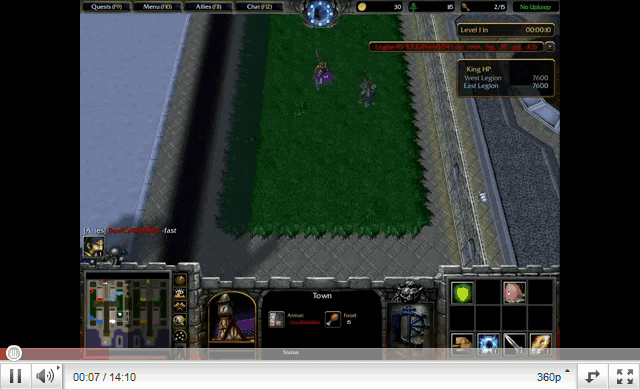









I’m now watching Germany vs. Italy via the TVU player from my office. Just download and watch! Thanks all!
THIS WORKS FOR DR WHO AS WELL
why doesn’t my TVU player work? None of the channels work and the signal is zero.? help?
You can watch TvuPlayer flux with VLC (Pc and Mac version) under Virtual PC. Open TvuPlayer, select your channel. Then, open VLC (pc version) with this link : http://127.0.0.1:8901
Save the stream with VLC (dump brut) into your shared folder (VPC) Open the video with Mac QuickTime Player (Flip4mac must be installed). Enjoy.
This site provides World Cup live broadcast..
http://www.lucas.md/worldcup.php
Don’t miss today’s match and the finals tomorrow
TVU does not work on Mac, but will work in a PC emulator (I recommend Parallels, which in my experience outperforms Virtual PC or Bootcamp).
Sun.co.uk provides an audio feed, for sure, but only for the least discriminating listener who isn’t bothered by hearing the canned crowd-noise on repeat in the background.
In head-to-head comparison, I think Bet360 provides a better stream. (see earlier post for link)
Does TVU player works for mac?please i am quite desperate /any tips?
I’m now watching Germany vs. Italy via the TVU player from my office. Just download and watch! Thanks all!
http://www.megaupload.com/pt/?d=60OB4XGA
Also found that the SUN audio feed worked well:
http://www.thesun.co.uk/article/0,,2-2006260665,00.html
I tried to watch the TVU audio feed while listening to the SUN audio feed, but it seems like the TVU feed is delayed by a minute or two from the SUN audio feed so it is a bit awkward.
One broadcaster streams, but ESPN360 only provides the service to ISPs purchasing broadcast rights. This creates a restricted market where competing corporate interests poke their finger in the other’s eye, purposefully leaving individual content-seekers out in order to create a false “grassroots” consumer movement to get non-compliant ISPs onboard.
It’s only the latest example of stratifying internet content to so-called “premium content” to generate new profit streams…as though the internet doesn’t already provide sufficient commerical opportunities.
An honest one. You mean to say that in the land of the free your bars don’t stay open to show a major global sporting event? Not even the USA matches? I remember during the last World Cup in South Korea/Japan piling into the boozers at 5.30 in the morning to grab a good seat for England vs Argentina.
Shame that none of the US broadcasters are streaming it online. A commercial opportunity missed, as they would have milked it for all the advertising that they could have got.
TIME DIFFERENICE! that’s why…what kind of question was that?
Hi,
As a UK TV licence payer [the TV licence fee goes entirely to the BBC] I think it’s only fair that those who don’t live in the UK (and therefore don’t pay the TV licence fee) shouldn’t be able to access some of the BBC’s content. UK residents are effectively subsidising the service for the rest of the world. The fee is about £10/month.
Silly question, but why not just watch it on TV, and follow your favourite team down the pub with your mates and enjoy the atmosphere?!
This website provides free streaming of the worlcup. Just download the player and follow the instruction. it’s very easy and free. http://www.lucas.md/worldcup.php
Great, Lemon. Here’s an idea: why not share that proxy info with us? I’m sure I speak for every user that we’d be happy to compensate for the information.
Otherwise, doesn’t this post sound a little like a commercial?
Maybe I was crazy to pay money on the website that looks like SCAM but it worked for me!
Great! I’ve just watched Argentina Mexico clash.
These guys from bbcproxy told me that they just have no free time to make a new design for their website.
Skizzy,
No go here. How are you using the proxy: through your browser, directly through your internet configuration, etc? The more detail, the better!
Rufus
129.12.3.74
port: 3128
this has worked for me since the beginning of the WC on the BBC site
Likely, since it’s not a real BBC site. I’m suggesting we spread out the risk, then share any potential rewards.
Surely that’s a scam…?
Just checked out the bbcproxy page…apparently BBC will SELL differentially priced viewing.
Madison, I ask, where’s the outrage? The BBC taxes citizenry at-home and abroad (at least those reporting income to the UK), then CHARGES abroad viewers for coverage they’ve already finanaced.
Incidentally, I’ll buy a full package and share it with anyone who’s interested. Post your interest and we’ll work out terms.
Between the two, http://bet365.teamtalk.com/Bet… is a far superior quality to “commentary” on Sun’s website.
Did anybody use UK proxy from http://www.bbcproxy.com/ to watch BBC bradcasts?
This site is also delayed (maybe by 30s) but it’s better than listening to Japanese commentary.
http://bet365.teamtalk.com/Bet365/worldcup/audio/
does anyone know if you can watch the game in english on sopcast. For some reason I get no audio with the sun
doh … the sun website audio is several seconds delayed … sigh …
Wow thanks. I’m also a brit, living in US, been suffering through the ESPN commentary, which is not only crap commentary, but also seems to be at least a second delayed from the pictures. The sun website referenced seems good solution, although i really really wish the BBC would liberate the excellent Radio 5 live commentary for everyone. By the way, to the person who was crapping on about stealing from the BBC … wise-up you small minded wazzock.
Thank you pkrbt. unfortunatley I have no sound but its in chinese so doesn’t matter I guess
Forget tvu-player. visit my blog – my guide is easy!
http://worldcupsopcast.blogspot.com/
take a look at update 3 in my article worldcup preperations https://www.ghacks.net/2006/06/09/worldcup-preparations/#comment-19334
I listed 2 alternatives
having the same problems with my TVU player. I have not been able to view any games on the internet yet. The proxy thing does not work
My tvu is down also. Any alternatives?
Apparently TVU Network is offline, any other options?
I get the same error, network is also fine
Please please please does anyone actually have a solution yet? I’m living in the States during the World Cup and the commentary on ESPN is killing me! I would do anything to be able to view BBC online but that proxy trick just doesn’t work, I’ve tried loads of UK ones but to no avail. The only thing that works so far is The Sun commentary but that is useless as it is way out of sync with the tv. Someone must have cracked it by now surely… I need to see Hansen and co asap as if I hear stuff like “Oh maaaaan, that has to be a PK” again I might smash my tv!!! Thanks guys.
I don’t see any channels in my list.. I’ve seen more problems like this, anyone smart enough to give a solution??;)
watching the worldcup online with the tvu player works fine..
Tried it. Doesn’t work
What’s up with England?
Can’t score a goal — nearly put J. Terry with their defensive effort.
Hard to believe this much talent consistently disappoints.
or try ESPN2, much better quality
go here: http://www.megaupload.com/pt/?d=60OB4XGA
download TVU Player and start watching!!
use CCTV5 – sports
Still curious if anyone got a proxy address that works against BBC’s protection.
Yes !! TVU Player works !!
Thank you! Thank you! Thank you!
I can’t believ how well this works!
You’re the best.
RE: http://www.thesun.co.uk/article/0,,2-2006260665,00.html
Catch it early, because the broadcast gets crowded out very quickly! More importantly, THIS LINK WORKS ON MACS!!!!!
no video but for those still looking to get away from ESPN commentary you can listen to audio of all the matches online at The Sun
http://www.thesun.co.uk/article/0,,2-2006260665,00.html
I want to watch the world cup and am computer brain dead . . help i want to watch the world cup online for free
Note to Mac users: TVUPlayer on Virtual PC is no solution…I’ve got a top of the line Mac but the stream overwhelmed the buffer…it’s good for maybe five seconds of commentary, then the video comes through and blows out the stream.
So, can ANYONE suggest ANY WORKING method for a Mac? This excludes Peercast, on which no dedicated TV stream can be found.
-Rufus
TVUPLayer is the way to go….just started watching coverage YEAY!!!!!!!! thx to this post for all the info.
I’m desperately looking for a good streaming English commentary to play alongside local TV. Let me know if you have anything credible
!
Thanks Mark for the info on TVU player – I’m watching the games live on my PC now in the office via the TVU player. :)
tvuplayer not showing any channels!
i disabled the fire wall and still having the same problem…
help me!!!
can i watch online soccer games for free.If so let me know the links
Ive tried several proxies and cant get passed the BBC so Im dubious as to whether that method will ever work.
Im still interested to hear from anyone out there if they have any other suggestions. I really just want an English radio feed so I dont have to listen to the ESPN soccer experts……..
tahnks to you man whole office is watching the world cup.
I click on Channels and don’t see a listing…. HELP!!!
FULL TIME: USA 0 – 3 Czech Republic
A lethargic showing in this game. DeMarcus Beasley looked hesitant and out-of-step, playing the ball backwards almost 4-1 on his touches. Substititues O’Brien and Johnson sparked a more organized 2nd half attack, setting up two good scoring chances with Johnson narrowly missing from 22 yrds out. Both should hold down starting roles in the next match, with DeBeasley, Pablo Mastroeni or Bobby Convey deservedly relegated to the bench.
While the U.S. should feel lucky to “escape” down only three goals, that goal differential will haunt them at the end of group play. Indeed, this terrible performance by the U.S. national team was made watchable only by the near-flawless play of the Czech squad.
Still waiting on a usable Mac suggestion, or anyone who’s gotten past the BBC screener using the proxy IP trick.
Drewl TVUplayer is more stable, fast download. Try this, it should be working fine
TVU PLAYER IS THE WAY TO GO. trust me
I haven’t heard ONE successful report of the anonymous/English proxy trick. Has ANYONE managed to get this to work?
At the Half Commentary: USA 0 – 2 Czech Republic
– The only thing worse than the US flagging performance in the first half is the ESPN commentary. Marcelo Balboa sounds like a Rhodes scholar next to Dave “I didn’t watch ‘soccer’ until five months ago” O’Brien.
I tried downloading that crappy PPLive software that Martin is tauting and the download was so slow I couldn’t stand it –
Are there any live British or Canadian audio only feeds so that I can watch with TV video but British commentary?
Stealing from the BBC blah blah blah. A)who cares b) I’m a Brit in Japan and I’m gagging for some commentary that doesn’t break my eardrums. So I’m not stealing, you can tell me. I’m also on a mac. Has anyone found an IP address that works yet? pretty please?
Talaan, you have a deal.
As a matter of fact, I don’t use GPS. I’m happy saving money and using maps/common sense. I presume this means you won’t be stealing from the Beeb then?
Cheers to four-aces getting us back on track!
I’d add this addendum: does anyone know how to get Peercast to work on a Mac? I have the WC 2006 channel, but no audio/video.
Also, sans Peercast, any new *SUCCESSFUL* mac developments? How about getting either Bootcamp or Parallel to function?
Any RELEVANT conversation would be appreciated!
We’re round going in circles here.
Ok for those of you who are happy with pplive and torrent, I’m happy for you – I use them myself.
For the person who can’t find anything on torrent go to mininova.org and search for ‘match of the day’.
For any of you who want to know about torrent or filesharing go to slyck.com.
OK NOW FOR THOSE OF US who want to watch the BBC streaming because it has the highest quality commentary – unlike ESPN – in English, can we please have some advice on getting the BBC streams.
It seems that not only do you need a proxy but that you need a proxy from one of the ISPs that are registered with the BBC.
CAN ANYBODY HELP PLEASE?
It’s coming soon! It’s called Galileo. http://en.wikipedia.org/wiki/Galileo_positioning_system
I’ll stop stealing your “paid-for-by-Brits” BBC when you stop stealing my paid-for-by-American-taxpayers GPS sat-nav service. Deal? Get your own sat-nav service.
Ana the website for pplive is.. pplive.com :P
Madison, we are not stealing from tbe BBC. They are broadcasting the show and some people managed to watch it..
Madison, we’re also stealing from ESPN, not that it matters. BBC, ESPN…no matter the source, when leisure is at stake Americans assiduously display the ideals of democracy.
Write your politicians to end your TV tax. Until then, whine elsewhere.
Today I watched England – Paraguay online from here:
http://www.worldcupwatcher.com
Hope you find it useful!!!
OI! Stop stealing from the BBC.
It’s funding by British taxpayers – it’s not free for us – we’ve paid for it. Get your own country to pay for it.
Whats the website for pplive?
I am just trying to get a bbc radio commentary for live matches to replace the crap commentary on ESPN and ABC. Any ideas? The instructions above do not seem to work. I think the bbc has some pretty sophisticated filters.
semiotics…a little more detail in the future
The stream is good, excellent match watching from the web ~
Using Mac OSX tried peercast… no results. What next?
tux pplive has nothing to do wirh the bbc stream. it´s an alternative to it
rufus I tried it myself but it seems for this game the feed is not working… make sure you search “TV”
any support for gnu/linux?
how is pplive bypassing the bbc blockage?
Ok…are there ANY mac users who’ve successfully engaged peercast?
Jonathan did you select the low or high speed channel ? If you tried the high one try the low one instead.
Hey Macfan: downloaded peercast…now what? Is there a committed worldcup channel available? A yellowpages search produces no effective results.
No joy yet with the Mac…I’m attempting a fix on BootCamp + TVUPlayer, but the going is slow. Just caught hte peercast.org post and will try that now…more to come!
England 1-0 Paraguay: how can that much talent win on nothing more than an own-goal?
Mac OS X users who are having trouble with other solutions use peercast
http://www.peercast.org/
Anyone know of a way to set preferences for TVU player? I keep having to wait for it to buffer.
i was told to download from bittorent- dont mind waiting a while- but cant find any uploads of matchs. i am a complete novice at this stuff- ideas?
thanks
For you macheads, parallels runs tuvplayer just fine. I\’m watching the espn2 feed now! on my Mac!
Pay parallels $40 and buy (edited by admin) a copy of windoze, and your set
here’s an idea…if your company has an office in the uk, what about logging into your office network but point your browser to use their uk proxy server? (if u know it of course)
Rufus, any joy with getting a mac connection??????
Rufus I don´t think it is working on a mac and I don´t know of a similar program for mac..
Thanks guys,
The “pplive’ Program really works, I’m watching world cup now live. Thanks again
Does Tuvplayer (as described in post #25) work on a Mac? If not, any alternatives (other than buying a WinTel machine)?
PPLIVE site link above has been updated – it says “Download the latest Tuvplayer version from Rapidshare and select the channel ESPN2, they show the games live and it´s working.. ” and it is.
i tried.. same problem as Drood.. doesn’t work on bbc.
I found the best allround proxies are the CDN network but eventhough i have ones that trick whatismyproxy.com i can’t watch the bbc broadcast – looking into pplive now
Ok, so perhaps the BBC live video/audio won’t work (I’ve tried several UK IP addresses, with no luck)…does anyone have a line on ANY free english-language audio broadcast?
As a corollary, does anyone else find it amusing that spanish, portuguese, and german speakers enjoy several live and FREE online broadcasts, but that the “contractual rights” mentioned by the BBC (and ESPN360’s ridiculous server-provider limitations) severaly restrict participation by net-users in the world’s largest economic markets?
Bad business model…or are the too clever by half?
I followed the instructions, but I cannot even surf a regular website using a UK proxy. No pages will load. I’m trying to surf from work and I usually use another proxy to get around our filter/firewall. Am I doing something wrong? many thanks in advance for any help.
Yeah, I’m having the same problems as drood. Already tried it with three anonymous proxys that were working (took me to uk’s google site automatically) but the bastards won’t allow it.
Downloading pplive now.
see this thread if you have troubles connecting to the bbc website, it gives you instructions how to view the worldcup using a program called pplive
https://www.ghacks.net/2006/06/09/worldcup-preparations/
Brilliant posting – just what I’ve been looking for. With 2 hrs to go, I hope someone comes up with a good proxy. I haven’t found one myself but will share if I do. Keep working lads ;-)
The problem is that the BBC uses a list of UK broadband operators who have registered with them, so unless your IP address (i.e. that of the proxy) is registered with them it won’t work (according to BBC FAQs).
On the above BBC page it says:Q: Why is broadband viewing online restricted to UK residents?
A: The main reason is because the sports bodies, who hold the rights to events….
Q: How do you do this in practice?
A: We determine your location via the IP (Internet Protocol) address of your connection. From that, we can tell whether you are in the UK or not and whether you are entitled to see the content.
So I guess the proxy trick is going to work!!
I tried different proxy servers, no luck… Anyone came up with a different method? Surely there must be a loophole.
I’m trying to watch the World Cup on a Mac. Has anyone any ideas please ? All of the sites seem to be for Windows not OSX.
Thanks
John
i do it for the search engines :P they are not that clever ^^
No need to call it “the football world cup”. Just the World Cup will do – there’s none other (worthy of the name).
Excellent article, mind.
We will see ;) can you give me a link to one of their streams ?
Doesn’t work. Not sure HOW the BBC are doing it, but I tested it on their horse racing videos. It says about needing to change to high quality in the preferences page, then goes to load it, and says UK only.
This is with a working, valid, anonymous proxy setup for both Opera and Realplayer…
Can’t be done I don’t think. Clever bastards.
great article, thank you!
You simply enter the proxy in the address bar, would look like this:
http://www.proxy.com/-_-http://www.destination.com/
or
http://123.456.789.012:80/http://www.destination.com/
ermm wut about if i allready have a proxy in there… for normal web browsing.. how do i jump from prxy to prxy..?
The BBC is prolly streaming it using real media which might run on a different port that your proxy did not support webbie, just came to my mind :)
I would love to see if this actually will work. Thanks for the great article:)
They are only able to check your location from your IP so I would assume it will be working.. Will give it a try, only three days to go and we know :P
The Beeb have some very advanced measures for detecting where you are viewing from.
During the regular footie season I tried to listen to the BBC Radio Five Live audio feed. This is only available for UK listeners and after hours of fiddling around with UK proxies I never did get to listen. It just never worked for me.
I expect the same sort of thing for the broadband broadcast. Good luck to everybody in trying though.