
Firmware Updates

I bought a Geforce 6600 graphics adapter last year from Asus and had the initial problem that the fan was making lots of noise, even when I was browsing the internet or writing a text in Open Office. I'm noise sensitive and this was too much to bear. I knew of a couple of ways to lower the noise it was making, and decided to investigate the matter more closely to come up with a solution that helped me reduce the noise the fan was making,
I tried utilities like speedfan which were compatible with my card but I was not able to alter the fan speed at all. The option was not active. I then read about users who had the same problem that I had initially, but were able to change the fan speed after upgrading the firmware of the video card.
I decided to give it a try and it worked like it should. The cards fan is now running at an ultra low level when I'm working and at full speed when I'm playing games. The way it should be.
In computing, firmware is software that is embedded in a hardware device. It is often provided on flash ROMs or as a binary image file that can be uploaded onto existing hardware by a user.
Searching for firmware updates for your hardware may be a reasonable thing to do, especially if you are experiencing issues with the hardware like I did. An update can improve the hardware's performance, enable new features, remove bugs or change it in other ways. These changes do not have to be positive so that it is highly recommended to make sure you benefit from the upgrade before you apply it.I decided to create a list of good sites that offer firmware updates for various products like graphic cards, dvd drives, raid systems, motherboards and routers.
Before I start with the list I´d like to remind everyone that firmware flashing is no easy task and could damage your hardware. Make sure you know what you are doing.
DVD Writers:
DVD writers can benefit in several ways from new firmware versions. Some may get added double layer support, increased writing speeds or an unlocked regional code so that you can watch movies from all regions without restrictions.
Flashing a DVD drive is a simple task. You need to know the manufacturer, the model and the firmware version. To find this information do the following:
- Start > All Programs > Accessories > System Tools > System Information > Click on components and select CD-ROM. (Windows XP)
- Start > Control Panel > System > Device Manager > double-click on the device > Details tab (Windows 7)
Look at the row PNP Device ID or Hardware IDs.
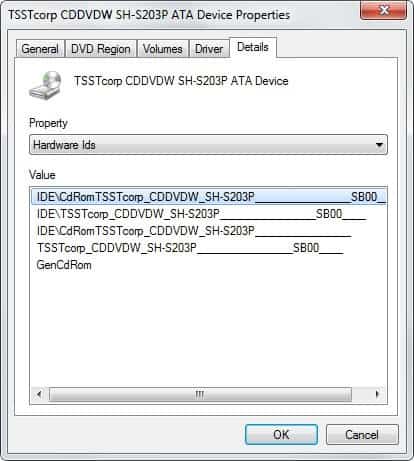
There is a large underline in the middle, after that you see your firmware. Now visit a site like the firmware pages listed below and search for your manufacturer. It should show an entry and give you a link to all the firmware versions that are available. If you find one that enables new features download it and follow the guidelines from there on.
General links:
- club.cdfreaks.com - A forum with a firmware section.
- etnas firmware page
- The dangerous brothers
- The firmware page
Video Cards:
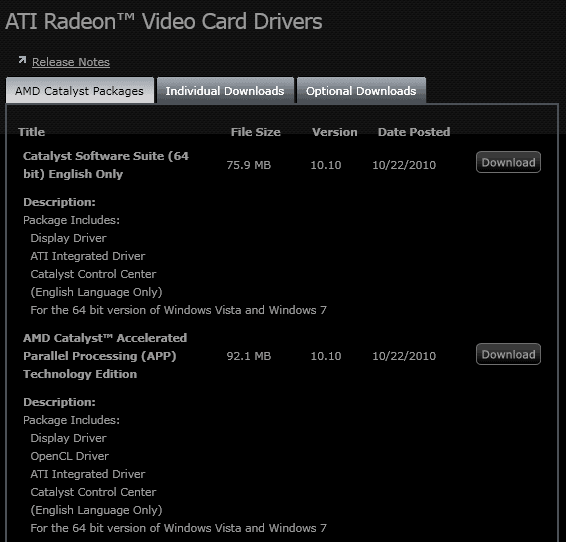
A new firmware for your video card may speed up its performance, enable temperature sensors on it, reduce the heat it is creating or change the model of the card to a newer one.
ATI / amd and nvidia cards need different tools to flash the firmware. I recommend the atitool for ati cards and for nvidia cards a utility like nvflash.
Search for your card, download the latest firmware if it adds new features and read through the text file before you start the upgrade.
General links:
Raid Controller:
I never updated a raid controller. They sometimes can be updated to add support for additional raid and udma modes. A very good site is storage-raid-forum which offers downloads for many companies.
You use the same flash utility when flashing your motherboards bios if the controller is an internal one. Take a look at the homepage of your manufacturer to recieve the information on how to flash a motherboard.
Router:
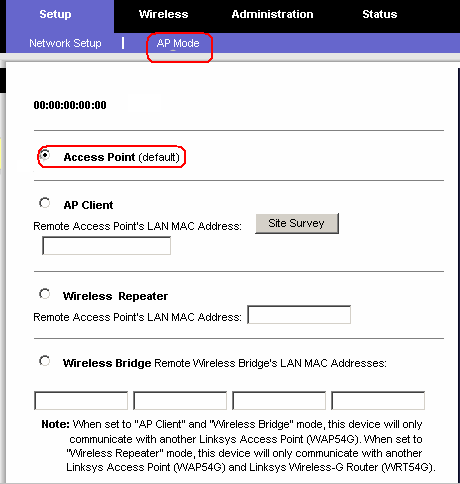
I never flashed a router myself but flashing could enable features or allow you to change parameters. Good sites with lots of information are openwrt.org and sveasoft.com.
Advertisement













Hmm, I’ll try that on my DVD-R because it sucks so much!
be carfull flashing routers. if it works mybe just LIA
i bricked a wrt54g and couldnt get it up after that.
http://www.greghughes.net/rant/DidYouKillYourLinksysWRT54GHelpFixingADeadBrickedRouter.aspx
just my 2cnt